
Adding a New Pin During Layout Generation
-
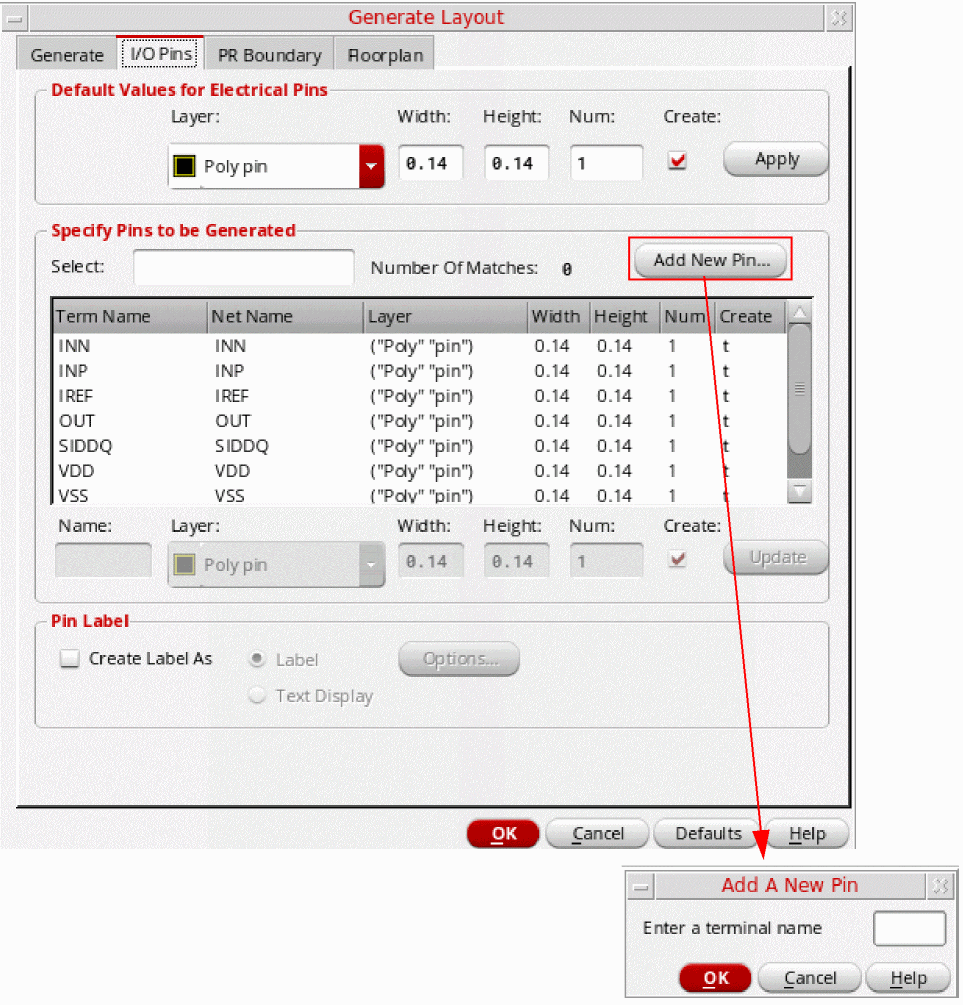
Bring up the I/O Pinstab of the Generate Layout form, click Add New Pin.
-
Type in a pin name and click OK.
If the pin to be added has the same attributes as any of the existing pins in the pin list (pin name, pin layer, and/or purpose), then the added pin is highlighted. You can change the number of the highlighted pin in order to create the number of pins you require.
Related Topics
Return to top