
Specifying the Place and Route Boundary During Layout Generation
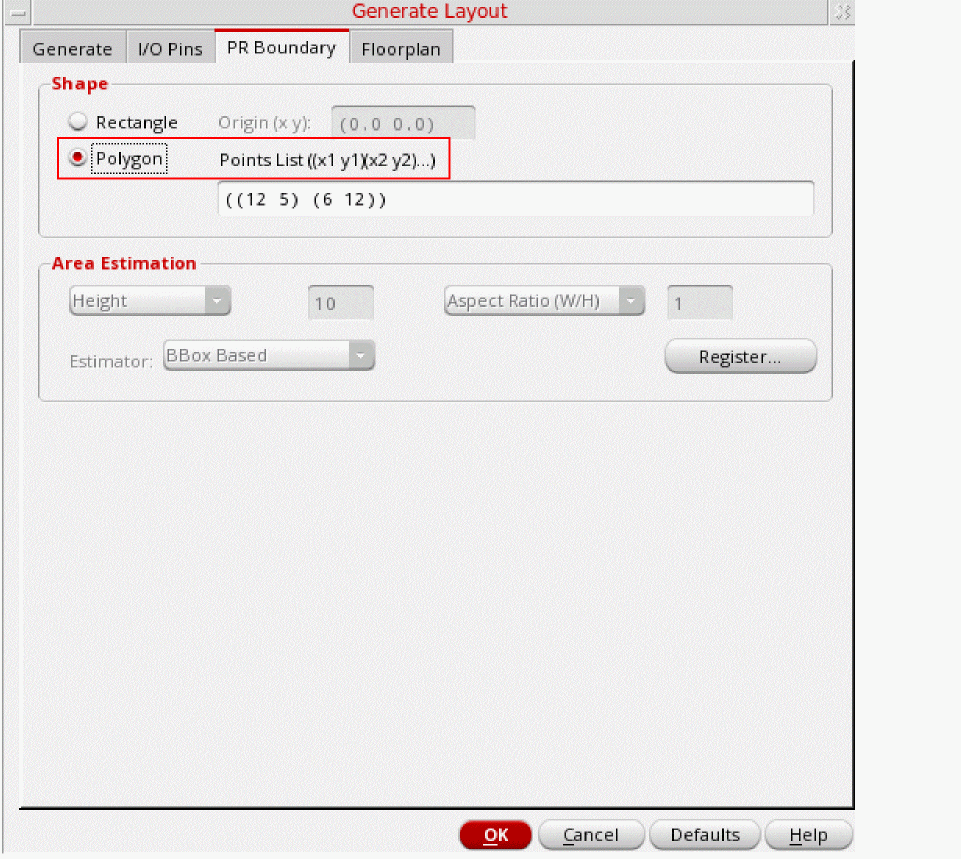
You specify the place and route boundary on the PR Boundary tab of the Generate Layout form.
To specify a rectangular place and route boundary:
-
On the PR Boundary, choose Rectangle.
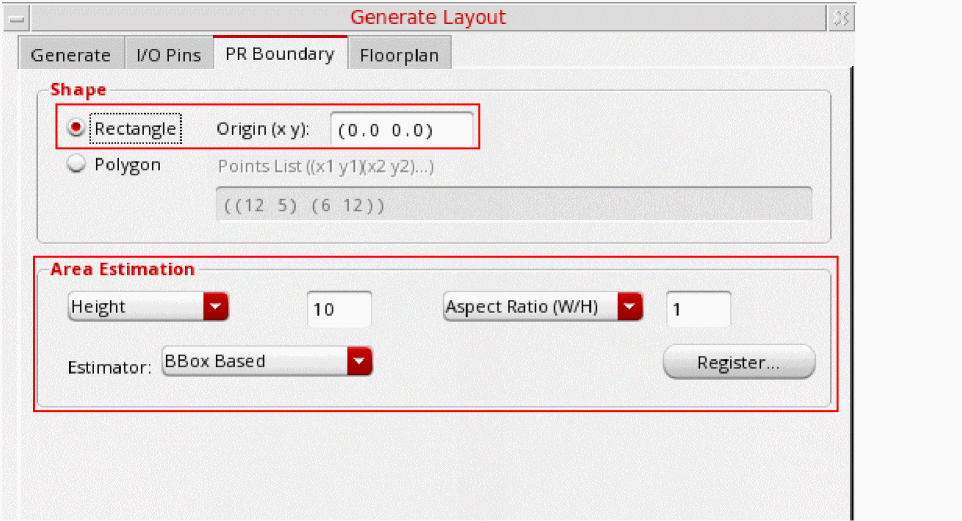
- Specify the coordinates for the Origin of the boundary shape.
- Use the controls in the Area Estimation group box to calculate the dimensions of the boundary.
To specify a polygonal place and route boundary:
-
On the PR Boundary tab of the Generate Layout form, choose Polygon.
-
Type the X and Y coordinates of each vertex of the polygon in the Points List field. For example, for a rectangle, type the following.
When you move the cursor into the canvas, the X and Y coordinates of the location of the cursor are displayed in the status banner at the bottom of the layout canvas.(0 0) (0 10) (10 8) (8 0) (0 0)
Related Topics
Return to top