
Default Instance Prefixes
When you place an instance, the default alphabetic character prefix is I for instances and M for mosaic instances (an array of instances). You can change these default values by placing a property on the master cellview or setting a variable in your .cdsenv file.
If you do not specify an instance name explicitly, the program checks the master cellview for the presence of the appropriate property as follows:
When you place the instance, the program does the following:
- Uses the prefix specified by the appropriate master cellview property, if it exists. Otherwise,
-
Uses the prefix specified by the
cdbavariable in your.cdsenvfile. For example:cdba dbInstNamePrefix string "I" cdba dbArrayInstNamePrefix string "M"
Related Topics
Changing the Prefix Using a Property
Changing the Prefix Using a Property
To change the default prefix by adding a property to the master cellview:
- Open the desired layout master cellview.
-
Select File – Properties.
The Edit Cellview Properties form appears.
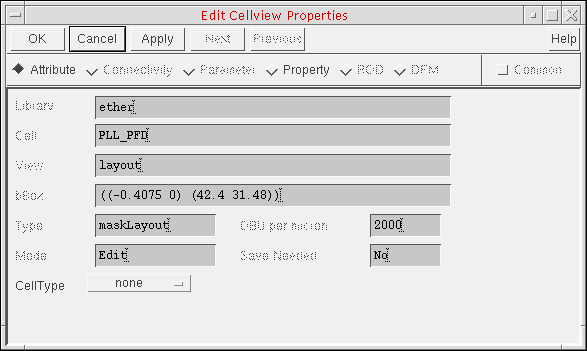
- Select Property.
-
Click Add.
The Add Property form appears.
String appears as the default Type.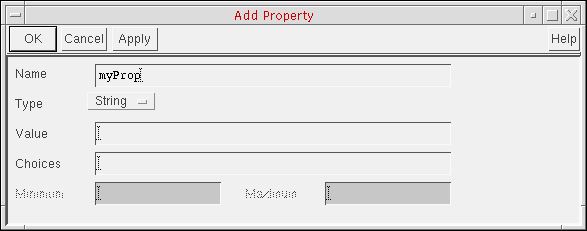
- In the Name field, type the property name:
- In the Value field, type the prefix you want the program to use when you place an instance.
-
Click OK.
The property name and value appear on the Edit Cellview Properties form. -
Click OK.
The program applies the property to the master cellview.
Related Topics
Return to top