
minRectArea
spacings( ( minRectAreatx_layer['mask1 | 'mask2 | 'mask3] ['maxWidthf_width] ['layertx_overlapLayer'overlapTypex_overlapType] ['insideLayers (tx_layer1tx_layer2…tx_layerN) ['insidePurposes (t_purpose1t_purpose2…t_purposeN)] | 'outsideLayers (tx_layer1tx_layer2…tx_layerN) ['outsidePurposes (t_purpose1t_purpose2…t_purposeN)] ]f_area)
) ;spacings
Specifies the minimum area allowed for a rectangular shape on the specified layer.
This constraint applies only to rectangular shapes. To specify the minimum area for non-rectangular shapes, use the minArea constraint.
minRectArea and minSize are set on a layer, rectangular shapes on that layer must satisfy at least one constraint.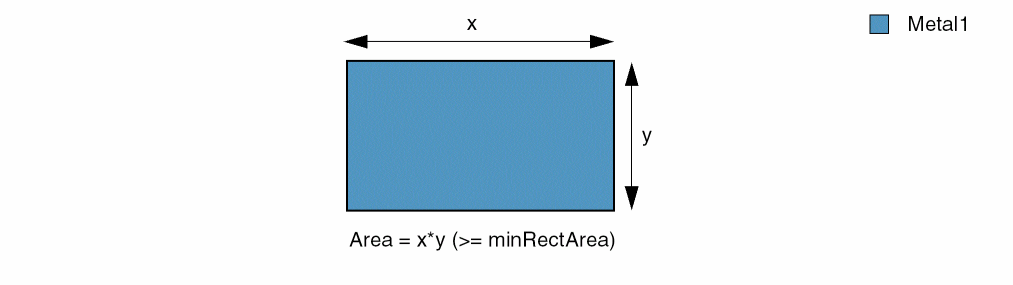
Values
|
The layer on which the constraint is applied. Type: String (layer and purpose names) or Integer (layer number) |
|
|
The minimum area that a rectangular shape on the layer must have. |
Parameters
|
(Virtuoso Advanced Node for Layout Only) The constraint applies only to the shapes on the specified mask. |
|
|
(Virtuoso Advanced Node for Layout Standard) The constraint applies only to shapes with width (shorter edge) less than or equal to this value. |
|
|
(Virtuoso Advanced Node for Layout Only) The constraint applies to a shape only if one or both its ends overlap shapes on this layer. The number of overlaps is specified with |
|
|
(Virtuoso Advanced Node for Layout Only) The constraint applies only if the number of overlaps is equal to this value. Valid values are |
|
|
|
|
|
(Virtuoso Advanced Node for Layout Only) Determines if the constraint applies, based on the presence or absence of one or more layers.
For more information, see |
|
|
(Virtuoso Advanced Node for Layout Only) The |
|
|
(Virtuoso Advanced Node for Layout Only) The |
|
Examples
- Example 1: minRectArea
- Example 2: minRectArea with maxWidth
- Example 3: minRectArea with layer and overlapType
Example 1: minRectArea
The minimum area for a rectangular shape on metal1 is 5.0, and, on metal2, it is equal to the value of the technology parameter areaval1.
spacings(
    ( minRectArea "metal1" 5.0 )
    ( minRectArea "metal2" techParam("areaval1") )
) ;spacings
Example 2: minRectArea with maxWidth
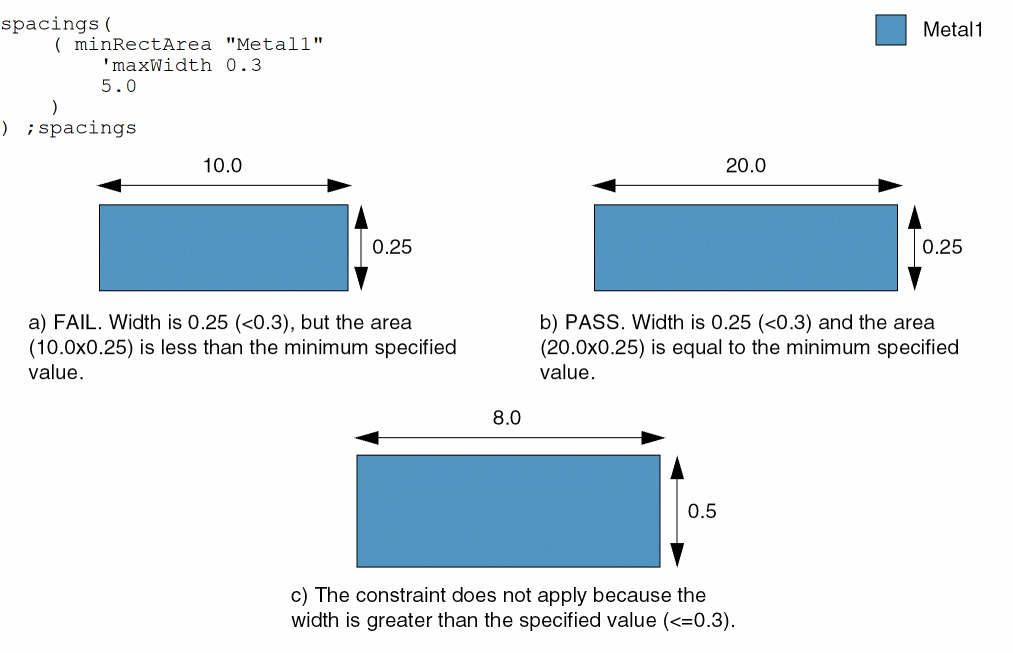
The minimum area for a rectangular shape with width less than or equal to 0.3 is 5.0.
Example 3: minRectArea with layer and overlapType
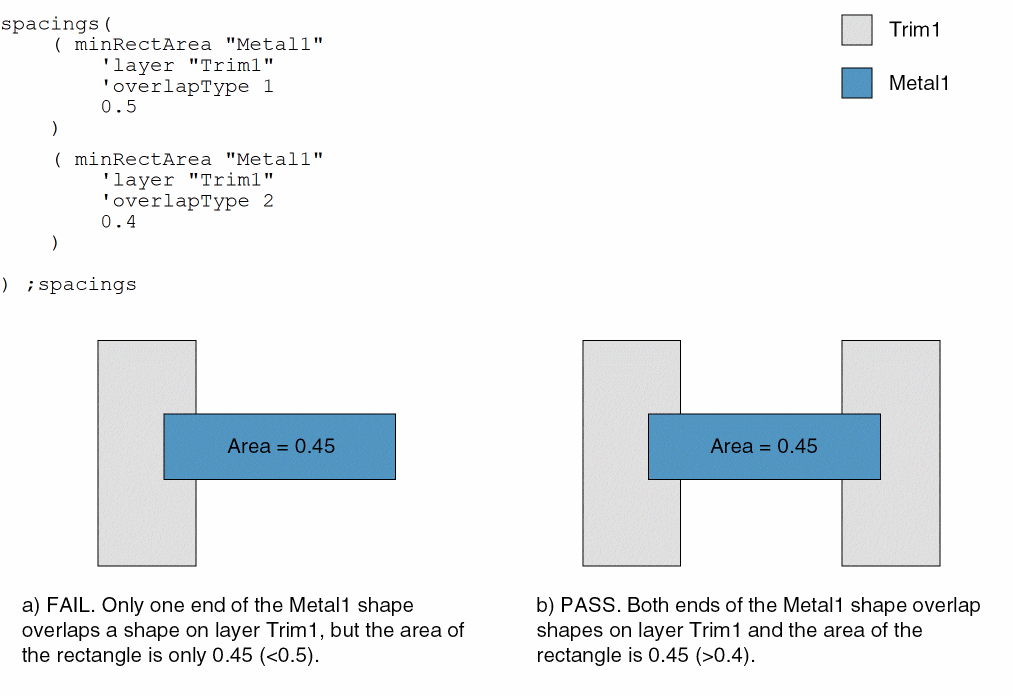
The area of a Metal1 wire must be at least 0.5 if one of its ends overlaps a shape on layer Trim1 and at least 0.4 if both its ends overlap shapes on layer Trim1.
Return to top