
Searching for content using Doc Assistant is very easy.
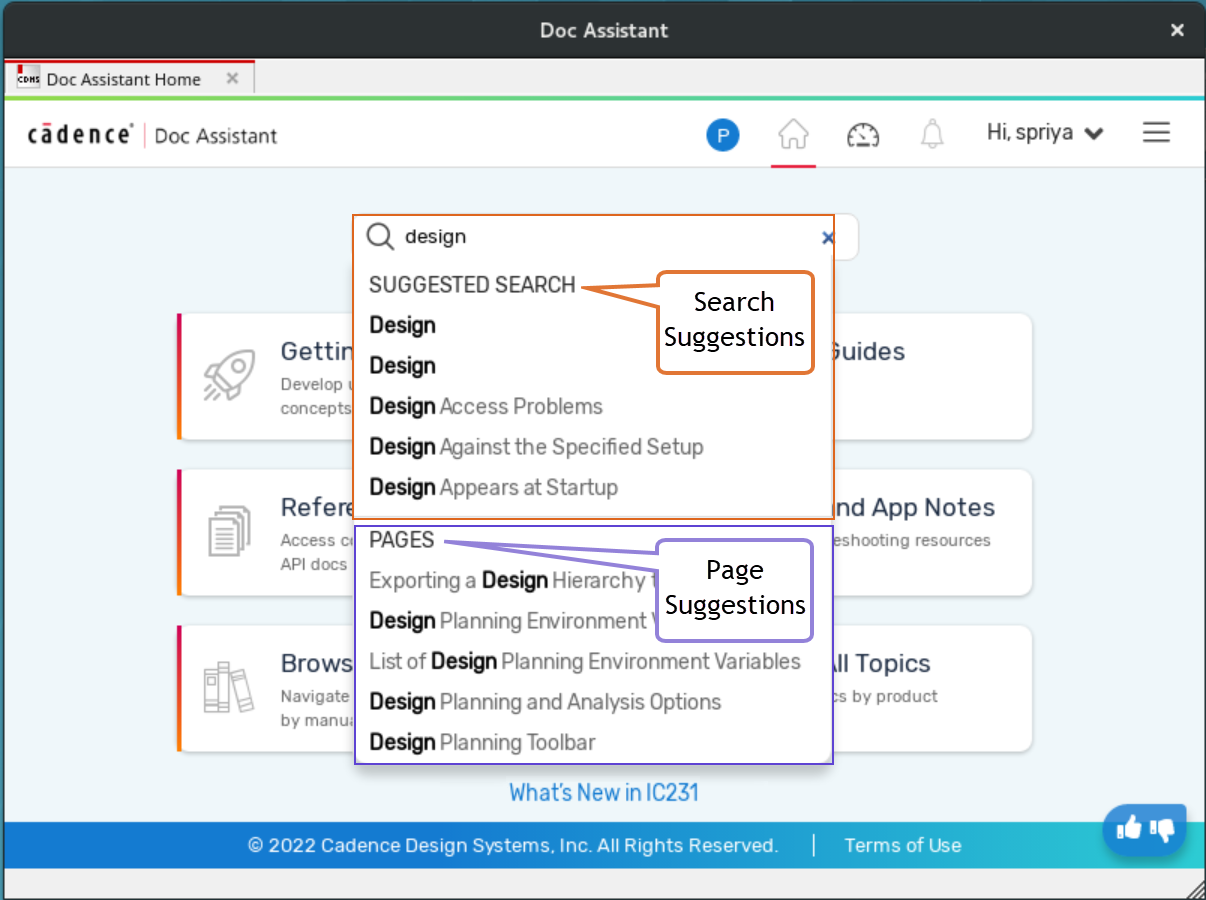
To search, start typing what you are looking for in the search bar. As you type, a word list appears below the search bar. These are suggestions related to the word that Doc Assistant fetches by matching the search strings. If you find a suitable result in the SUGGESTED SEARCH list, select it. If not, keep on typing.
You can also click a topic title in the PAGES section to take you directly to the relevant page of the document.
Doc Assistant also provides alternative suggestions for a misspelled search term.
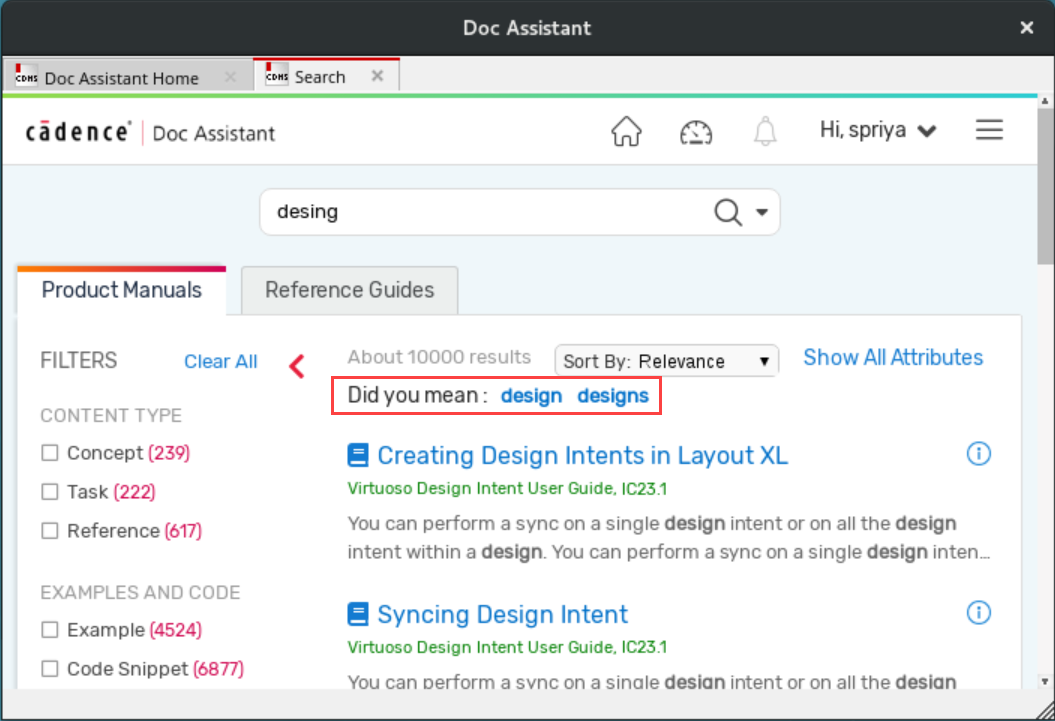
You can display a brief description of each of the search results, such as the product category, the manual name, and the chapter name. Click Show All Attributes or Hide All Attributes to show or hide the attributes for all the search results or click  to view the attributes for a specific search result.
The key features related to Search are: