
Setting Properties on an Occurrence
You can also set properties on an occurrence. An occurrence property is set on a specific path. It is also inherited by all objects in the hierarchy below the occurrence, unless the property definition specifies that it cannot be inherited.
An occurrence property has the highest precedence; it cannot be overriden by a property set at any other level of the hierarchy.
You can only add an occurrence property in the tree view of the Hierarchy Editor; you cannot add it in the table view.
To set an occurrence property,
- Choose View – Tree to display the tree view of the configuration, if it is not already displayed.
-
Turn on the occurrence editing mode by clicking the Set bindings...on Occurrence button in the toolbar:
The tree view displays Target: Occurrence. -
Choose View – Properties, if necessary.
Property columns are displayed for all the properties that are defined in the property dictionary or in theprop.cfgfile. -
In the Tree View section, click in the property column of the occurrence on which you want to set the property, and either type in the value or select it from the drop-down list.
Properties of typeenumhave a drop-down list of values from which you select a value. Properties of other types, such as integer or string, have an editable field. For example: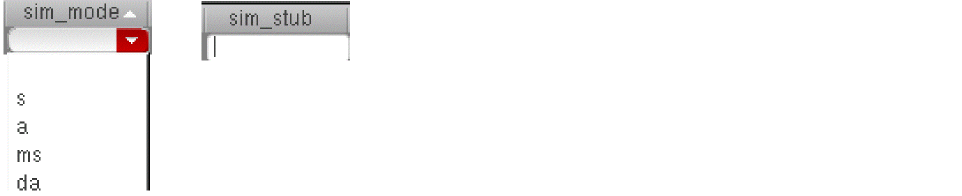
The property value appears in the property column with the  icon (occurrence icon) next to it. The path is now identified uniquely as an occurrence; if any other attribute is set on it, such as a stop point, it is set on the occurrence, not the instance.
Related Topics
Properties Setting on the Design
Setting Properties on a Global Basis
Setting Properties on an Instance
Return to top