
Removing Properties
You can remove a property in two ways:
- By removing it from the object on which it is set
- By removing it from the entire design configuration
Removing Properties from Specific Objects
You can remove a property from a specific object on which it is set—that is, from a cell, instance, or occurrence.
When you remove a property from an object, it is also removed from all the objects in the hierarchy below it that inherited the property.
To remove a property from a specific object,
- If you are removing a property from a cell, display the table view of the Hierarchy Editor; if you are removing it from an instance, display either the table view or the tree view; if you are removing it from an occurrence, display the tree view and turn on the occurrence editing mode.
- In the object row, click in the property column of the property that you want to remove.
- Either delete the text in the field, or, if a drop-down list appears, set the value to the empty space at the top of the list.
Removing Properties from the Entire Design Configuration
To remove a property from all objects on which it is set, that is to remove all references to it from the design configuration, you delete its property column.
You can delete only those property columns that you have added with the Edit – Add Property Column command. You cannot delete property columns of properties that are defined in the property dictionary.
-
Choose Edit – Remove Property Column.
The Remove a Property column dialog box appears.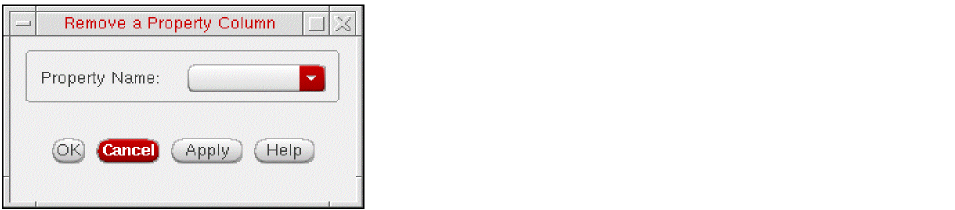
-
In the dialog box, select the property column that you want to delete.
The list only displays those property columns that you have added with the Edit – Add Property Column command. - Click OK.
Related Topics
Properties Setting on the Design
Setting Properties on a Global Basis
Setting Properties on an Instance
Return to top