
Editing a Hierarchical Design
To edit a hierarchical design:
-
Open the design partition view that you want to edit.
Let's assume that the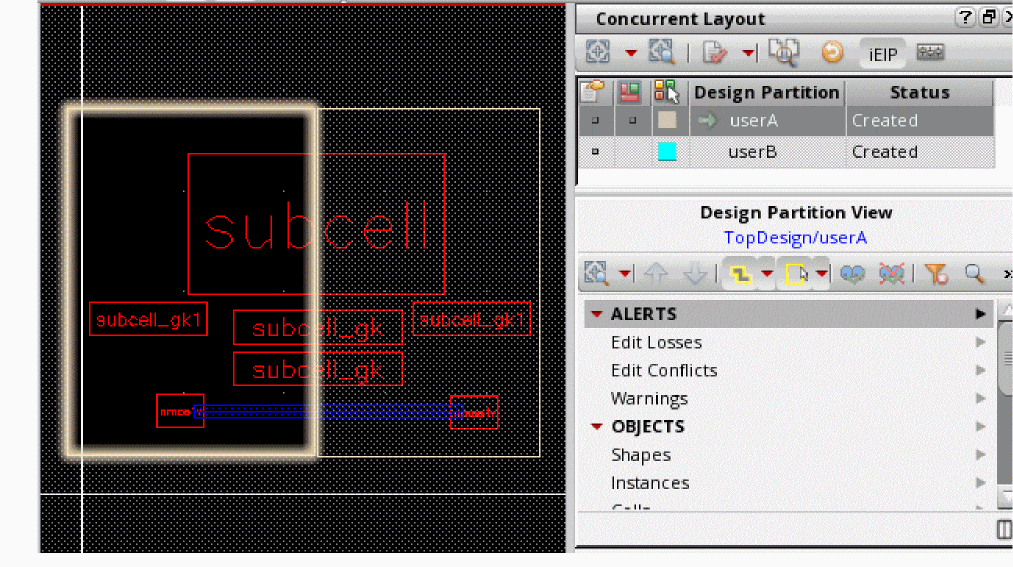
userAdesign partition view is the parent top-level design partition view. -
Choose Edit – Hierarchy – Descend Edit or press
xto EIP. -
Point to the subcell you want to EIP.
If all conditions for editing in Incremental mode are met the Hierarchical Edit Setup Form is displayed with Edit Mode as Incremental.
This form is displayed in designer mode when you Descend Edit or Edit In Place into a subcell if top-level design partitions are layer-based, or if the top-level design partitions are area-based and the following conditions are all met: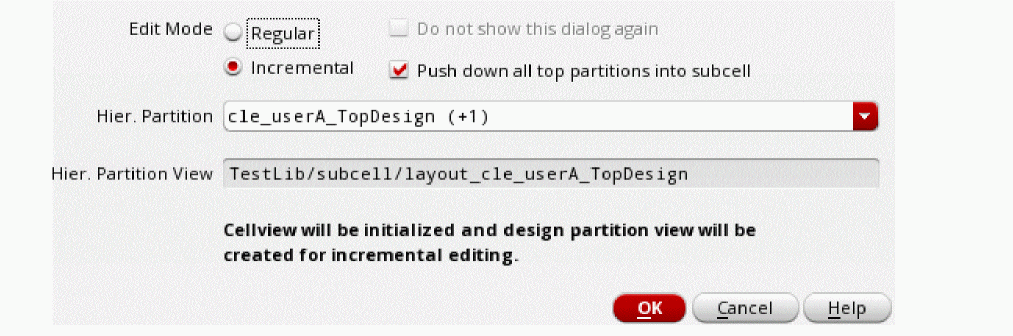
- The subcell straddles two or more design partitions
-
There is only one occurrence of this subcell in the top design (for performance reason, checking is performed only to the display level or minimum 3).

-
In Hier. Partition name, the suffix
(+1)with the name indicates the number of hierarchical design partition views that will be created. In this case, two hierarchical design partition views will be created one for the current useruserAand another one for the peer useruserB. -
The Hier. Partition View name contains the name of the top design partition view,
userA, and the name of the top design,TopDesign.
- Click OK to create the hierarchical design partition views for the subcell.
-
(Optional) Check these views in Library Manager.
Here,
layout_cle_userA_TopDesignis the incremental view foruserAandlayout_cle_userB_TopDesignis the incremental view foruserB.
When you EIP intolayout_userBhierarchical subcell from the top design partition view, you are automatically redirected into the incremental hierarchical partition viewlayout_cle_userB_TopDesign, which was created by the first peer designeruserA. Therefore, Hierarchical Edit Setup Form will not be displayed again.
The Hier. Partition View (child) stores a reference back to the top-level design partition (parent) and all the incremental descend edits. The parent design partition area is now pushed down to the child so the designer can continue to edit in the same design partition area across the hierarchy.When a hierarchical design partition is loaded into memory, it is also applied to the subcell in the virtual memory. This can affect other non-CLE cellviews if they refer to the same subcell.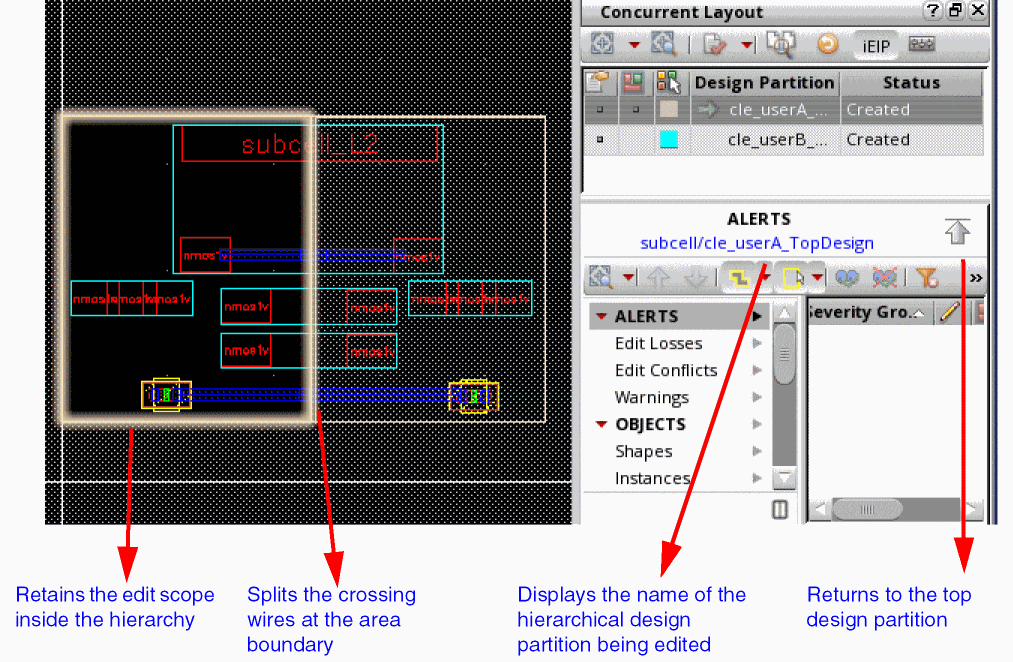
- Make some edits in the design.
-
Choose File – Save to save the changes.
-
Choose Edit – Hierarchy – Return to Level or click Return to top partition in the Concurrent Layout assistant.
When doing incremental EIP, the top-level design partition view is at level0, whereas incremental EIP happens at level n, where n represents the level of the hierarchical subcell being edited. - Repeat the steps for peer design partition.
Related Topics
Import Peer Design Partition Form
Verifying Incremental EIP Updates
Merging Incremental EIP Updates
Return to top