
Rejecting a Submitted Design Partition
-
Click Merge/Unmerge in the Concurrent Layout assistant or choose Concurrent – Merge.
The Merge form is displayed.
In the Concurrent Layout assistant, the design partition view status changes to Committed. -
Select Reject in the Action field for the design partitions you want to reject.
If the design partition status is Merging, undo the changes until the status changes back to Submitted and then reject it. -
Click Apply.
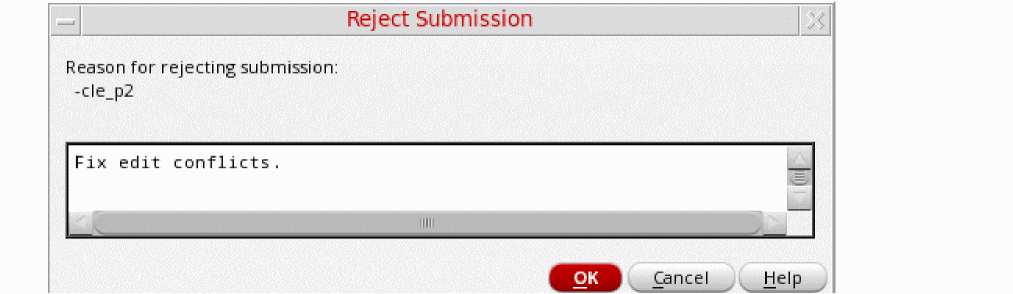
The Reject Submission form is displayed.
-
Specify a reason for rejecting the merge request for the rejected design partitions and click OK.
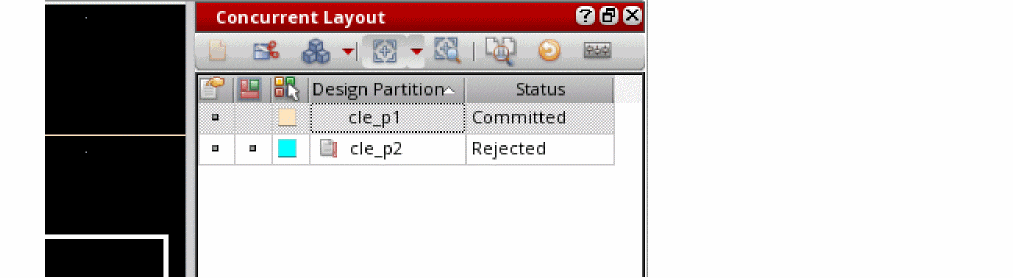
In the Concurrent Layout assistant, the status of the rejected design partitions changes to Rejected and the status of the merged partitions changes to Committed.
Related Topics
Concurrent Layout Editing in Designer Mode
Return to top