
Resolution of Edit Conflicts in Nets during Merge
Edit conflicts occur when there are nets with the same net name in two design partitions. Concurrent Layout can automatically resolve most conflicts using the following principles:
- Nets created in two design partitions (or in the top design) with the same user-specified name are automatically merged if their net types are same because this situation is not considered a conflict.
-
Nets created with the same system name (
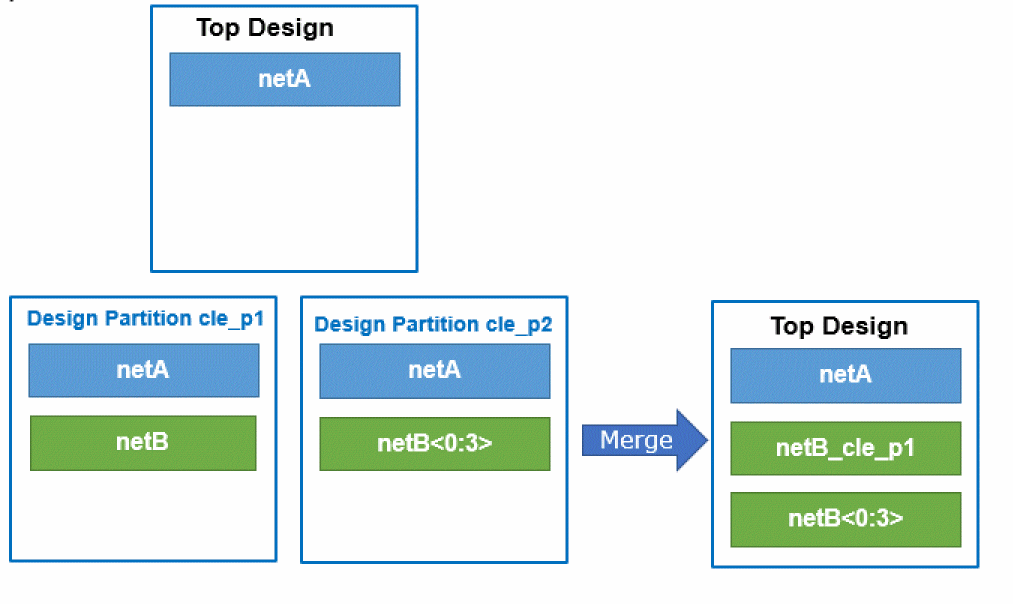
"N__#") are automatically renamed with the prefix of the design partition. - Nets created with the same base name but different net type (scalar or bus net) are automatically renamed. See Example - Nets with same base name but different types.
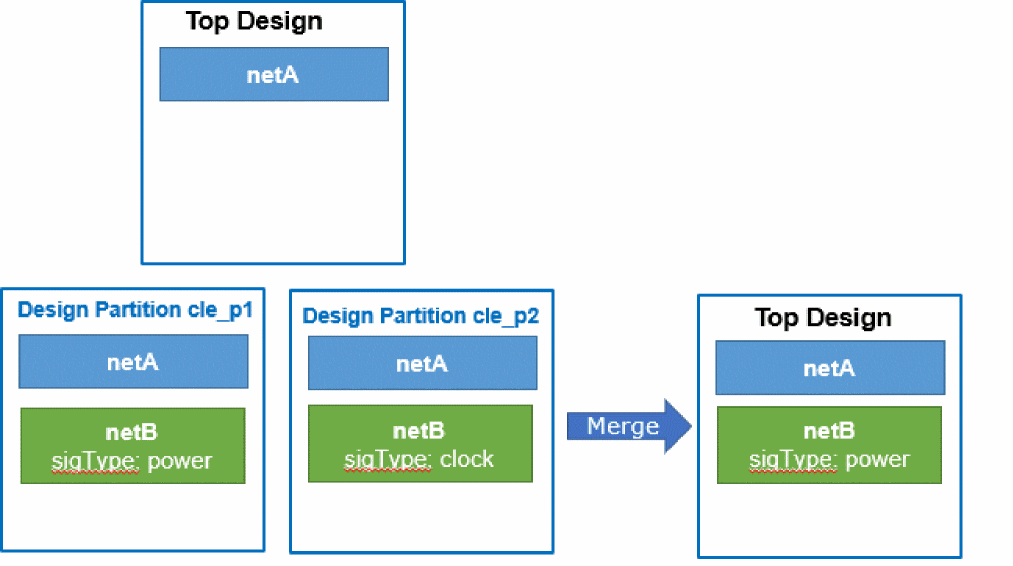
- If the nets are created with the same name but with different signal types (power or clock), the first net is merged and the second net is skipped with a warning. Example - Nets created with the same name but different signal types.
Automatic Resolution of Edit Conflicts
Discussed here are a few examples to show you how conflicts between nets are resolved automatically during the merge process.
Example - Nets with same base name but different types
The nets with same name are automatically renamed during merge.
Example - Nets created with the same name but different signal types
The first net is merged and the second net is skipped with a warning.
Resolution of Edit Conflicts Based on Connectivity Name Conflict Action Setting
If conflicts are not resolved automatically, the Connectivity Name Conflict Action option specified on the Concurrent Layout Options Form is used:
Pin and term name conflicts are treated like nets, except when they are created in two design partitions with the same user-specified name. The Rename option will rename the last and keep both (not automatically merged).
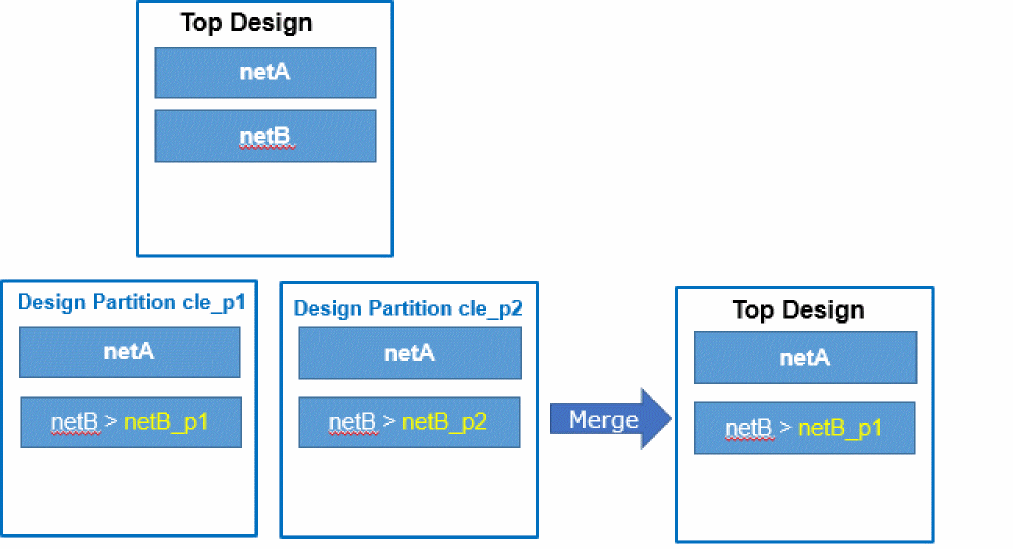
Example - Connectivity Name Conflict Action is set to Skip
The first net is merged and the second net is skipped.
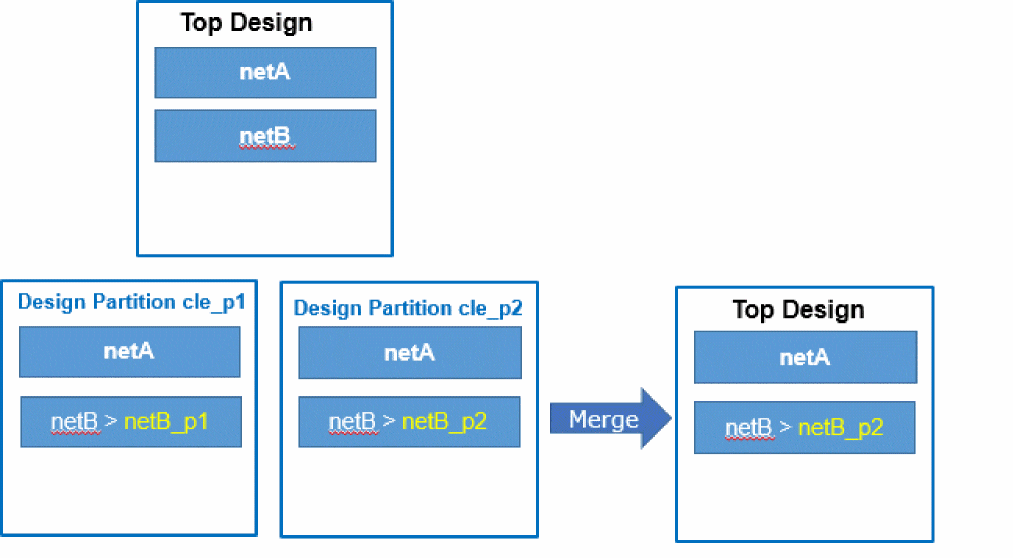
Example - Connectivity Name Conflict Action is set to Replace
The second net replaces the previous or the first net.
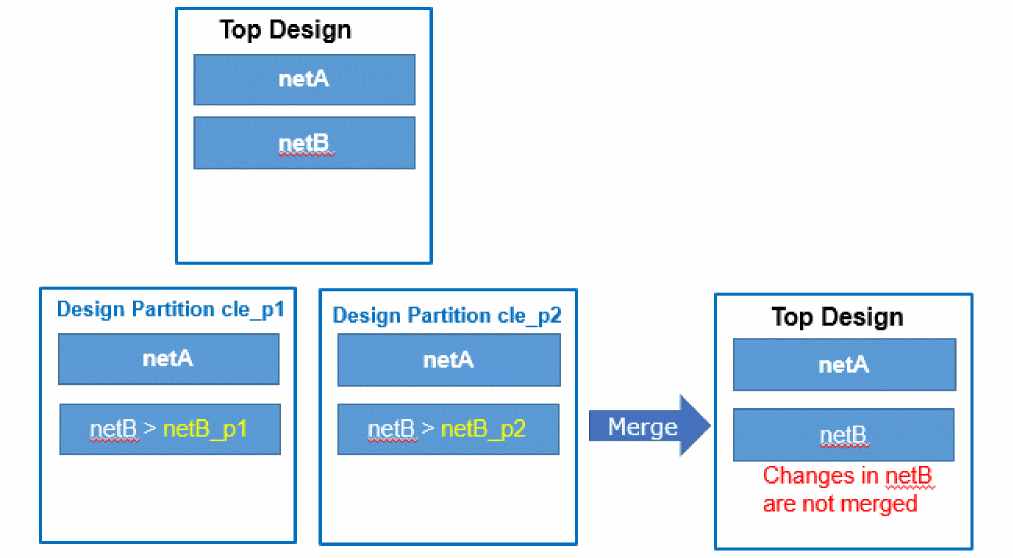
Example - Connectivity Name Conflict Action is set to Rename
Renames the second net and retains both. However, the changes are not merged because one net cannot have two names.
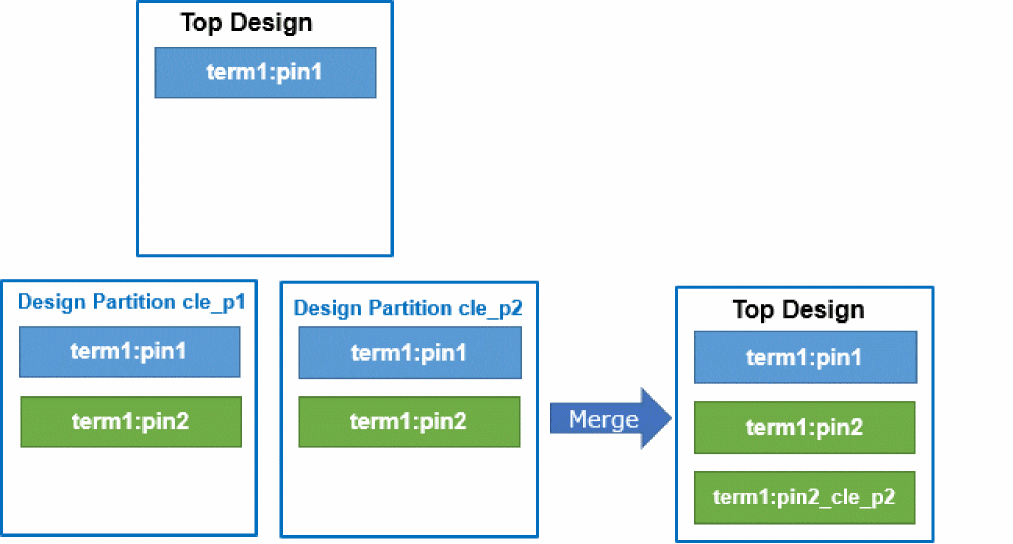
Example - Connectivity Name Conflict Action is set to Rename and have Pins with Same Name
Second pin is renamed and both entries are retained.
Example - Connectivity Name Conflict Action is set to Error
Existing net is renamed in the two design partitions. An error is reported when duplicate entries are found.
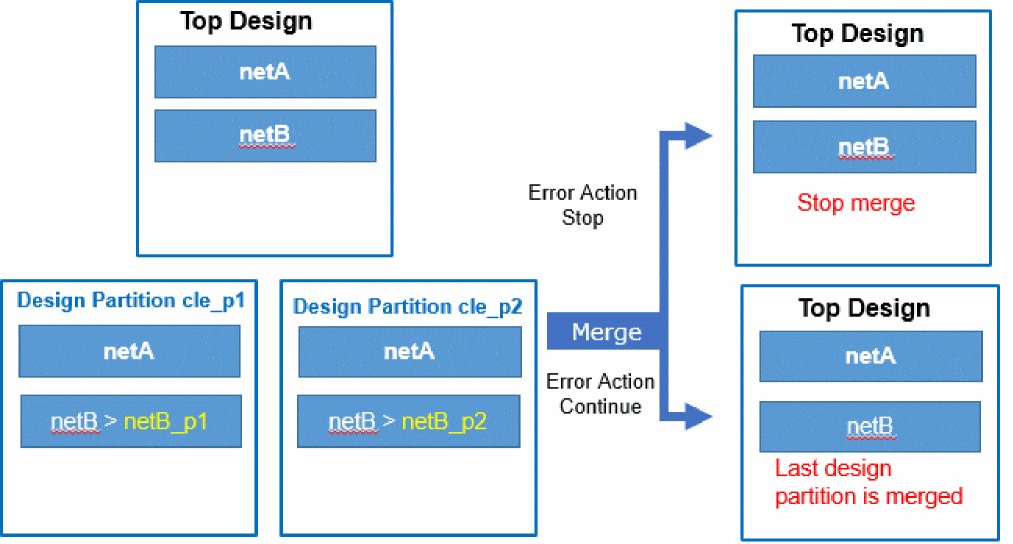
To see how to stop merge when an error occurs, consider that top design has a net netB.
-
Rename the net in
cle_p1using:dbRenameNet(netB_Id "netB_p1")
- Save the renamed net.
-
Rename the net in
cle_p2using:dbRenameNet(netB_Id "netB_p2")
- Save the renamed net.
- Open the top design.
- In the Concurrent Layout Options form, specify the following:
-
Merge
cle_p1andcle_p2.
Merge stops with warnings for conflicts. - Change the setting of Connectivity Name Conflict Action to Continue.
-
Redo merge.
Merge will succeed with warnings.
Related Topics
Concurrent Layout Options Form
Return to top