
Creating a Box Pin Group Guide
You can use the Box option in the GUIDES tab of the Pin Group Guide form to draw one or more areas in the layout window.
To create a box pin group guide:
-
Choose Floorplan – Pin Group Guides – Create.
In Layout EXL and higher tiers, choose Plan – Pin Planning – Create/Edit Pin Group Guide.
The Pin Group Guide form appears. -
Specify the name of the new pin group guide in Group Name field or click New to generate a unique group name.
You can edit the automatically-generated group name. -
Draw the pin group guide on the layout canvas using the options on the GUIDES tab.
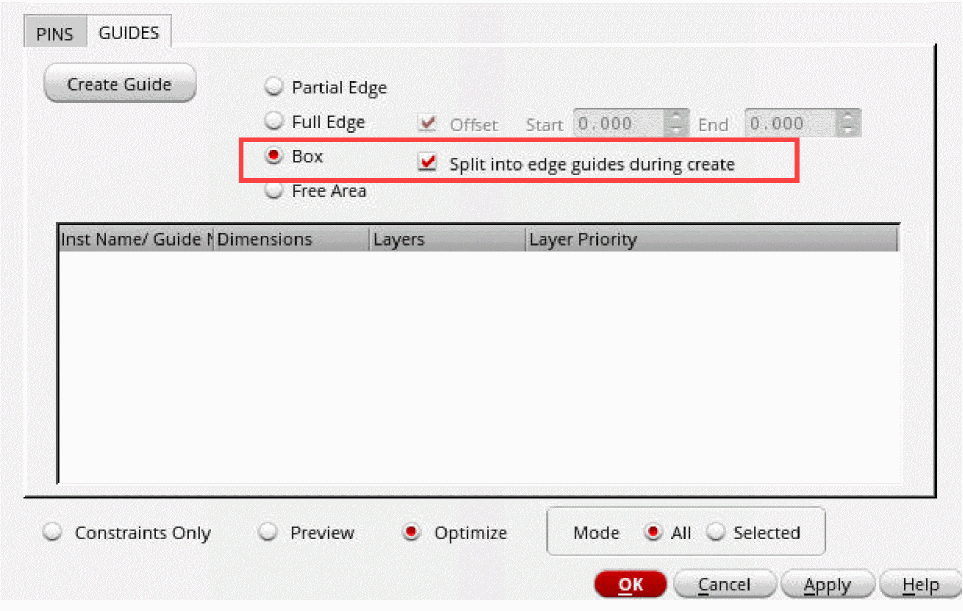
- Create pin group guides on the PR boundary edges that intersect the selected boxes.
- Press Esc when you are done.
-
Select Split into edge guides during create check box, top-level and soft block edges that intersect the box are created as the partial- or full-edges for creating pin group guides.
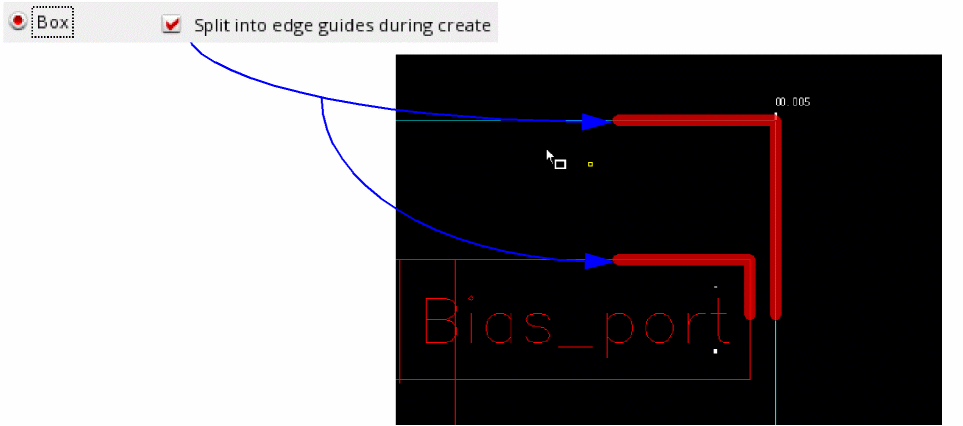
-
Deselect the Split into edge guides during create check box, a bounding box is created for the selected area. Pin edges within the bounding box are selected for placing pins.
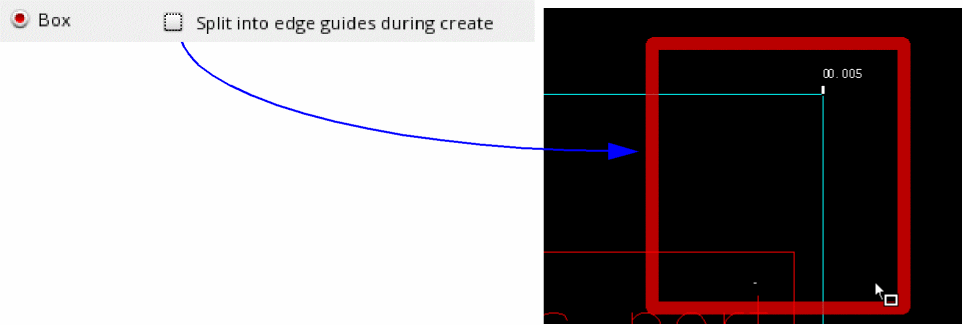
Whenever the PR boundary of a digital block is modified though stretch or move operations, the area pin group guides on these blocks are automatically snapped to the PR boundary.
Related Topics
Return to top