
Aligning Level-1 Pins to Top-Level Routes
Pin Planner lets you align level-1 instance pins with the top-level routes to which they are connected. You can also choose to resize the pins to match the dimensions of the corresponding top-level route, as shown in the following diagram:
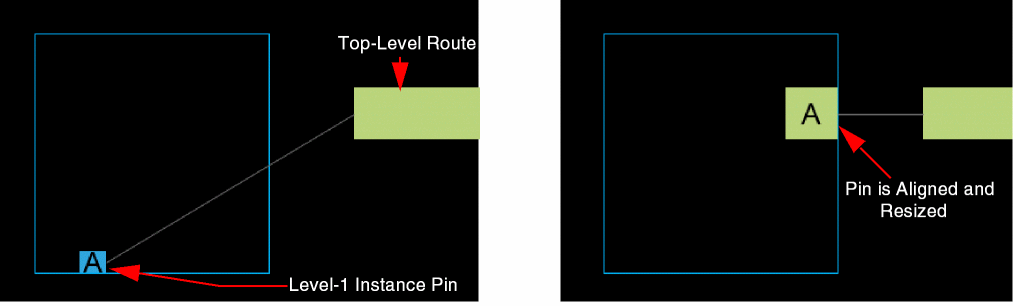
To align level-1 instance pins with the top-level routes:
-
From the layout window menu bar, choose Floorplan – Pin Planner.
The Pin Placement form is displayed. - Select the pin from the pin table.
- Select Level-1 Pins in the Edit section of Pin Planner.
- Select Top-Level Route from the Edge drop-down list.
- Click Apply.
The pin resize behavior is controlled by the t to enable pin resizing.
Related Topics
Planning Placement of Top-Level and Level-1 Pins
Return to top