
Aligning Level-1 Pins with Level-1 Routes
Pin Planner lets you align level-1 pins with level-1 routes that belong to the same net. You can also use environment variables to define the following pin settings:
- Re-layer the level-1 pin to the same layer as the level-1 route: alignMatchRefLayer
- Resize the level-1 pin to match the width of the level-1 route: alignMatchRefSize
To align pins with the level-1 routes:
- Set the required environment variables in the CIW.
- Select the required pins in the Edit section of Pin Planner.
- Select Level-1 Route from the Edge drop-down list.
- Click Apply.
Alignment of level-1 pins with level-1 routes is supported in the following scenarios:
In the Presence of a Guide Pin
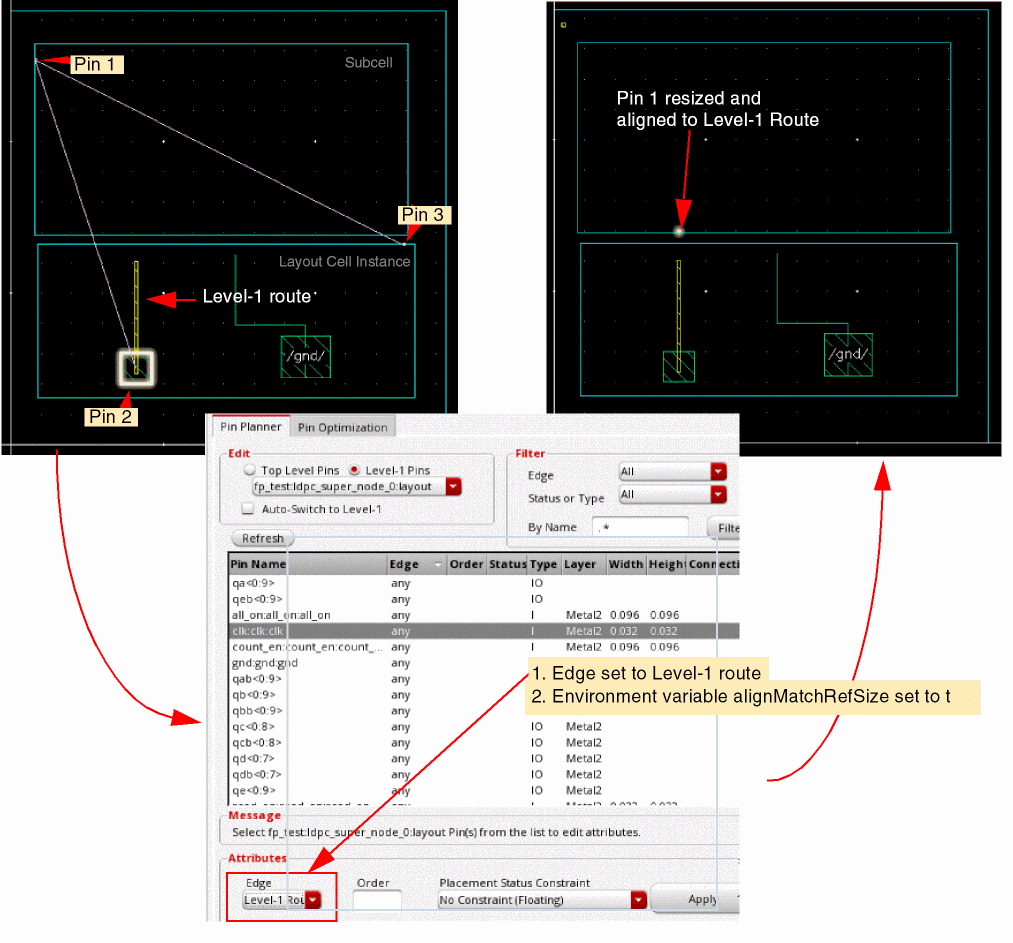
In the following example, a single net connects the following pins:
-
Pin 1 - A level-1 pin
clk, located in a subcell - Pin 2 - A top-level pin placed on a level-1 route, within a layout cell instance
- Pin 3 - A level-1 pin, which is the guide pin, located in the layout cell
The
With the Edge set to Level-1 Route, Pin Planner aligns Pin 1 with the Level-1 route. The guide pin helps retain the net connectivity during pin placement and optimization.
In the Absence of a Guide Pin
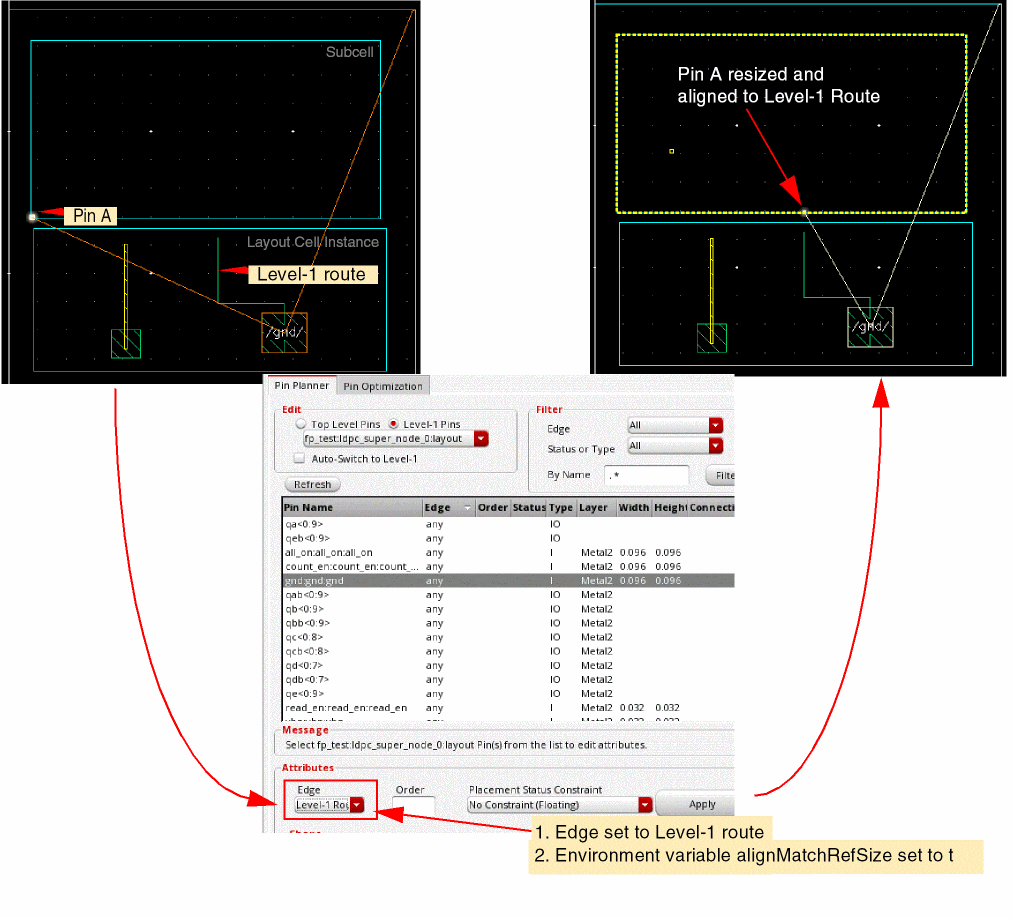
In the following example, there are no guide pins. Pin A, a level-1 pin, is located in a subcell. It is aligned with a Level-1 route and is resized as per the width of the level-1 route.
Related Topics
Planning Placement of Top-Level and Level-1 Pins
Return to top