
Removing Block Overlaps
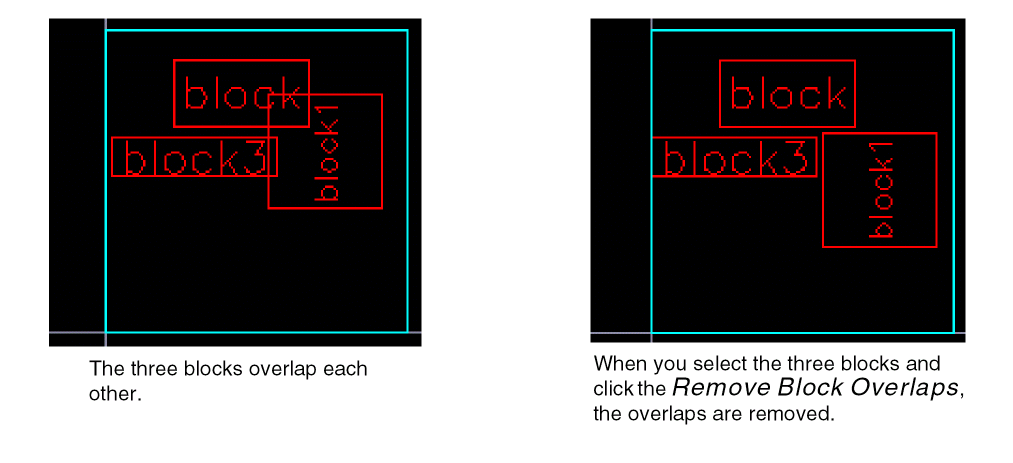
You can use the Remove Block Overlaps command to place overlapping hard blocks and soft blocks adjacent to each other. This command works on pre-selection as well as post-selection modes.
- Select the overlapping soft blocks.
-
Choose Floorplan – Soft Block Update – Remove Block Overlaps.
In Layout EXL and higher tiers, choose Plan – Block Planning – Remove Block Overlaps.
The overlaps are removed and the blocks are placed adjacent to each other as shown in the graphic.
Related Topics
Pushing Top-level Power Structures into Soft Blocks
Return to top