
Rulers
You can use rulers to measure objects or the distance between objects in a cellview. You can also measure the distance between two edges or vertices.
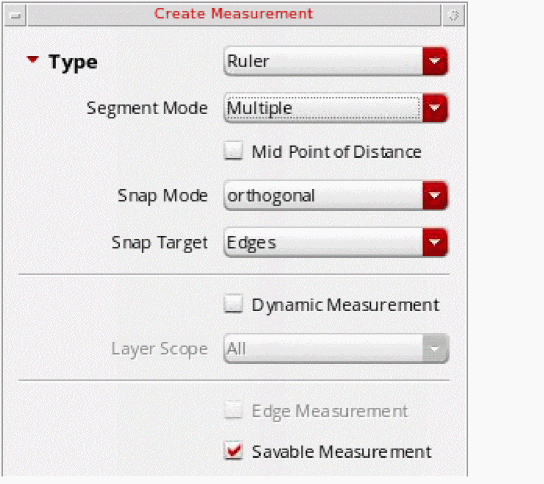
Use the Create Measurement command to create a ruler object. You can specify ruler settings in the Create Measurement form. You can create persistent or transient rulers. A persistent ruler can be saved, whereas a transient ruler cannot be saved. By default, persistent rulers are created.
Saving and Deleting Rulers
By default, rulers are saved when you save a cellview. If you do not want to save the rulers, ensure that the Savable Measurement option on the Create Measurement form is not selected.
You can clear all rulers from the design window by selecting Tools – Clear All Measurements, or from all levels of the hierarchy by selecting Tools – Clear All Measurements In Hierarchy. This deletes all persistent and transient rulers.
Related Topics
Mouse and Key Actions in Ruler Segment Modes
Creating Rulers with Snapping On
Creating Rulers with Smart Snapping Off
Return to top