
Instance-to-Mosaic Conversion
Using the Convert – To Mosaic command, you can convert the selected instances into mosaics. The command works on physical and non-physical instances, fluid guard rings, and Pcell instances.
You can run the command in two modes: Convert Instances into Mosaics or Convert Instances into Single Mosaic.
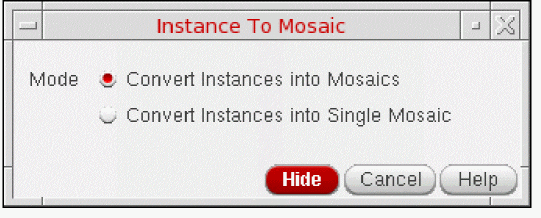
Convert Instances into Mosaics Mode
This is the default mode and converts a number of selected instances into an equivalent number of 1x1 mosaics.
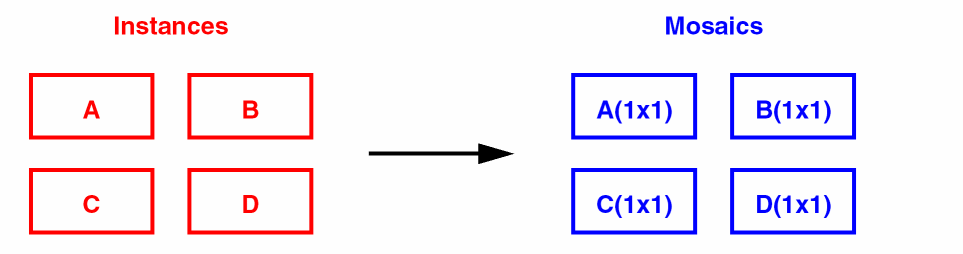
Each mosaic inherits the name, orientation, and origin of the instance from which it was derived. Cluster and group memberships and parent-child relationships are retained, along with any halo blockages and text displays associated with the original instance.
Connectivity information and any process rule overrides on the original instances are lost. Additionally, if the original instance was a member of any constraints, you must check and re-create these manually where necessary. The Convert to Mosaic command does not check or correct any constraints.
The Convert to Mosaic command is also available on the Edit Instance Properties form. When the Common editing mode is on, multiple instances are converted into multiple mosaics.
Convert Instances into Single Mosaic Mode
This mode converts a number of selected instances of the same master into a single mosaic. For example, the following figure shows that four instances of the same master, A, are selected and converted into a single 2x2 mosaic.
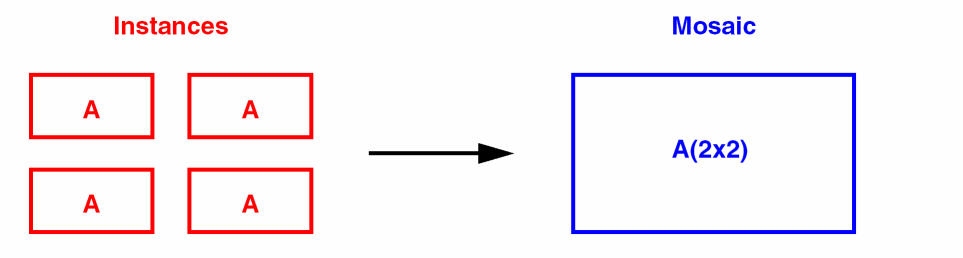
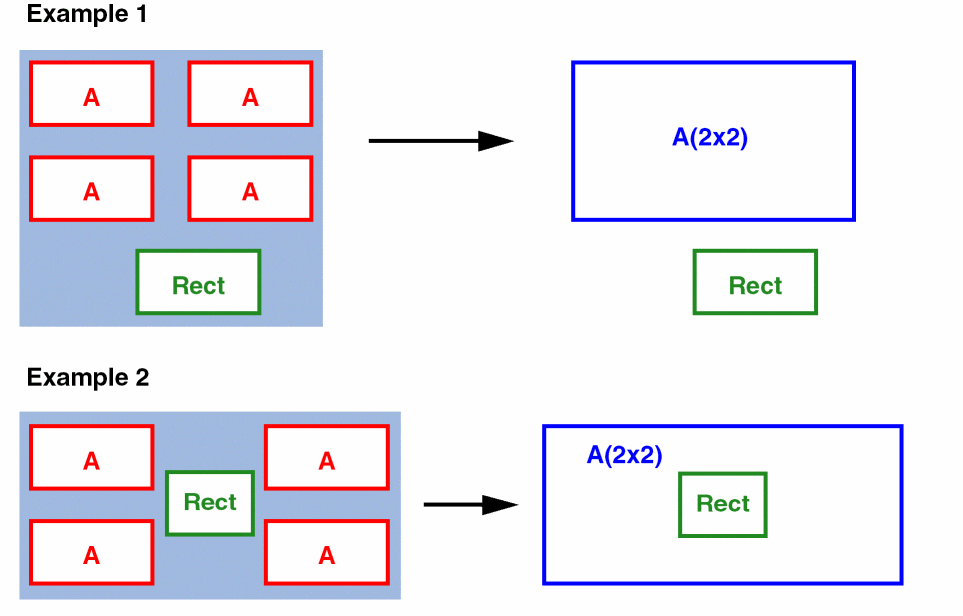
In this mode, all the selected instances must have the same master and must be placed at regular intervals in both X and Y directions. However, the intervals need not be the same in both directions. If the selected instances are Pcells, then all the parameter values must match. The name of the new mosaic is generated automatically and reported in the CIW. It has the same origin as the lower-left instance in the original selected set.
Parent-child relationships, properties, and text displays are not maintained in the resultant mosaic. If the selected set includes objects other than instances, these are left untouched when the command is complete.
Related Topics
Converting Instances to Mosaics
Converting Circles, Donuts, and Ellipses to Polygons
Return to top