Object Conversion
The following table describes the commands that you can access from the Edit menu to convert objects.
|
Command
|
Description
|
|
Convert – To Mosaic
|
Converts the selected instances into mosaics.
|
|
Convert – To Instance
|
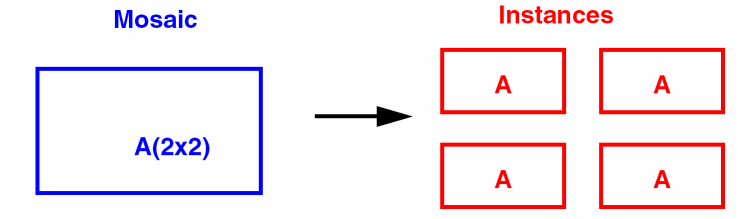
Converts selected mosaic to instances. Each instance inherits the name, orientation, and origin of the mosaic from which it is derived.
|
|
Convert – To Polygon
|
Converts circles, donuts, and ellipses to polygons.
|
|
Convert – To PathSeg
|
Converts selected shapes, polygons, and paths to pathsegs.
(Virtuoso RF Option) The Convert To PathSeg command is not supported for curved shapes.
|
|
Convert – To Path
|
Converts polygons and rectangles to paths.
|
|
Convert – To Modgen
|
Converts mosaics to modgens.
|
Related Topics
Instance to Mosaic Form
Converting Instances to Mosaics
Converting Circles, Donuts, and Ellipses to Polygons
Converting Polygons to Paths
Return to top