
Copying an Object to Another Cellview
You can copy objects from one cellview to another interactively or by specifying spacing mode and values in post- or pre-selection modes.
- Copying an Object Interactively
- Copying an Object Using Spacing Values in Post-Selection Mode
- Copying an Object Using Spacing Values in Pre-Selection Mode
Copying an Object Interactively
To copy objects interactively to another open cellview:
- In the source cellview, select the objects you want to copy.
- Choose Edit – Copy.
- Move the pointer into the other open target cellview.
- Click on the canvas to place the copies.
You cannot use the Array fields in the Copy form to create and copy an array of copied objects from one cellview to another. Only the original objects you selected are copied to the next cellview even if you have specified values in the Rows and Columns fields.
Copying an Object Using Spacing Values in Post-Selection Mode
To copy objects to another open cellview in post-selection mode by specifying spacing values:
- In the source cellview, choose Edit – Copy to invoke the Copy command.
- Select the object on the canvas that you want to copy.
- Move the pointer into the target cellview.
-
Press
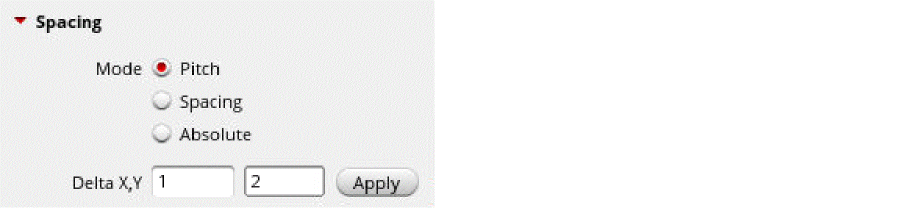
F3to open the Copy form. - Select one of the following modes in the Spacing section and specify the spacing values:
-
Click Apply in the Spacing section.
The object is placed at the specified location in the target cellview.
Copying an Object Using Spacing Values in Pre-Selection Mode
To copy objects to another open cellview in pre-selection mode by specifying spacing values:
- In the source cellview, select the object on the canvas that you want to copy.
- Choose Edit – Copy to invoke the Copy command.
- Click on the canvas to specify the reference point for the copy operation.
- Move the pointer into the target cellview.
-
Press
F3to open the Copy form. - Specify the spacing mode and values in the Spacing section.
- Click Apply in the Spacing section.
The object is placed at the specified location in the target cellview.
Related Topics
Return to top