
Selecting Multipart Path Ends
In partial selection mode, you can select an end of a master path in a multipart path. You cannot select the end of a subpart, except for chopped subpath ends. If you attempt to select the non-chopped end of a subpart, the nearest end of the master path is selected.
To select an end of a master path, do one of the following in partial selection mode:
-
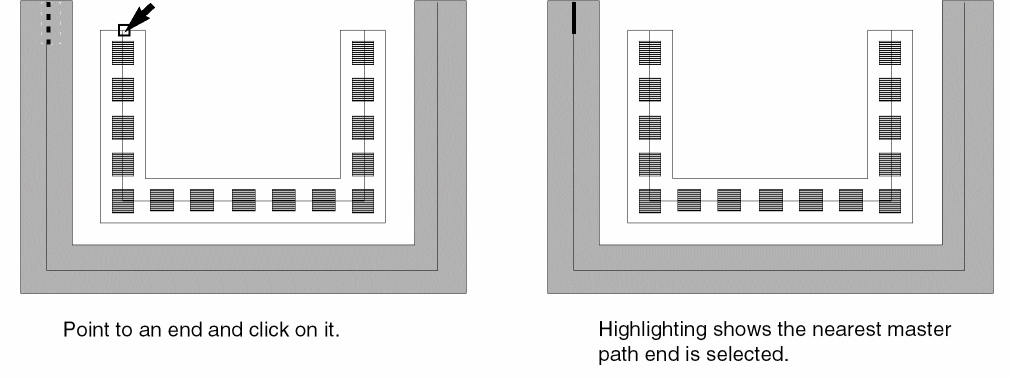
Point to an end of the master path or an end of a subpath and click on it.
As you point, the nearest end of the master path is highlighted with dotted lines.
-
Create a selection box around an end of the master path or around an end of a subpath.
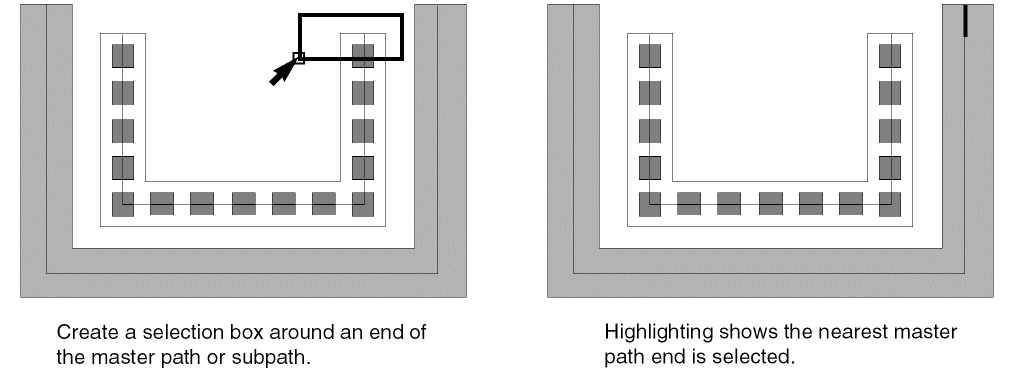
Even in partial selection mode, if you select one or more whole subrectangles, the whole MPP is selected.
Related Topics
Return to top