
Layout XL Constraint Group
The Layout XL connectivity extractor requires a constraint group containing information on valid layers, valid vias, and error layers.
On startup, Layout XL transfers all the constraints defined in the schematic view to the layout view; correctly mapping the constraints and their members between the two views. Constraints in the schematic are transferred to the top-level layout view. Constraints that have been created or changed in the schematic but not yet saved are also transferred. Device correspondence information is maintained during the transfer. Physical name mappings are tracked and constraints are updated appropriately to take account of folded instances in the layout.
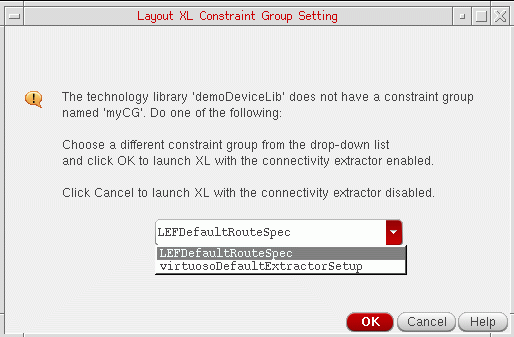
You can specify the default constraint group using the layout environment variable setupConstraintGroup. If the specified constraint group does not contain the information required by Layout XL, during initialization the software displays the Layout XL Constraint Group Setting form prompting you to do one of the following:
- Choose the constraint group you want from the ones specified in the technology file.
-
Launch XL with the connectivity extractor disabled.
Related Topics
Starting the Design Environment for Layout XL
Return to top