
Exporting a Layer Set
-
From the Palette context menu, choose Layer Set – Export.
The Export Layer Set form appears. The Layer Set repository field in the Origin section displays the repository in which the layer set is stored. This is a non-editable field.
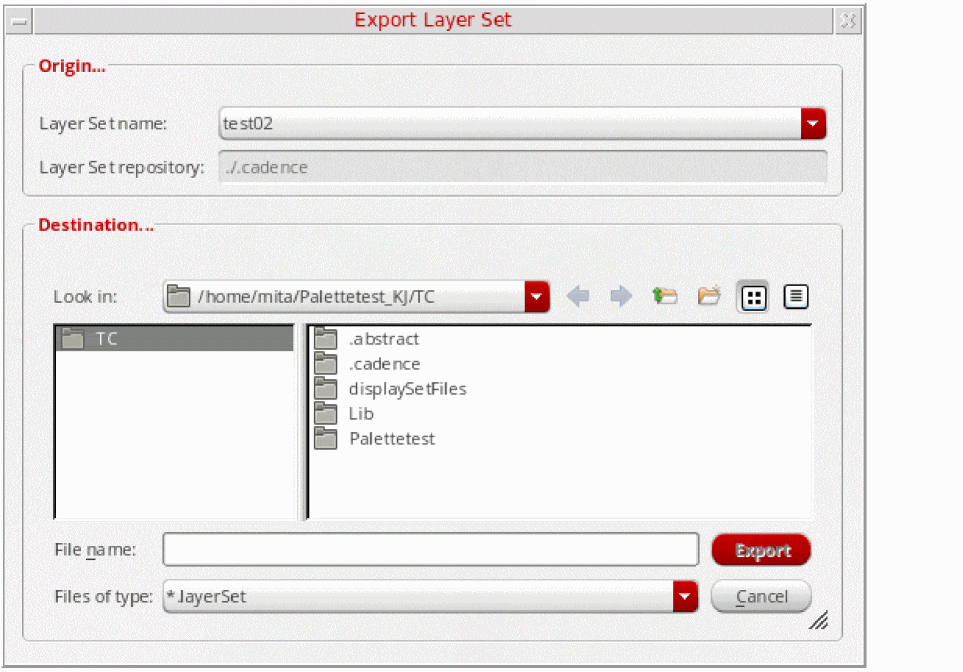
- Select the layer set that you want to export, by choosing from the Layer Set name list.
-
Specify the layer set name in the File name field of the Destination section. The layer set is saved with this name.
-
Click Export.
A new layer set is created in your present working directory.
Related Topics
Return to top