
Importing a Layer Set
You can import a layer set file from the file system to the layer set repository.
-
From the Palette context menu, choose Layer Set – Import.
The Import Layer Set form appears.
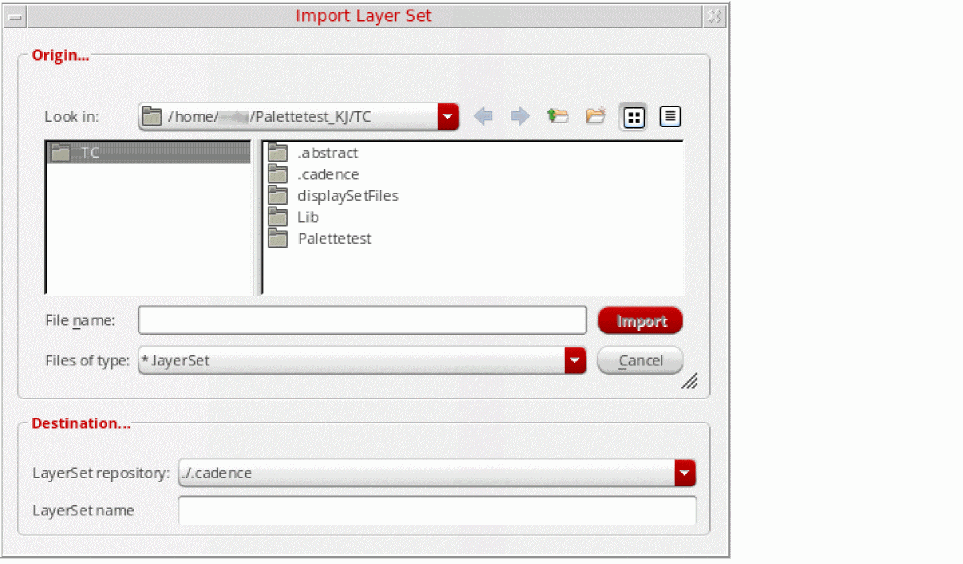
- Select the layer set file that you want to import. Specify the path if you want to import a layer set file that is stored outside your current directory. The selected file name is automatically displayed in the File name field in the Origin section as well as in the LayerSet name field in the Destination section.
- Select the layer set repository in which you want to save the layer set file, by choosing from the LayerSet repository list. The layer set file is saved in the selected repository with the name that appears in the LayerSet name field.
-
Click Import.
The imported layer set is added to the Layer Set list in the Layers panel.
Related Topics
Return to top