
Void Shape Generation
The following diagrams demonstrate the flow for generating voids:
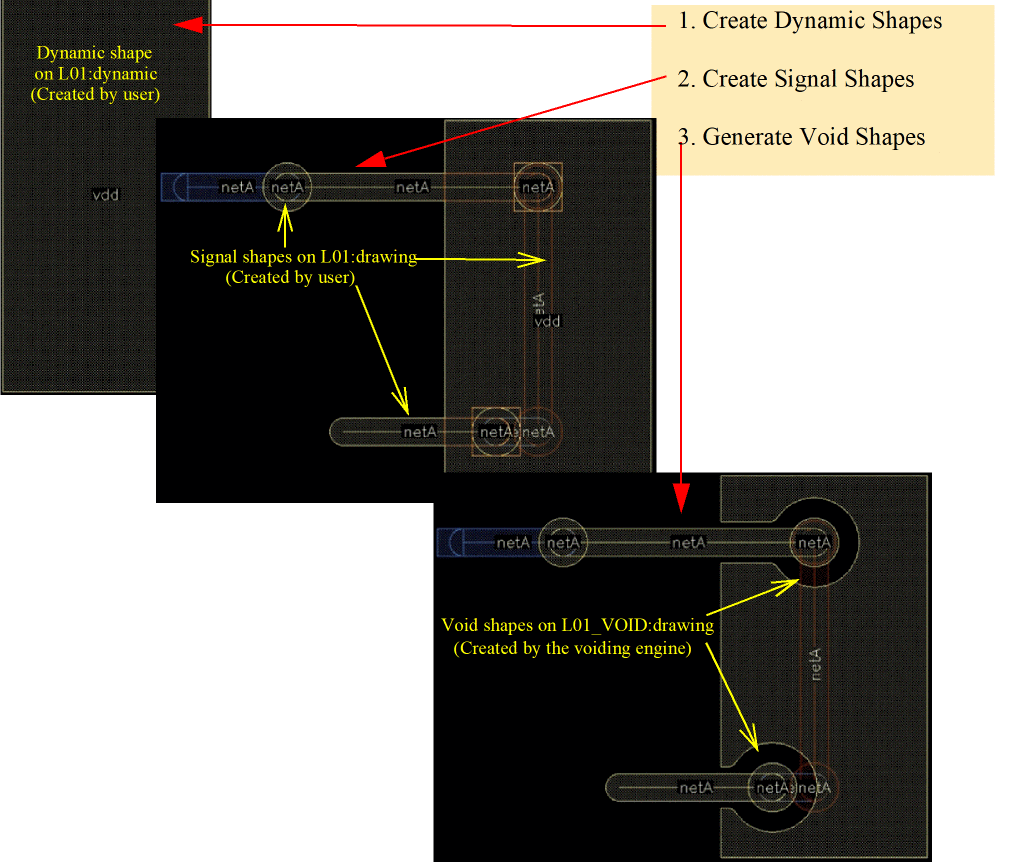
Create Dynamic Shapes
Dynamic shapes are the shapes on purpose dynamic, for example (L01 dynamic). Unlike signal shapes, dynamic shapes retain their connectivity, irrespective of the lxStickyNet property.
Create Signal Shapes
Signal shapes are the shapes on purpose drawing, for example (L01 drawing). Signal shapes are routing shapes such as pins, paths, and vias.
Example: Dynamic shape on (L01 dynamic) on net A and signal shapes on (L01 drawing) on net B.
Generate Void Shapes
Choose Module – Void Dynamic Shapes to generate void shapes. Void shapes are shapes created by the void generator on a specific layer, for example (L01_VOID drawing) for a dynamic shape on (L01 dynamic). Void shapes are stored in the database.
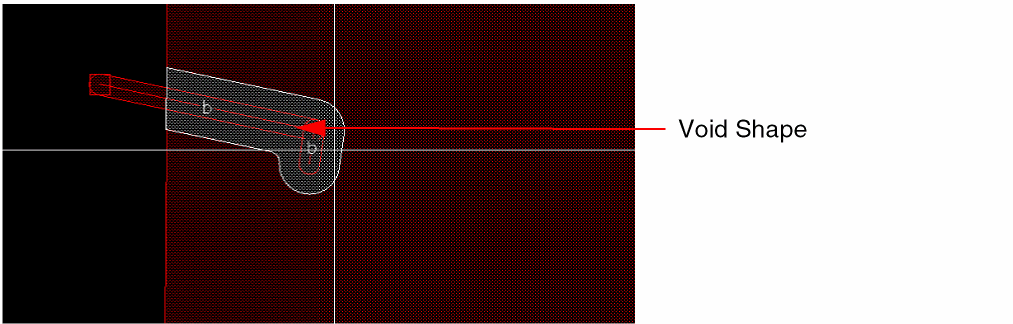
For each dynamic shape on (layer dynamic), the void generator searches for overlapping signal shapes in (layer drawing). The generator creates void shapes on (<layer>_VOID drawing) for shapes on different nets. In other words, if the nets of the dynamic and signal shapes are different, the void generator effectively removes parts of metal around the signal shape. The conducting shapes, which are the metal shapes left after removing the void shapes from the dynamic shapes, are the effective metal shapes that will be manufactured.
Related Topic
Convert Selected Dynamic Shapes
Package Constraints Supported by the Void Generator
Return to top