
Update Binding Information
When a package layout is launched in Layout MXL, its persistent bindings are read and stored in memory. To view these bindings, choose Module – Bind Layout. The Bind Layout form is displayed, which provides information about the Library, Cell, and View of the layout to which the current package die is bound. The default values are the properties set by die export on the corresponding TILP. The Bind Layout form lets you bind die footprint instances to die layouts and package footprint instances to package layouts.
To maintain the binding between the schematic die symbol and the die layout in package, if there is any mismatch in the binding between the schematic and layout instances, you should update the physical binding.
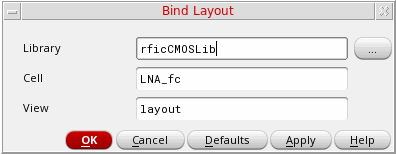
In certain situations, for example, when dies of different technologies are brought together using TILPs, the binding information might be lost during the process. In such situations, use the Bind Layout form to update the binding information.
Return to top