
Editing Support for Row Regions
You can use various commands to edit row region objects like other shapes in the layout editor.
Some exceptions for a few commands are:
- For the Delete command, partial deletion (for example a vertex) is not supported.
- For the Rotate command, only orthogonal editing is supported.
- For the Chop command, grid-aware orthogonal snapping is supported for the line, rectangle, and polygon chop shapes if grids are specified in the row template manager. For the line chop shape, grid-aware orthogonal snapping is supported for no spacing and the User Spacing type.
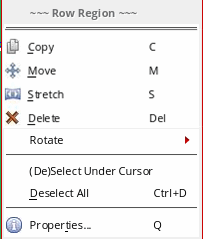
A context-sensitive menu is also available for row region objects. You can use the context-sensitive menu to access commonly used editing commands.
Snap Pattern Snapping Support
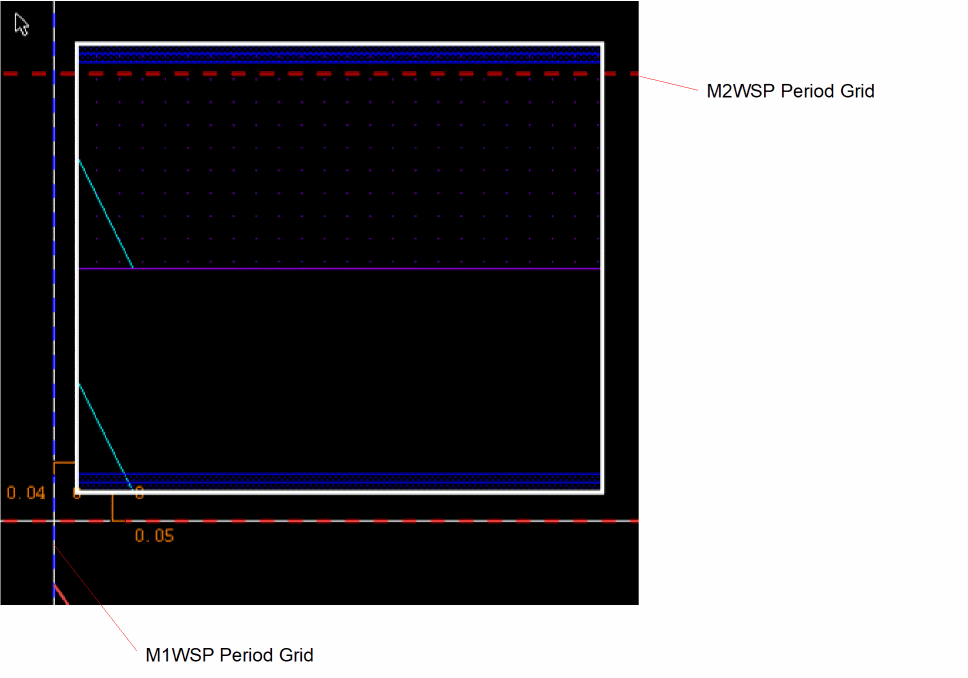
Snap pattern snapping to the reference grids specified by the row region template is also supported. You can specify the reference grid for the horizontal or vertical direction. In the example below, the horizontal grid is set to M1WSP and the vertical grid is set to M2WSP, with offsets (0.04 and 0.05).
Importing Row Regions
The Replace Rows section of the Load Physical View form includes the Row Regions check box. When selected, the existing row regions in the target cellview are deleted and replaced with the row regions defined in the source cellview.
Related Topics
Layout Support for Row Regions
Return to top