
Design Check Against Source
The Connectivity – Check – Against Source command lets you check that:
- There are no missing or mismatched cellview masters between the schematic and the layout.
-
There are no devices present in the schematic but missing in the layout and vice versa.
The command does not report missing I/O pins and instances that have a property specified in thepropsUsedToIgnoreObjsForCheckenvironment variable.
See Ignoring Components with no Schematic Counterpart. - There are no connectivity issues on top-level pins and global nets, mismatched or missing terminals and instance terminals, or unbound nets in the layout.
-
The CDF parameters and cell and instance properties listed for devices in the schematic are associated with equivalent parameters or properties on devices in the layout; and that the values of parameters and properties on the layout and schematic views are consistent.
You specify how the parameters and properties are compared on the Parameters tab of the Connectivity form. The default settings check only the parameter values and ignore missing parameters or properties in either the schematic or the layout. This reduces the number of messages in the Check Against Source report. -
The bus terminal information in the layout cellview matches the bus terminal information in the schematic cellview. This behavior is controlled by the
createImplicitBusTerminalsenvironment variable. - The min and max voltages on a net are same in the schematic and the layout views.
- Check Against Source does not report any issues found in user-defined bindings created using the Define Device Correspondence form.
- When Check Against Source is run, the information about the schematic nets does not include any hierarchical information in the name.
Using CDF Callbacks with Check Against Source
Check Against Source uses the schematic list of parameters, and the layout value of the width (for folding), sParam (for sfactor), and mfactor=1 and sfactor=1 to verify the list of parameters.
The total widthsParam is compared before applying the callback; all other parameters are compared with the corresponding master after applying the callback.
Incremental Check Against Source
You can use the IncrementalCas environment variable or click the  button on the Options toolbar to enable incremental Check Against Source. When this option is enabled, markers are interactively checked and created as changes occur.
By default,100 objects are checked. If the limits exceeds, a marker is generated in Annotation Browser to report that the objects exceeding the limit have not been processed. The marker bounding box shows the objects that were not processed. You can run the Run Check Against Source command on the marker to check these objects later.
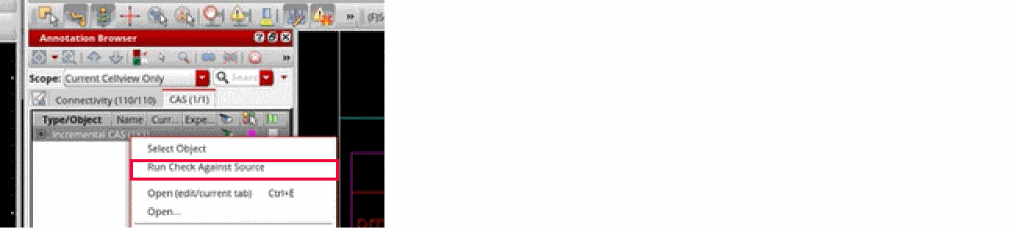
You can use the incrementalCasLimit environment variable to change the number of objects to process at one time.
Related Topics
Define Device Correspondence Form
Return to top