
Limitations of Smart Display
-
The visible layers and smart labels are lost during a drag operation, as shown below:
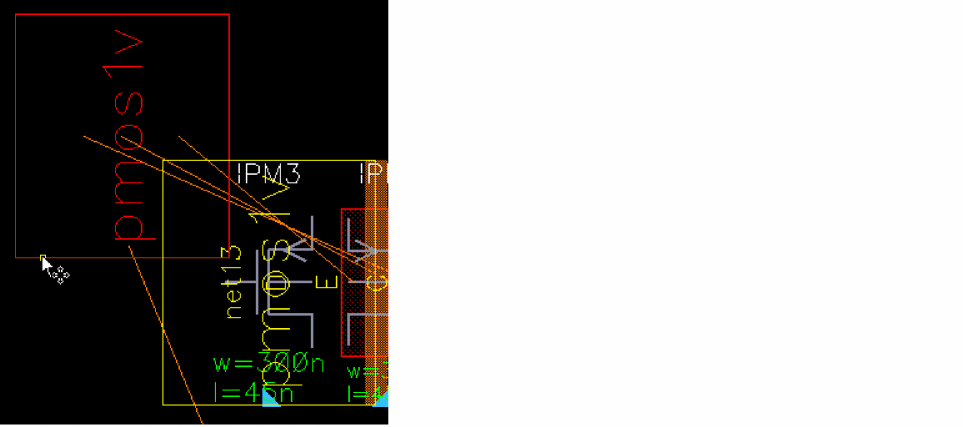
-
The dimming effect is lost when you export a design in Abstracted or Schematic mode to an image file, as shown below:
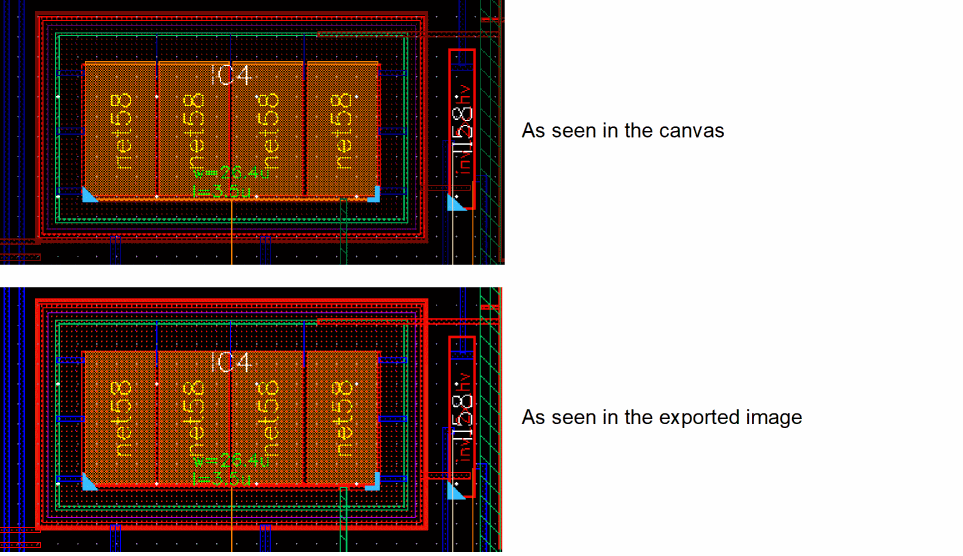
- Smart Display re-abstracts all the figures larger than 20 pixels every time the pan or zoom commands are invoked. To minimize the performance impact in a large design, the abstraction stops with a warning when the maximum count of 500 instances is abstracted.
-
The Smart Display device abstraction device abstraction displays MOS poly in solid stipple, making any text difficult to read.
To change the poly stipple, use either:
Method 1
a. Enable Smart Display in Abstracted mode and open the Display Resource Editor.
b. Change view mode from All LPPs to All Packets.
c. Search forsmdPacketPolyand select it.
d. Change the stipple from solid to dots. Click Modify Current Packet.
Method 2
In the Display Resource Editor, choose the File – Save/Load to directly change thesmdPacketPolyas:( display smdPacketPoly solid none orange orange stipple )
Related Topics
Return to top