
Connectivity from Attached Labels to Consider During Extraction
If a top-level shape has an attached label, you can choose to automatically connect the shape to the net referenced by the label text. To do this, you must enable the Assign shapes from attached labels option on the Connectivity Form.
However, in some situations, as those described below, the connection may result in violation markers being displayed in the Annotation Browser.
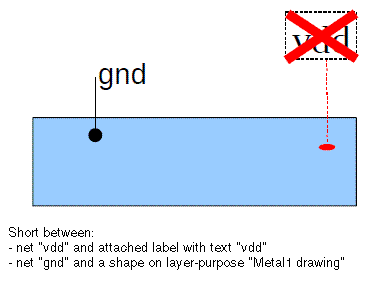
Scenario 1: If a label is attached to a shape that has sticky connectivity to another net, a short marker is created overlapping the label.
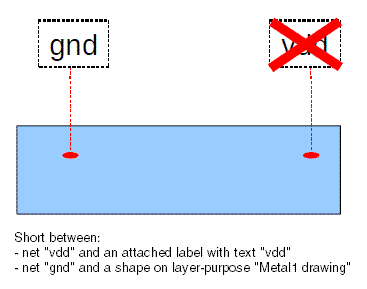
Scenario 2: If several labels with different text are attached to a single shape, the labels that create a short with the shape are overlapped by a short marker.
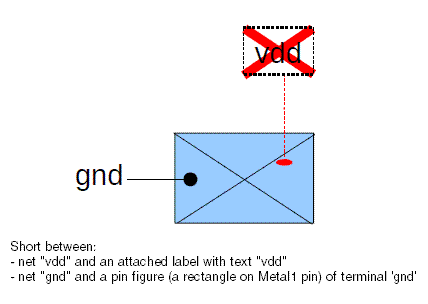
Scenario 3: If a label is attached to a pin shape that has a terminal name different from the label text, a short marker is created overlapping the label. If the label text and the terminal name are the same, no violations are reported.
Related Topics
Return to top