
Creating Pin Labels During Layout Generation
To generate name labels for each pin:
-
Bring up the I/O Pins tab of the Generate Layout form.
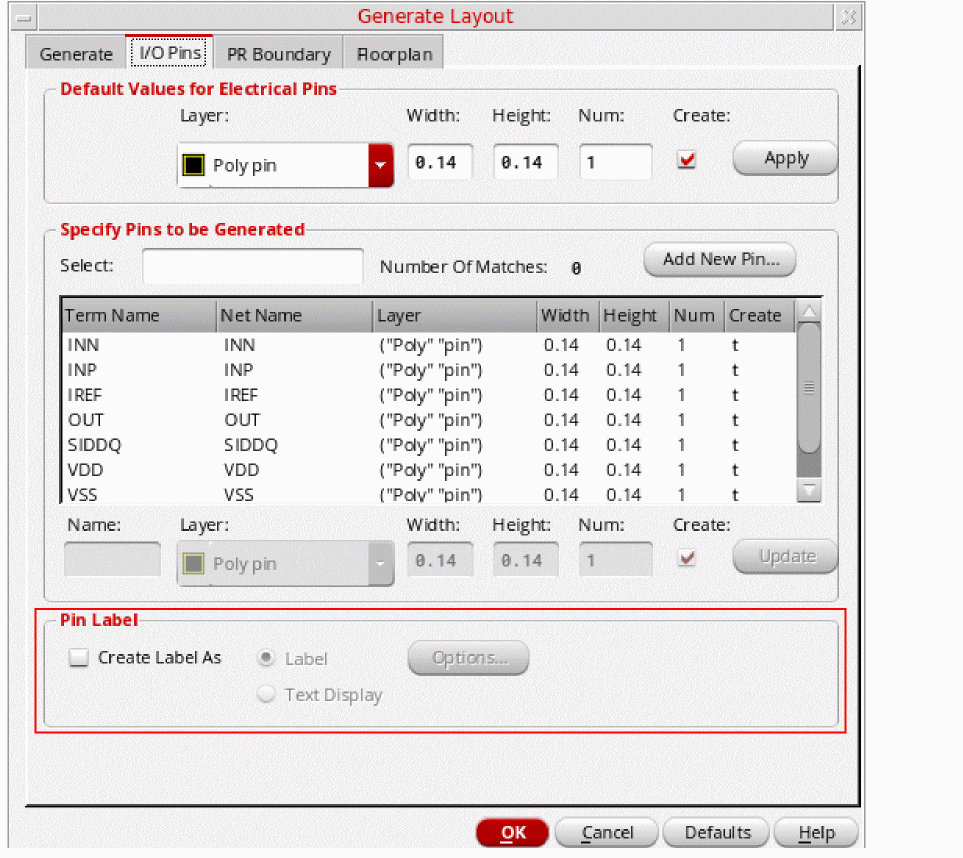
- Turn on the Create Label As option and choose whether you want to create a Label object or a Text Display object.
-
If you choose to create Label objects, you can set the label style by clicking Options.
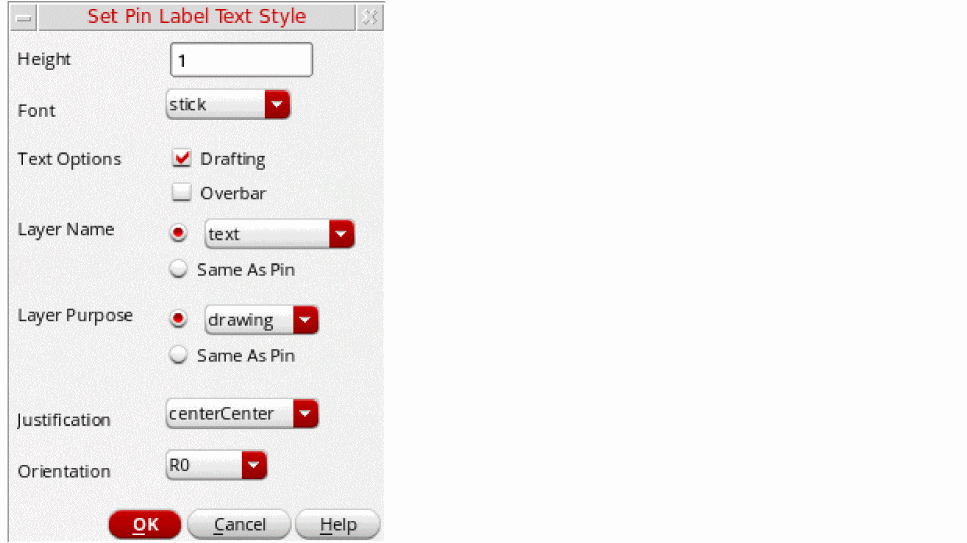
The Set Pin Label Text Style form is displayed.
-
Choose the options you want and click OK.
The corresponding environment variables are listed below.
labelDrafting labelFontStyle labelHeight labelJustify labelOverbar orientation pinTextLayer pinTextPurpose pinTextSameLayer pinTextSamePurpose
The default Layer Name is text. But, if the layer name does not exist as a validLayer in the technology file, the first layer in the list of validLayers is set as the layer to be used for creating the pin label. The layer purpose then defaults to the purpose associated with the first layer in the validLayers list.
Related Topics
Return to top