
Update Binding Report
To confirm that the binder is initialized, Layout XL issues the following message.

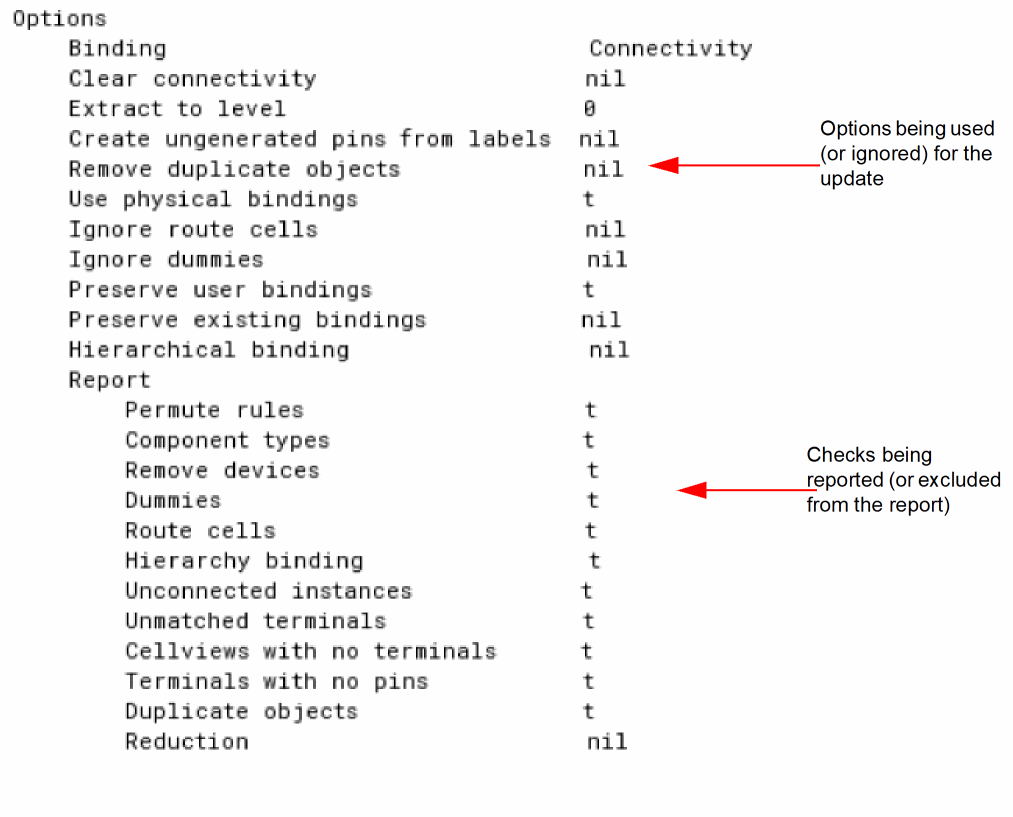
Based on the Update Binding form options that you select (or ignore) before you run the command, the CIW reports the start of the command in the form of a report. The Update Binding report details the options that are being used (or ignored) for the update. In addition, the report lists the checks that are being reported (or ignored for reporting), as shown in the sample report below.
The report also lists the cellviews that are being updated, as shown below.

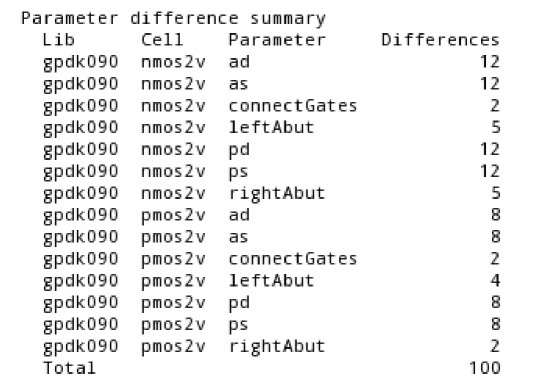
When running Update Binding for all cells in the design, the report also presents a parameter difference summary for the various cells, as shown below.
Information about the binding status of the updated cellviews and the Cell mapping table is also displayed, as shown in the sample report below.
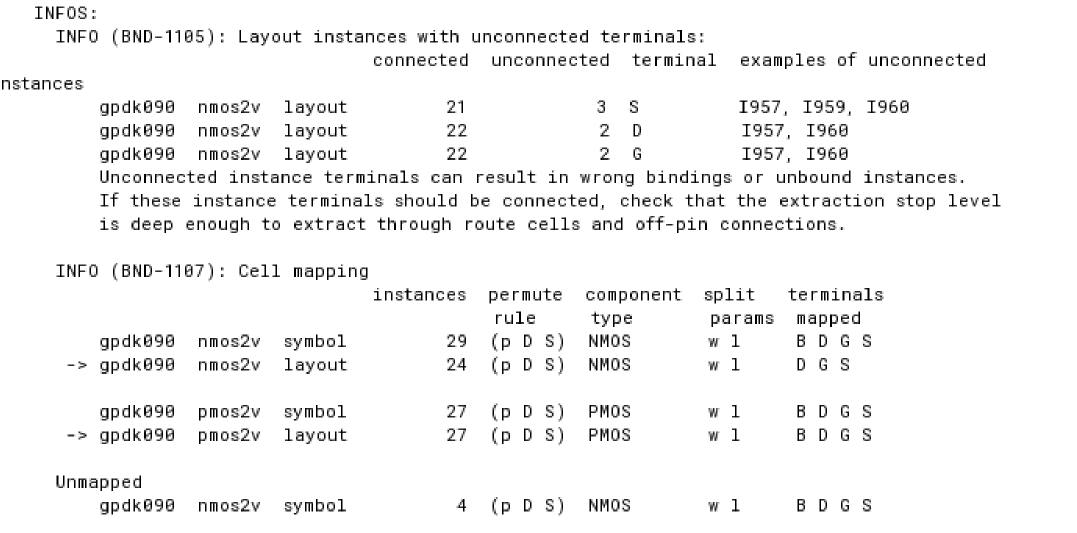
The Cell mapping table provides the following information:
- Permute rule definition on the source and the layout cells being mapped.
- Component type of the mapped cell on each side.
- Split parameters enabled for each cell.
- Terminal names being mapped for each cell.
The sample Cell mapping table displayed above also reports an unmapped source cell. In addition, the table can report issues such as an extra or missing terminal for mapped cells.
The table below lists some issues that are likely to be reported in the Cell mapping section of the Update Binding report. Also listed against each issue is a suggested fix.
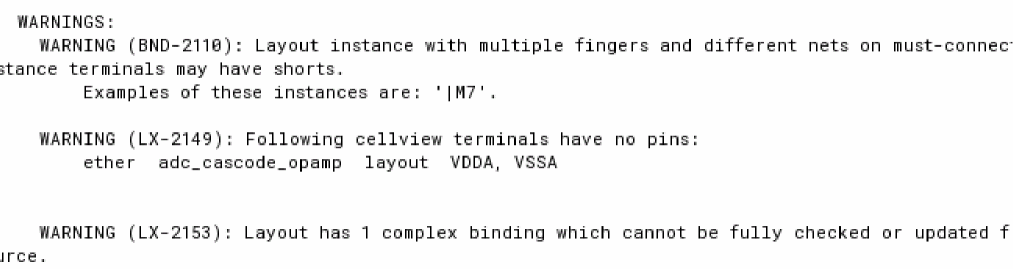
Any warning messages are displayed in the WARNINGS section, as shown below.
The percentage compliance data for instances, nets, and terminals, and the total compliance percentage is displayed in the Summary section, as shown below.

If Update Binding does not bind all the instances, for example, when the source has got modified, or the layout has missing instances, the CIW reports the issue and prompts that the binding could be improved by performing the next iterative run. The sample report displayed is as shown below:

In addition to displaying the Update Binding report in the CIW, Layout XL displays the Update Binding report in an HTML window, as shown in the figure below. You can choose to hide this report by appropriately setting the xlComplianceHtmlOpen environment variable.
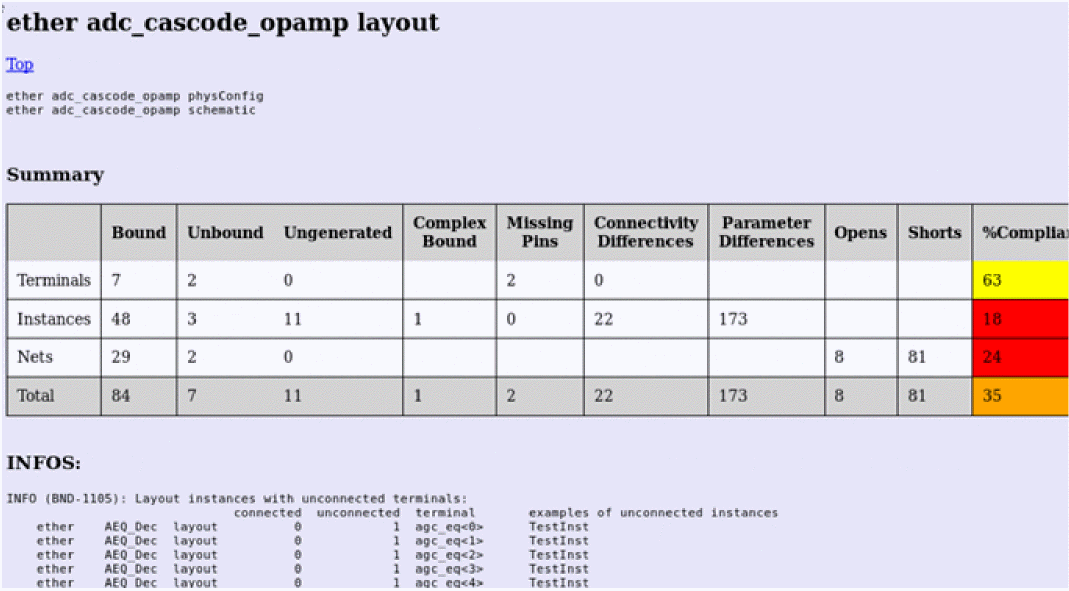
Having the Update Binding report available in the HTML format brings the following advantages:
- Allows the Update Binding report to be saved on disk.
- Allows a keyword search on the report, which makes it easy to locate the messages related to a specific instance, terminal, or a net.
For information on resolving some of the common issues reported during an Update Binding run, see Issues Faced when Setting up the PDK to Improve Layout XL Compliance. This section provides information not only about the various common issues encountered during an Update Binding run, but also provides detailed instructions on how you can set up a PDK to counter these issues at the global level, and improve the Layout XL compliance of a design.
Related Topics
Issues Faced when Setting up the PDK to Improve Layout XL Compliance
Return to top