Match And Fix Form
Use the Match And Fix form to identify layout patterns in a design and to fix them according to the fixing rules or guidelines associated with each pattern.
This form has the following tabs.
|
Tab
|
Description
|
|
General
|
Lets you define the scope of the options to be used for matching and fixing the layout patterns
|
|
Read
|
Lets you set one or more rule deck files and specify the set of rules to be applied to match and fix the layout pattern
|
|
Match
|
Lets you specify the options for matching the layout pattern.
|
|
Fix
|
Lets you specify the options for fixing the layout pattern.
|
General
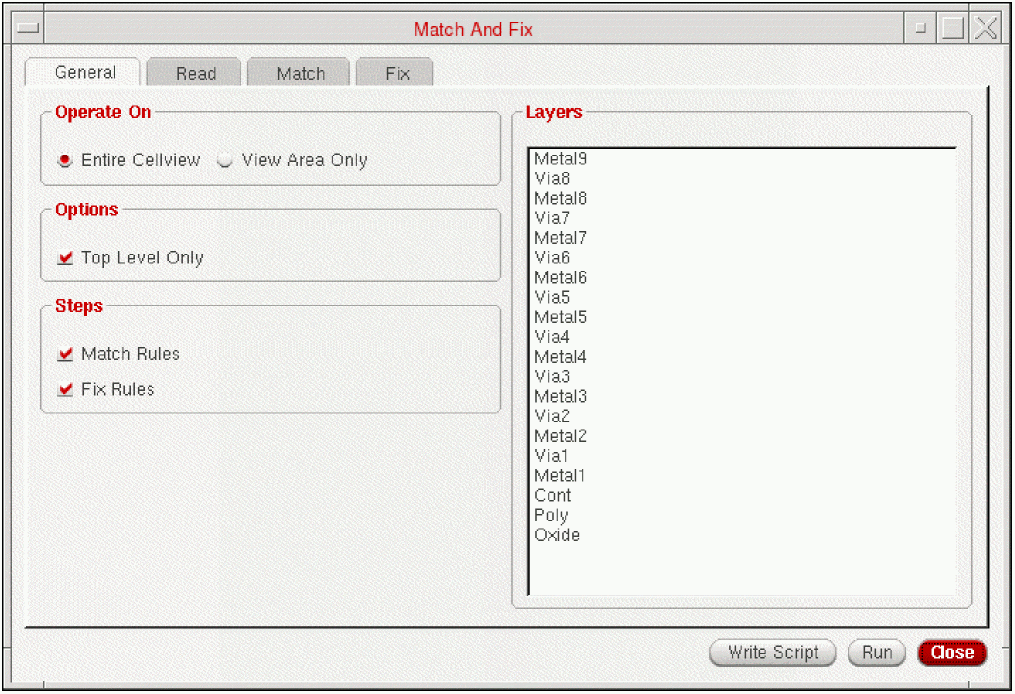
Use the General tab to define the scope of the options to be used for matching and fixing the layout patterns. The following table describes the fields available on the General tab of the Match and Fix form.
|
Field
|
Description
|
|
Operate On
|
This section lets you specify the scope for running the Entire Cellview and View Area Only command.
|
|
Entire Cellview
|
Specifies the matching and fixing of the layout patterns be done on the entire cellview.
|
|
View Area Only
|
Specifies the matching and fixing of the layout patterns be done on the view area only.
|
|
Options
|
This section lets you specify whether or not the matching and fixing of the layout patterns is done only on the shapes at the top level of the open design.
|
|
Top Level Only
|
Specifies matching and fixing of the layout patterns be done only on the shapes at the top level of the open design.
Fixing of layout patterns can only be done at the top level of the open design.
|
|
Steps
|
This section lets you control whether to perform the match or to perform the automatic fixing of matched patterns or violations. Enabling either of these flows also enables modification of the corresponding tabs in the form.
|
|
Match Rules
|
Performs matching of layout patterns and enables modification of the options on the Match tab.
|
|
Fix Rules
|
Performs automatic fixing of the matched layout patterns and enables modification of the options on the Fix tab.
|
|
Layers
|
Lets you choose the layers on which the matching and fixing should be applied.
|
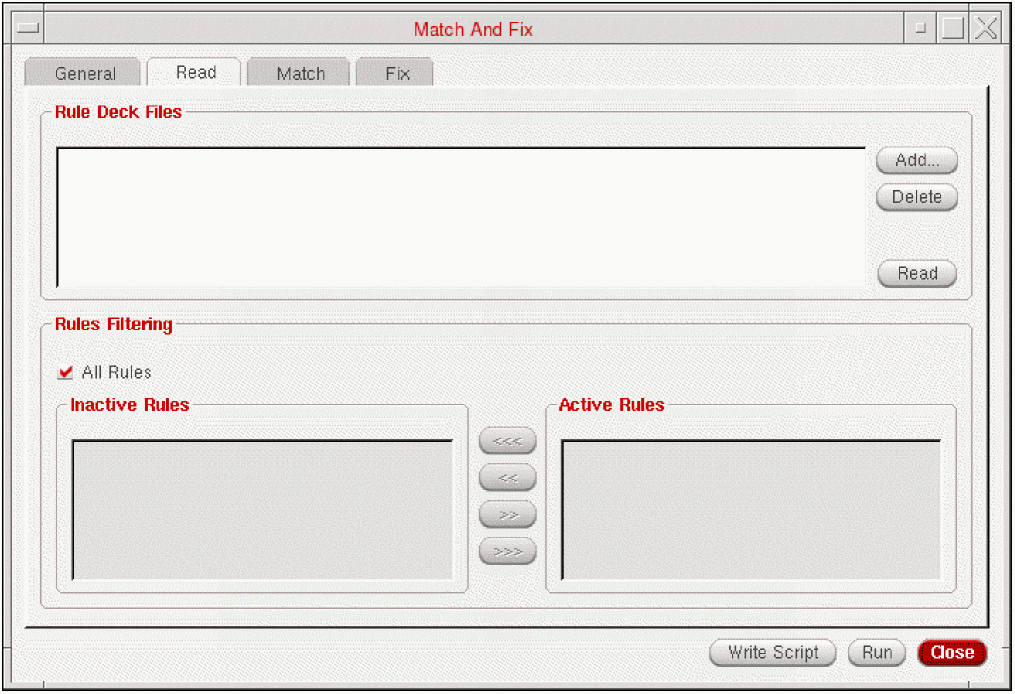
Read
Use the Read tab to set one or more rule deck files and specify the active rules to be applied to match and fix the layout pattern.
A rule deck file defines pattern-based manufacturability checks. These match and fix rules are composed of a pattern definition and corresponding fixing rules. Consult with your foundry for a compatible rule deck file.
|
Field
|
Description
|
|
Rule Deck Files
|
Enables you to load the layout patterns from one or more rule deck files.
|
|
Add
|
Add the files.
|
|
Read
|
Reads the rules specified in the selected rule deck files and import the active rules to be applied to match and fix the layout pattern.
|
|
Delete
|
Deletes a file.
|
|
Rules Filtering
|
Specifies the set of rules to be applied from the loaded rule deck files.
|
|
All Rules
|
Specifies that all rules from the selected rule deck files be applied to match and fix layout patterns. By default, the option is ON.
|
|
Inactive Rules
|
Specifies the list of rules that should not be applied to match and fix layout patterns.
|
|
Active Rules
|
Specifies the list of rules that should be applied to match and fix the layout patterns.
|
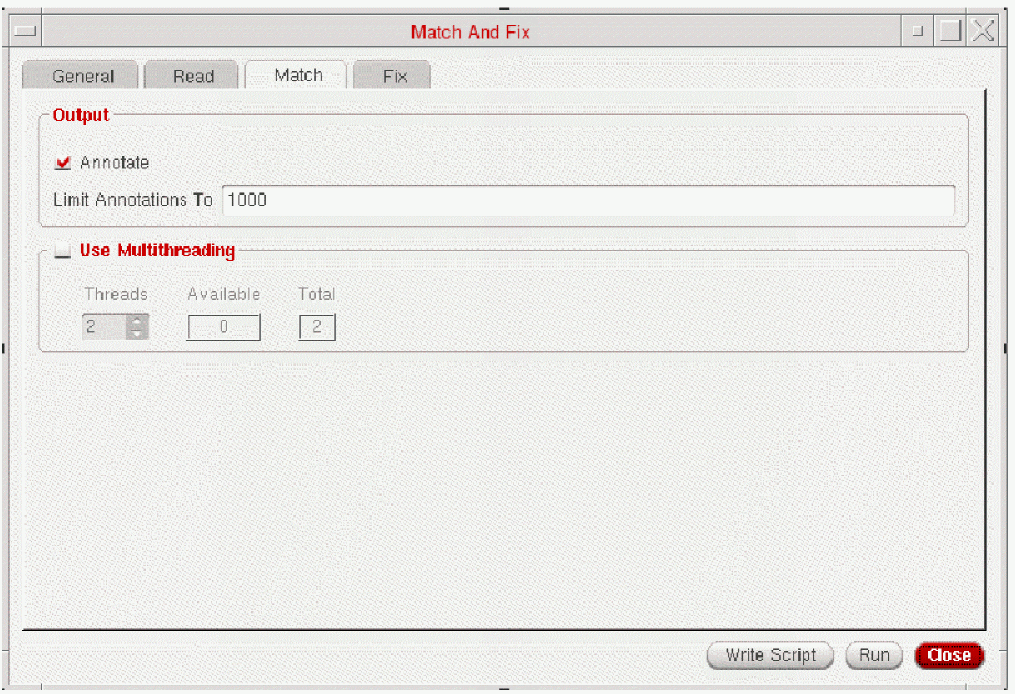
Match
Use the Match
tab to specify the options for matching the layout pattern.
The following table describes the fields available on the Match tab of the Match And Fix form.
|
Field
|
Description
|
|
Output
|
This section lets you controls whether or not to return an annotation for each match to the annotation browser and specifies the limit of the number of matched returned.
|
|
Annotate
|
Controls whether or not to return an annotation for each match to the annotation browser.
|
|
Limit Annotations
|
Specifies the limit of the number of matches returned.
By default, the number of matches returned are limited to 1000.
|
|
Use Multithreading
|
This section lets you specify whether to enable multi-threaded search for additional efficiency while performing the match.
By default, the Use Multithreading option is OFF.
|
|
Threads
|
Specifies the number of threads to used for matching the layout pattern.
|
|
Total
|
Specifies the number of processors available on the station.
|
|
Available
|
Specifies the difference between the total and used processors on the station.
|
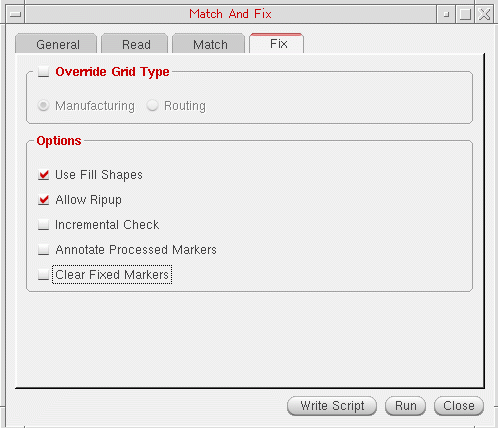
Fix
Use the Fix
tab to specify the options for fixing the layout pattern.
The following table describes the fields available on the Fix tab of the Match And Fix form.
|
Field
|
Description
|
|
Override Grid Type
|
This section enables you to override the default grid type being used in the layout.
|
|
Manufacturing
|
Specifies that the manufacturing grid be used and all shapes in the layout be snapped to this grid.
|
|
Routing
|
Specifies that the routing grid be used and all shapes in the layout be snapped to this grid.
|
|
Options
|
This section lets you specify the parameters for fixing the layout pattern.
|
|
Use Fill Shapes
|
Specifies use of fill shapes for fixing the layout pattern.
|
|
Allow Ripup
|
Specifies local ripup and reroute fixing be allowed for fixing the layout pattern.
|
|
Incremental Check
|
Controls the fixing engine to incrementally call the matching engine to check whether or not an active layout pattern has been introduced while fixing the layout pattern.
|
|
Annotate Processed Markers
|
Controls whether additional markers be added to the annotation browser to show the region of the layout that has been modified while fixing the layout pattern.
|
|
Clear Fixed Markers
|
Controls display of fixed matches or violations in the annotation browser. If this option is selected, all fixed markers are cleared from the Annotation Browser, otherwise, the fixing step does not clear any of the markers from the matching step.
|
Related Topics
Match and Fix Flow
Layout XL Forms
Return to top