
lockUnselectedVias
layout lockUnselectedVias boolean { t | nil }
Description
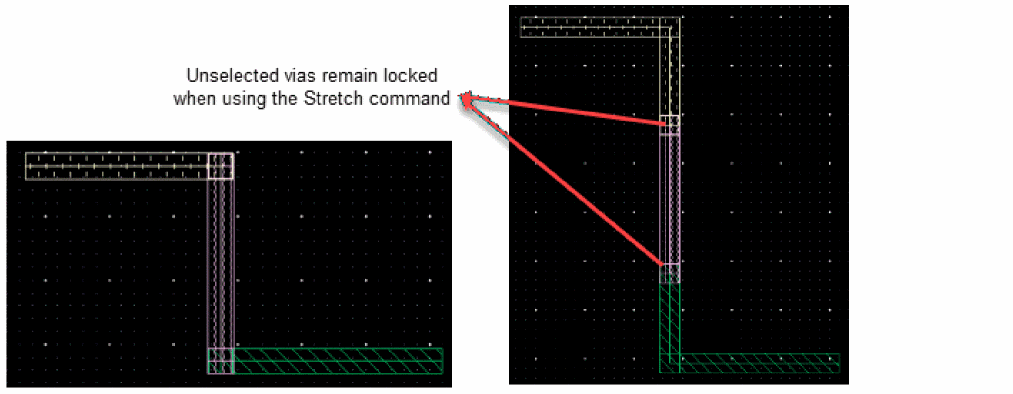
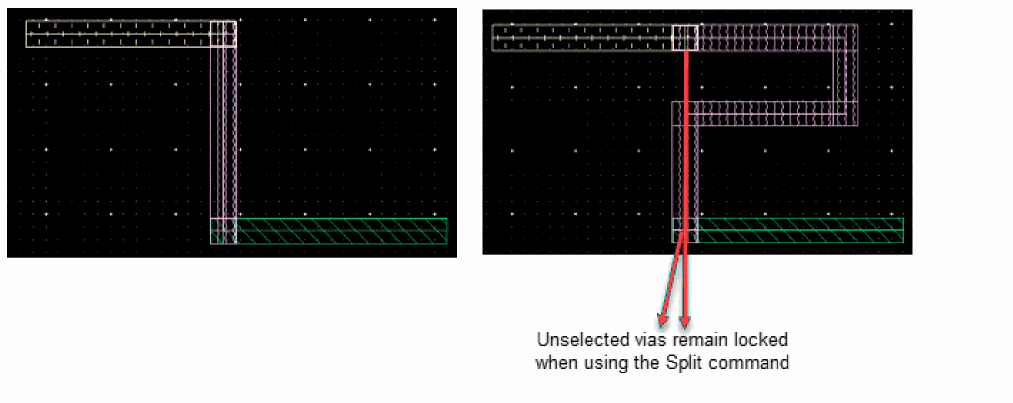
Locks the vias that are not selected while splitting or stretching a wire. The default is nil.
The following figure shows the behavior of how the wire is stretched when the unselected vias are locked.
Similarly, the following figure shows the behavior of how the wire is split when the unselected vias are locked.
GUI Equivalent
Examples
envGetVal("layout" "lockUnselectedVias")
envSetVal("layout" "lockUnselectedVias" 'boolean t)
Related Topics
Variables to Customize the Interactive and Assisted Routing Settings
Stretch Shortcut Menu Commands
Split Wire Shortcut Menu Commands
Return to top