
Rules for Editing Clones in Design Partitions
The following rules are followed when editing clones:
- Only owner of a clone family is allowed to edit a clone. If the clone family has a clone that is outside the design partition and editing introduces an out-of-area alert, it is automatically signed-off.
- You cannot edit a clone inside a design partition that is not the owner of the clone. A message is displayed informing that you cannot edit the clone because it belongs to a clone family that has a different design partition as the owner.
-
When you try to edit an unassigned clone, a message informing that you are editing an unassigned clone is displayed. You can continue to edit but a note is added to the edited shapes and is displayed in the Information pane.
You will have to merge design partitions with edits in an unassigned clone before reassigning unassigned clones. If you try to assign a clone without merging the changes, a message is displayed that this may result in edit conflicts.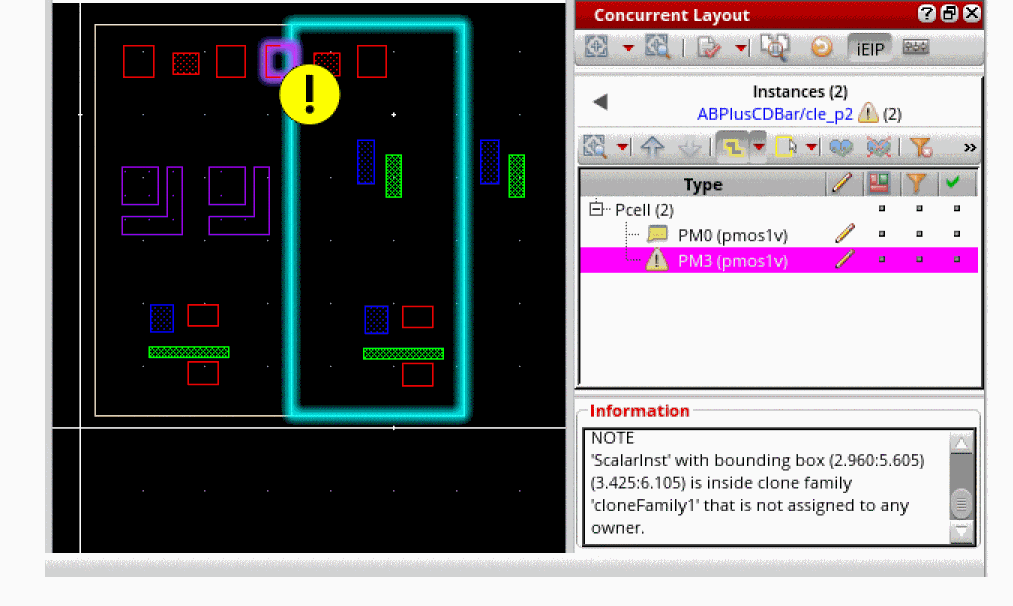
-
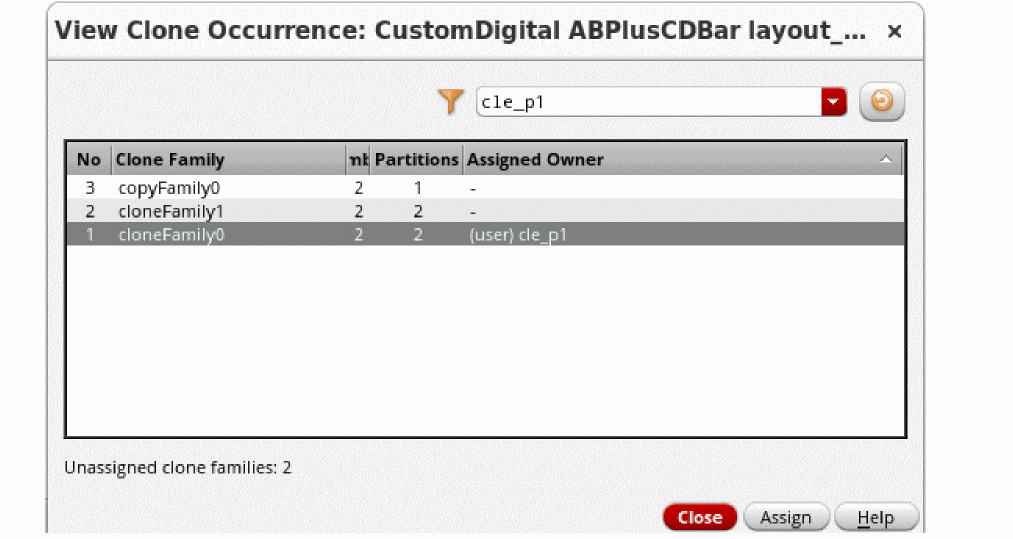
You can use the View Instance/Clone Occurrence Design Partition options command in the Concurrent Layout assistant to display the View Clone Occurrence form to view occurrences of a clone in the design.
Related Topics
Rules for Editing Clones in Design Partitions
Design Partition Options in Designer Mode
Concurrent Layout Options Form
Assign Owner to Clone Family Form
Return to top