
The Pin Tool Browsers
The Pin Tool includes the following Pin Tool browser windows:
Use the View menu to switch between these browser windows.
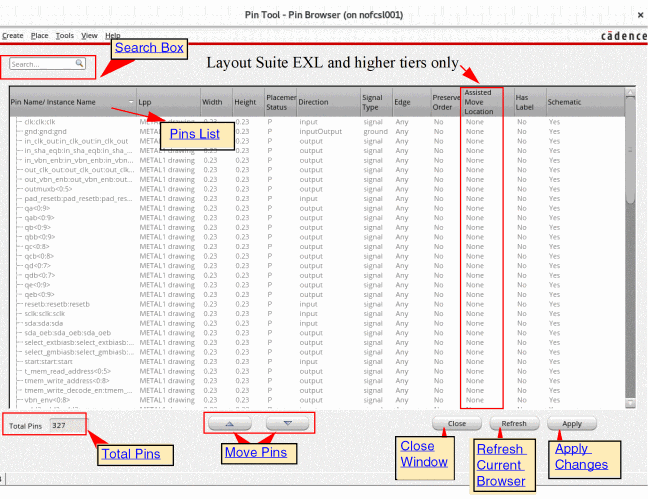
Pin Browser: The Pin Browser lists all the top-level and level-1 pins that are available in the current layout design. The interface includes a pins list and a few additional options to customize the display of pins. Use the Search box to filter the pins in the pins list.
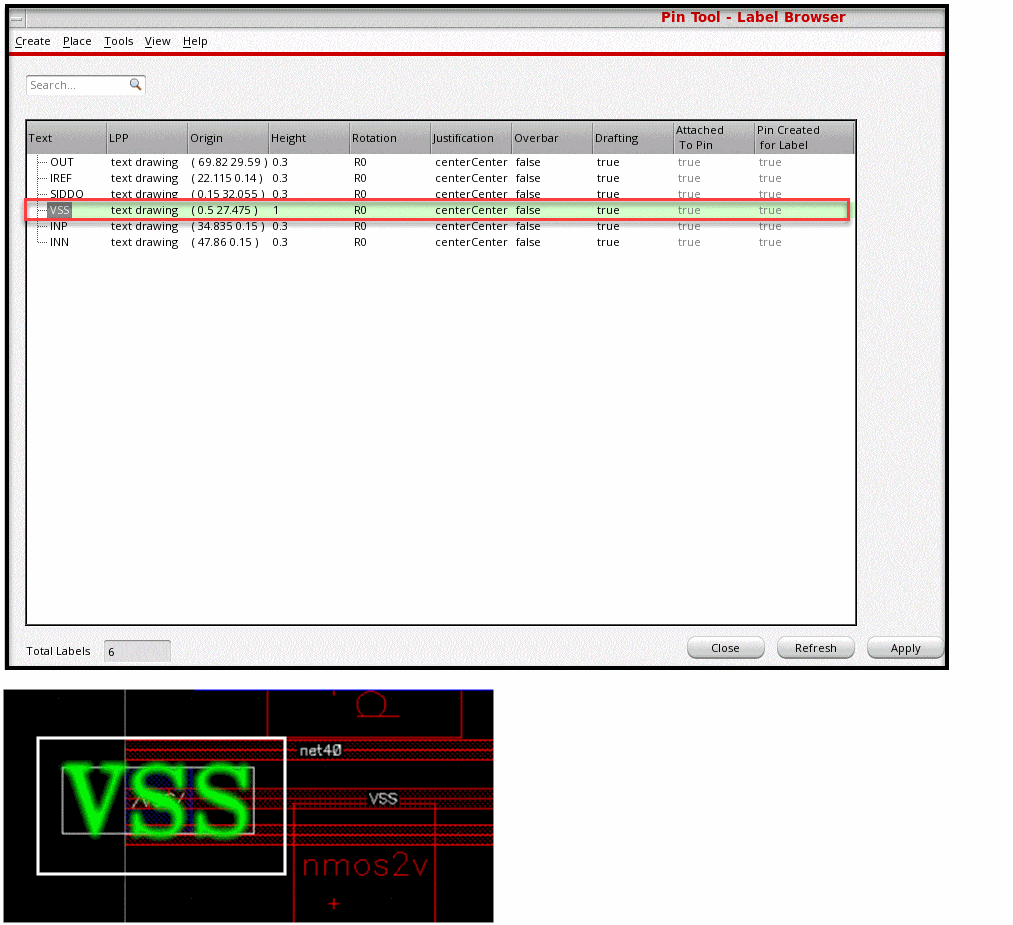
Label Browser: Choose View – Labels to display the Label Browser, which displays information about labels of top-level pins in the current cellview. The Pin Tool supports cross-selection of labels between the Label Browser and the layout canvas.
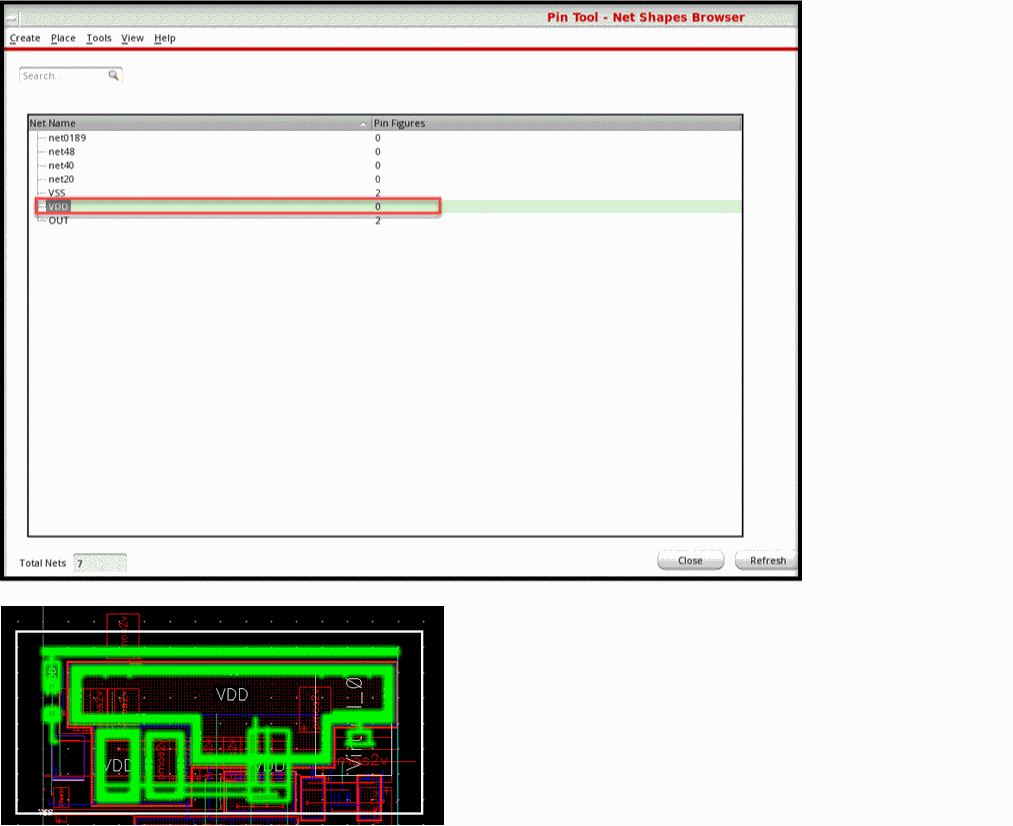
Net Shapes Browser: Choose View – Net Shapes to display the Net Shapes Browser. This browser displays information about the nets in the current cellview. The Pin Tool supports cross-selection of nets between the Net Shapes Browser and the layout canvas.
Related Topics
Selecting Pins and Editing Pin Attributes in the Pin Tool
Converting Pins to Rails using the Pin Tool
Interleaving Bus Pins in the Pin Tool
Creating and Deleting Pin Labels in the Pin Tool
Creating Square and Rectangular Pins in the Pin Tool
Return to top