
Adding, Updating, and Deleting Instance To Boundary Constraints
You can add, modify, and delete the values of the instance to boundary constraints using this section. You can also reload the values in the Constraint Manager by using the Reload Constraints from Constraint Manager button. Only the constraints populated from the Constraint Manager are reloaded. The other additional constraints added in the form remain.
-
Choose Floorplan – Block Placer command to open the Block Placer form.
In Layout EXL and higher tiers, choose Plan – Block Planning – Place Blocks. -
In the Constraints tab, choose Instance Constraints sub-tab.
It has the following sections as shown in the graphic:
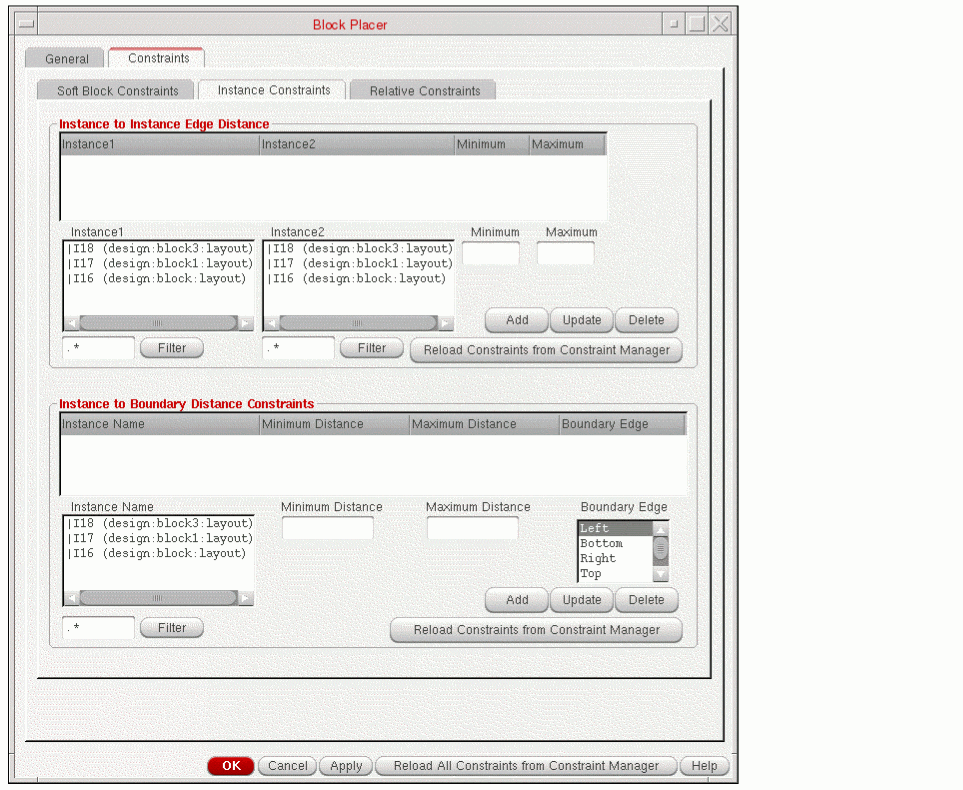
- In the Instance To Boundary Distance Constraints section, select the instance from the Instance Name list box.
-
Specify the minimum and maximum distance in the Minimum Distance and Maximum Distance fields as shown in the graphic.
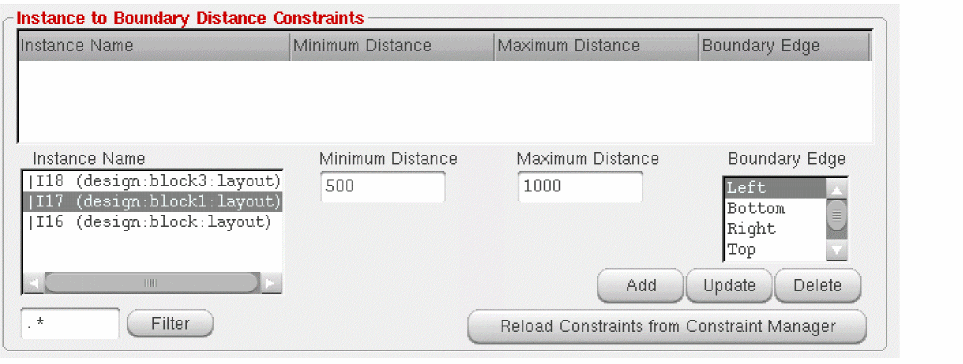
- Specify the edge to which the constraint should be applied in the Boundary Edge list box.
-
Click Add.
The constraint is added. However, if the Minimum and Maximum fields are empty, the new constraint is not added and an appropriate warning message is displayed. - To update a constraint, you need to first select a constraint. Select the instance from the table. Type the minimum and maximum distance in the Minimum Distance and Maximum Distance fields.
-
Click Update.
The instance is updated.
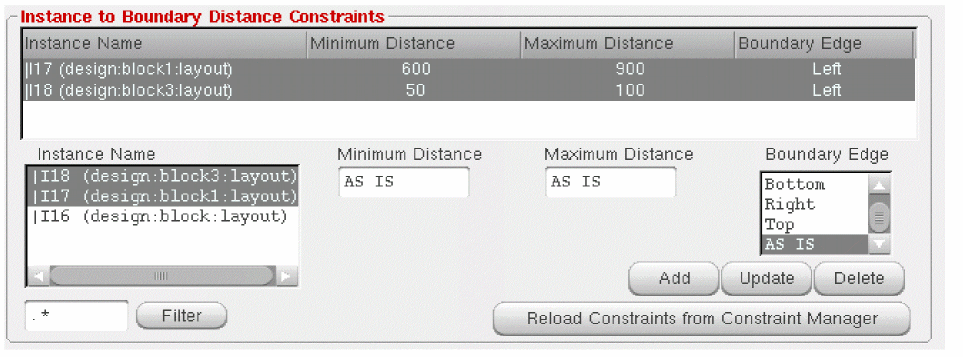
You can also select multiple constraints and update them simultaneously. If you select multiple rows, Minimum Distance, Maximum Distance, and Boundary Edge fields display the values if they are same, else it displays AS IS as shown in the graphic.
To delete instance to boundary constraints:
-
Click Delete after selecting the constraint(s) from the table to delete a constraint.
You can also select multiple constraints and delete them simultaneously.
Related Topics
Adding, Updating, and Deleting Soft Block Constraints
Adding, Updating, and Deleting Instance Constraints
Adding, Updating, and Deleting Relative Constraints
Return to top