
Block Placer Constraints
You use the Constraints tab of the Block Placer form to specify the constraints that you want block placer to use to converge on a solution. The initial values in the Constraints tab are populated from the values specified in the Constraint Manager. You use the Constraints tab to modify the displayed values. However, the values you specify must not conflict with the constraint values in the Constraint Manager. In addition, you can add constraints in this tab.
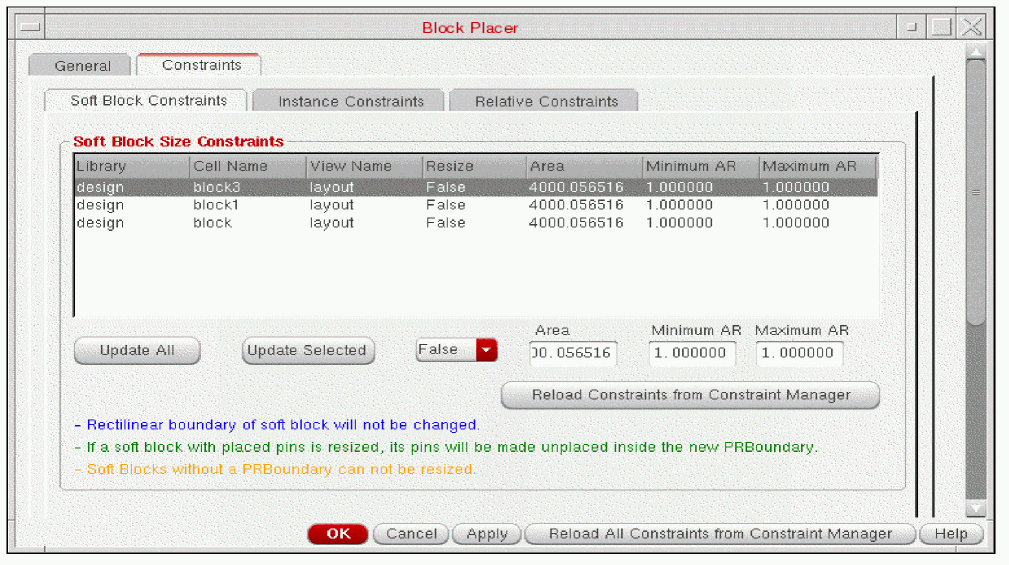
The Constraints tab has the following sub-tabs
| Tab | Description |
Related Topics
Adding, Updating, and Deleting Soft Block Constraints
Adding, Updating, and Deleting Relative Constraints
Adding, Updating, and Deleting Instance Constraints
Adding, Updating, and Deleting Instance To Boundary Constraints
Return to top