
Modifying Properties of a Library, Cell, or View
You can modify properties of a library, cell, or view from the Library/Cell/View Property Editor form that appears when you choose Edit – Properties.
-
On the Library/Cell/View Property Editor form, click Modify.
The Modify ‘propertyName’ form appears.The name of the selected property appears in the title of the form.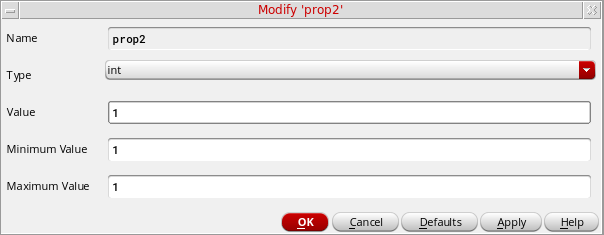
- Make your desired changes on the form.
- Click OK.
Related Topics
Adding Properties to a Library, Cell, or View
Return to top