
Flipping Instances
You can flip Modgen instances for compact placement and to allow abutment with adjoining instances.
Before you flip a Modgen instance:
-
In the layout window, choose Options – Display to view the Display Options form.
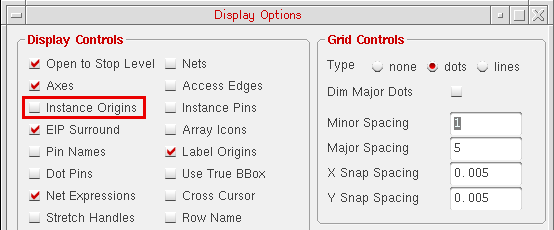
- In the Display Controls group box, select the Instance Origins check box.
- Click the OK button to save the settings.
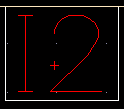
A plus sign appears on the instance, which indicates whether the instance was flipped.
-
Select the instance in the design display area.
-
Do one of the following:
-
On the Modgen Placement toolbar, click the Flip Horizontal
 or Flip Vertical
  button.
 -
Right-click the instance, point to Rotate/Flip, and select Flip Horizontal or Flip Vertical.
Alternative SKILL Functions: mgFlipHorizontalCB, mgFlipVerticalCB
-
On the Modgen Placement toolbar, click the Flip Horizontal
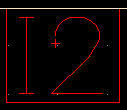
The selected instances is flipped. In the figure below, notice that the plus sign has moved upward.
Related Topics
Placing Modgen Members Interactively
Moving Modgen Instances Interactively
Adding Empty Rows and Columns to Modgens
Return to top