
Holes in a Group Array
In a group array, you can choose to leave some cells empty to denote that there are no geometries underneath. Such cells are referred as holes.
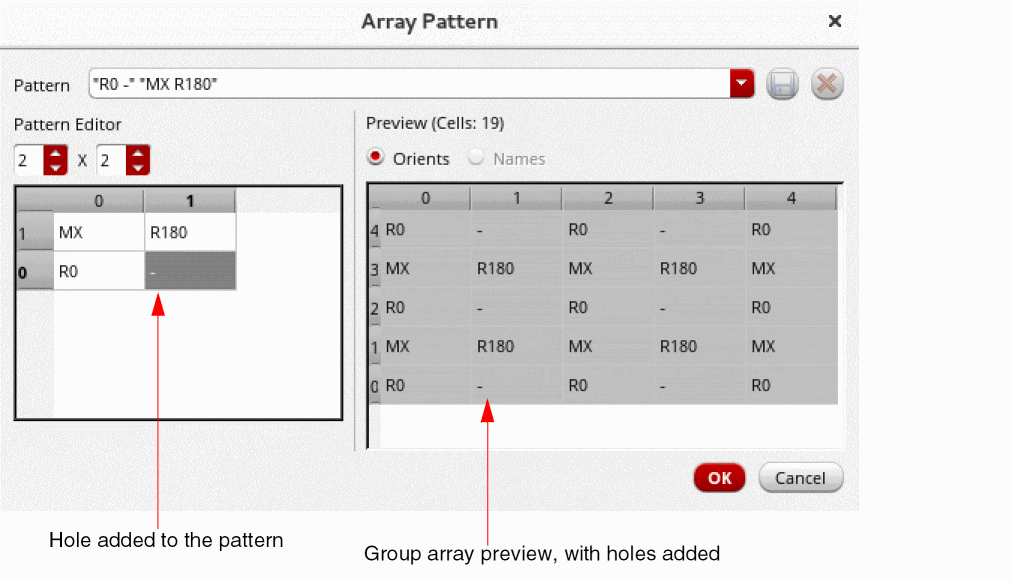
While creating or editing a group array, you can specify the orientation pattern of each cell. To denote an empty cell or a hole in a pattern, you need to specify dash (-) as the orientation value for the cell. Empty cells are not considered for calculating the cell count of a group array.
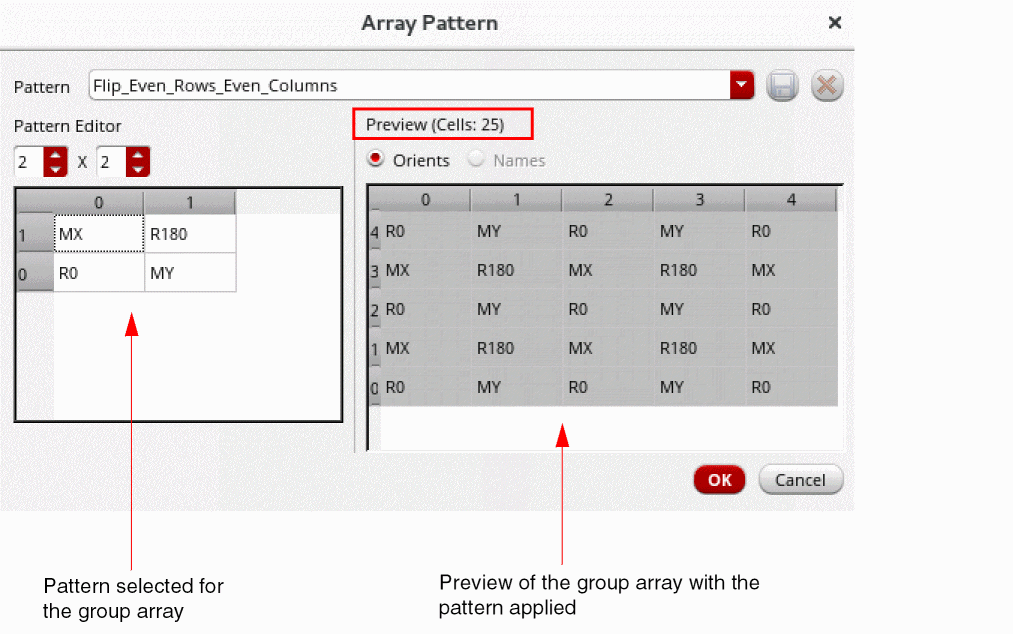
The following image shows a 5x5 group array with an orientation pattern applied. The selected pattern is repeated across the group array, as shown in the Preview section of the Array Pattern form. Note that the Preview section shows the cell count as 25.
Now when you add a hole to a cell in the pattern, the preview displays the updated pattern applied to the group array, with the pattern repeated across cells. Because holes have been added, the Preview section now shows the cell count as 19.
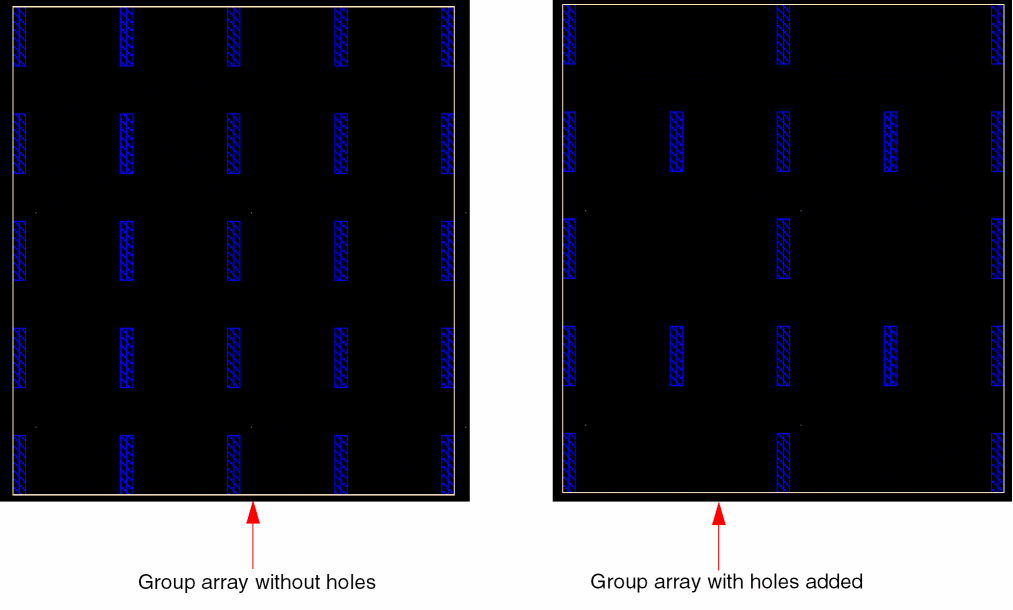
The following image shows a 5x5 group array and how it appears after holes are added.
Related Topics
Creating Holes in a Group Array
Predefined Orientation Patterns for a Group Array
Return to top