
Configuring a Module Stack
In a multi-chip module or stacked IC, to configure a module stack:
-
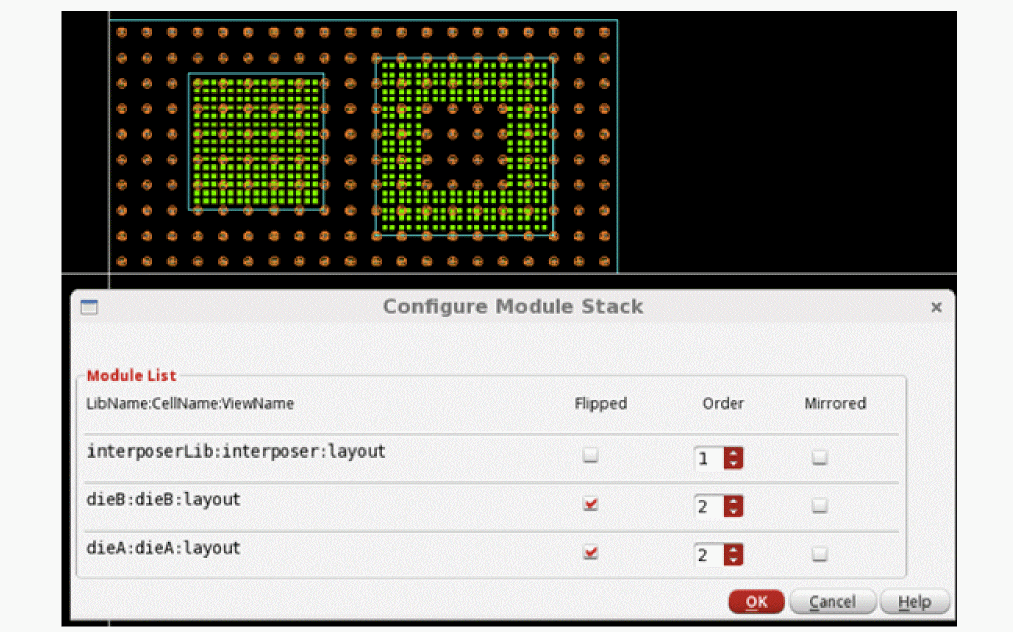
Click Module – Configure Module Stack to define the arrangement of dies. The Configure Module Stack form is displayed.
The arrangement definition in the form includes the following information: - Select Flipped to specify whether a die is a flipchip.
- Use the Order drop-down list to specify the order of a die or object in a stack.
- Select Mirrored to specify whether a die is mirrored.
- Click OK.
Related Topic
Return to top