
Checking Fabrication Using Batch Checker
This check verifies the process antenna violations for the entire design, selected nets, or except selected nets.
-
To perform fabrication checks on a design, select the Fabrication option. The fabrication checks are displayed in the right panel of the form as shown in the following figure.
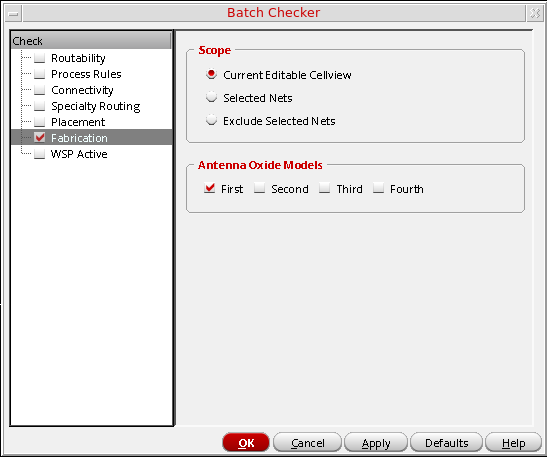
- From the Scope group box, select:
- From the Antenna Oxide Models group box, select which oxide model(s) to use: First, Second, Third, Fourth. By default, the First oxide model is selected.
Related Topics
Checking Routability Using Batch Checker
Checking Process Rules Using Batch Checker
Checking Connectivity Using Batch Checker
Checking Specialty Routing Using Batch Checker
Checking WSP | SP Active Using Batch Checker
Return to top