
Checking Specialty Routing Using Batch Checker
Geometric shapes (e.g. paths, pathSegs/vias not in a route) are not checked. A warning will be issued when checker detects geometric shapes.
-
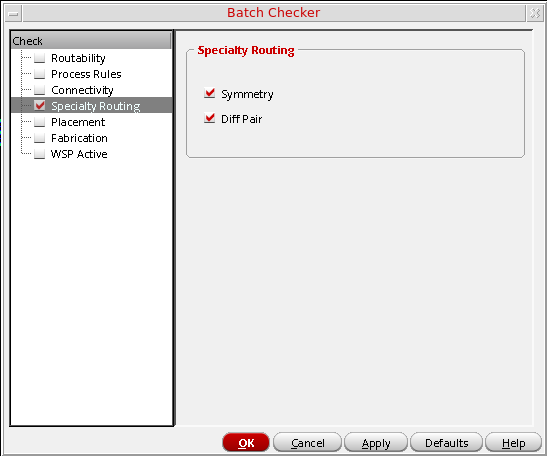
To perform special routing checks on a design, select the Specialty Routing option. The special routing checks are displayed in the right panel of the form as shown in the following figure.
-
In the Specialty Routing group box, select the type of constraint checking to be performed.
- Symmetry checks whether a symmetry axis is defined and whether the position of the axis is correctly defined. If the axis is not considered well defined, a marker will be generated at the location of the axis. Only routed portions of the symmetric nets are checked and only shapes on metal and poly layers are checked.
- Diff Pair checks the percentage of unpaired lengths for each net in of a diff pair.
Related Topics
Checking Routability Using Batch Checker
Checking Process Rules Using Batch Checker
Checking Connectivity Using Batch Checker
Checking Fabrication Using Batch Checker
Checking WSP | SP Active Using Batch Checker
Return to top