
Locking Group Array Spacing
By default, you can specify spacing mode and spacing values while creating a group array using the Copy form. If the copyGroupArrayLockXY environment variable is set to t, you cannot define spacing settings during group array creation.
For an existing group array that has custom spacing defined, you can choose to lock the spacing settings so that users cannot modify them.
To lock spacing mode and values of an existing group array:
- In the layout design window, select the group array you want to lock.
-
Choose Edit – Basic – Properties.
The Edit Group Array Properties form appears. -
Select the Lock X,Y check box.
This disables the Mode options and the X and Y fields, indicating that spacing mode and spacing values for the group array cannot be edited.
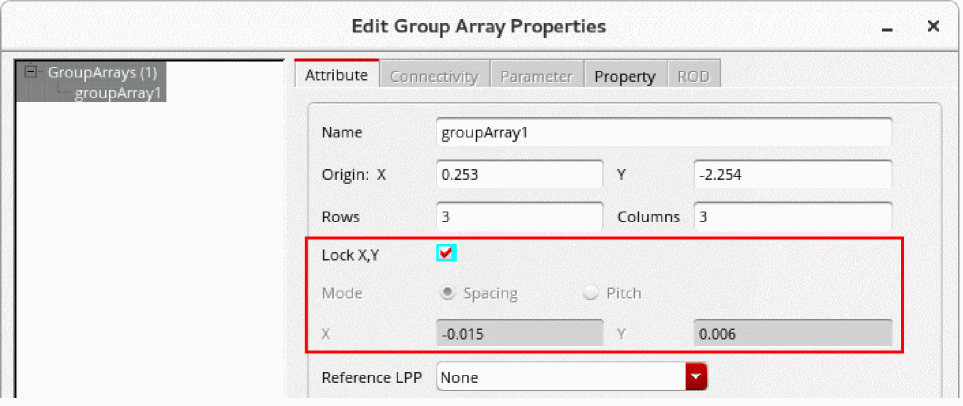
- Click OK.
Related Topics
Attributes in the Edit Group Array Properties Form
Return to top