
Modify in Edit-in-Concert Mode
Edit-in-Concert supports dynamic modification of location and contents of the board, package, and IC dies. Therefore, these dies are always synchronized. Any modification you make to a die is auto-updated on the other tabs in the background. These modifications are immediately visible on all the relevant Edit-in-Concert tabs.
For example, when a bump cell containing bumps has been instantiated multiple times in a layout, moving a bump in Edit-in-Concert mode either at the top-level or level-1 results in the movement of the bump at multiple locations. The bump is moved at all locations in which the master bump cell has been instantiated.
The Virtuoso RF solution supports the following tasks in the Edit-in-Concert (in-sync) mode:
- Zooming into dies
- Move dies
- Move die instances
- Run cross-fabric check
- Run cross-fabric net probe
- Change TILP parameters
- Run the Layout vs Abstract (LVS) checker and fixer
- Run Net Tracer
- Probe nets, bump instances, and Ball Grid Array (BGA) balls
Related Topics
Movement of Dies in Edit-in-Concert Mode
Movement of Die Instances in Edit-in-Concert Mode
Changes to TILP Parameters in Edit-in-Concert mode
Change from Package view to Layout View
Net Tracing in Editing-In-Concert Mode
Probing a Design in Edit-in-Concert Mode
Movement of Dies in Edit-in-Concert Mode
When you move a die in the package view, the die layout in the background is moved synchronously on the other tabs.
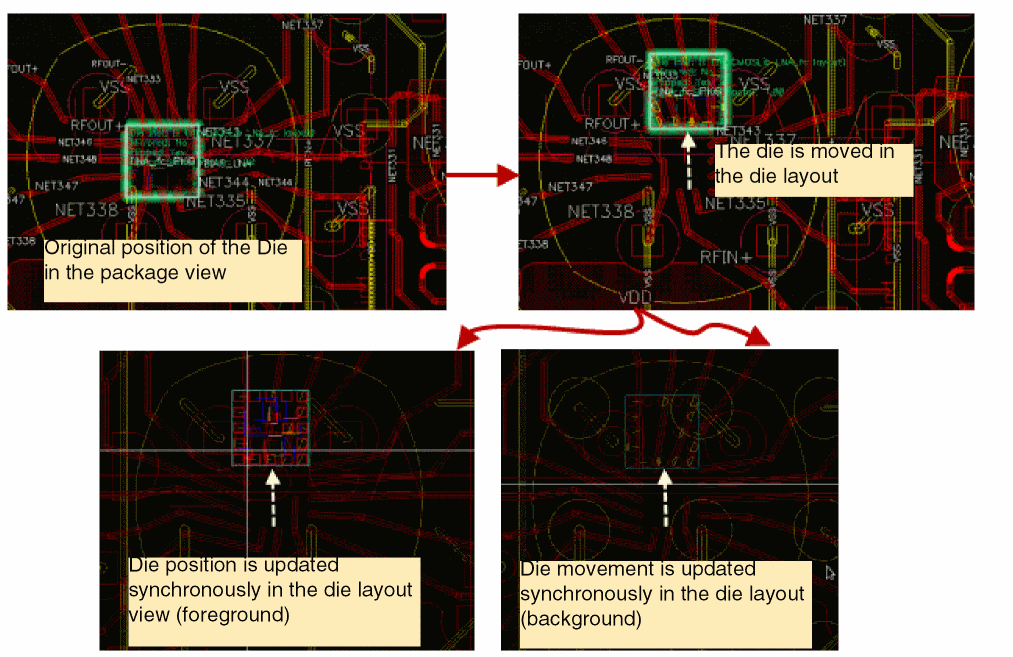
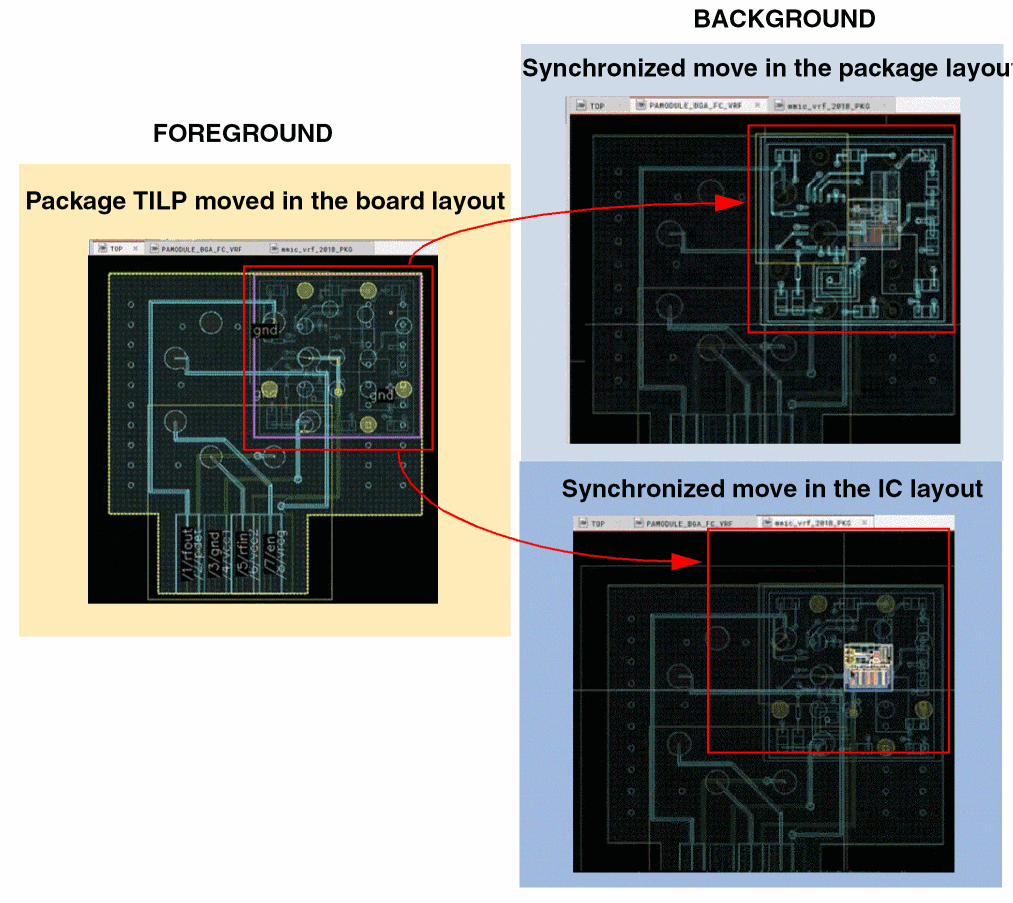
Similar synchronized movement is observed of package TILPs. When you move a package TILP, the position of the TILP is automatically updated in the background view of all the other tabs that are open in Edit-in-Concert mode.
In the following example, a package TILP is moved in the board die. Synchronous movement of the die is observed on the other tabs.
Related Topics
Modify in Edit-in-Concert Mode
Movement of Die Instances in Edit-in-Concert Mode
Changes to TILP Parameters in Edit-in-Concert mode
Change from Package view to Layout View
Net Tracing in Editing-In-Concert Mode
Probing a Design in Edit-in-Concert Mode
Return to top