
Workspaces in Layout XL
You can rearrange the canvas, assistants, and toolbars to suit your individual work preferences. A customized configuration of the toolbars and assistants makes a workspace.
Layout XL ships with the following default workspaces:
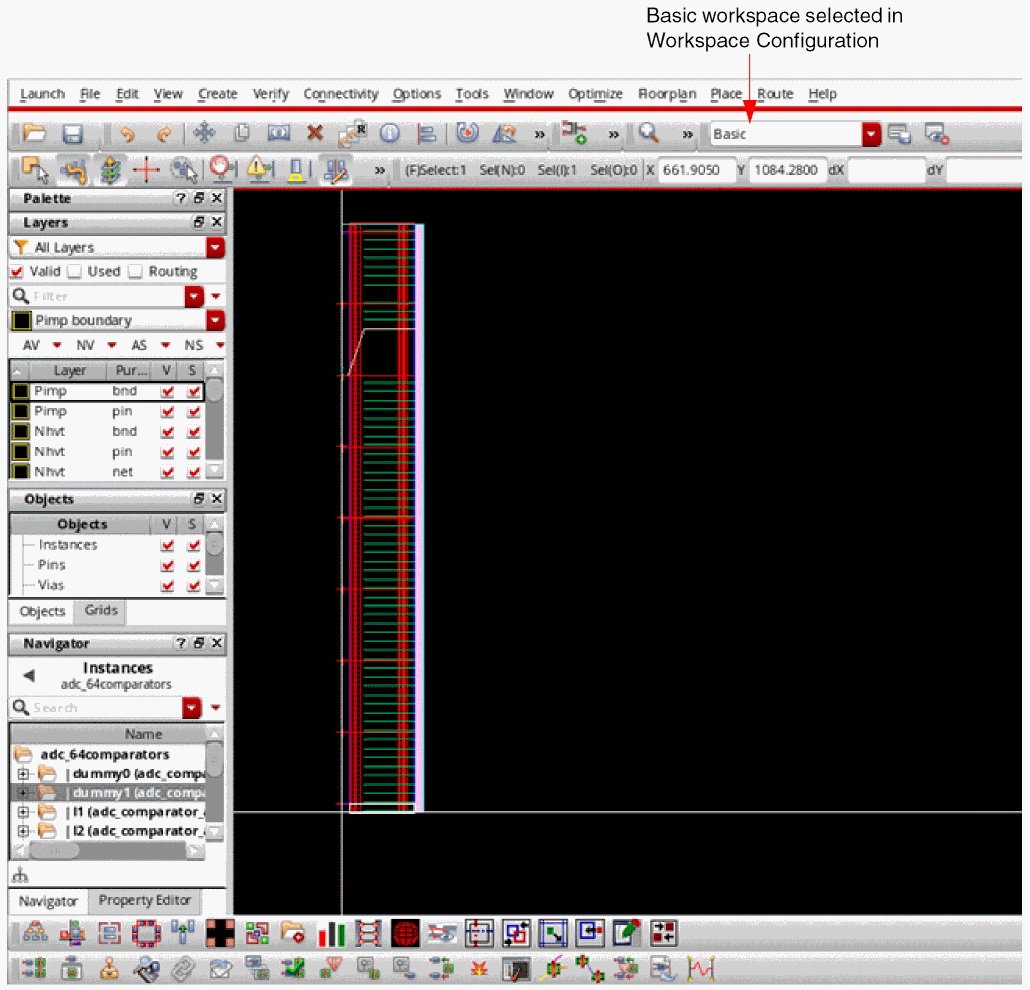
Basic
The Basic workspace shows the canvas, the selected toolbars, and the Palette, Navigator, and Property Editor assistants. Notice that the Navigator and the Property Editor assistants are available as tabs at the bottom on the left panel.
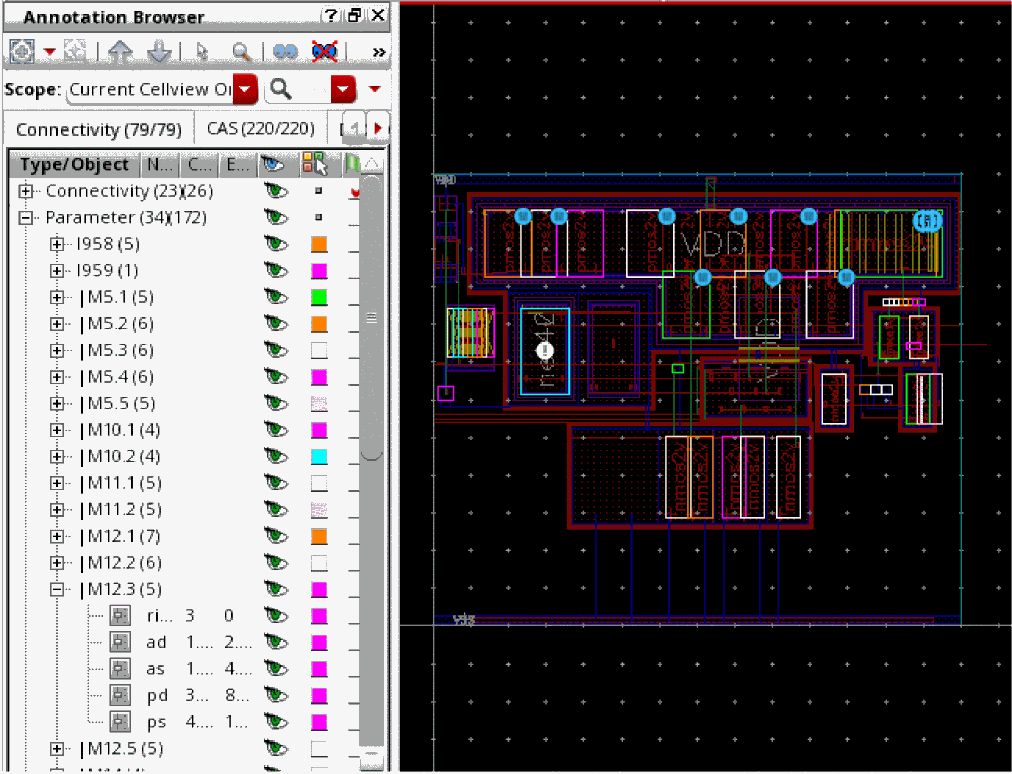
CAS
The CAS workspace shows the CAS tab in the Annotation Browser assistant, in addition to displaying the canvas and the selected toolbars. The CAS tab lists the markers that report the differences between the schematic and the layout in terms of instances, masters, connectivity, parameters, and instance or net names.
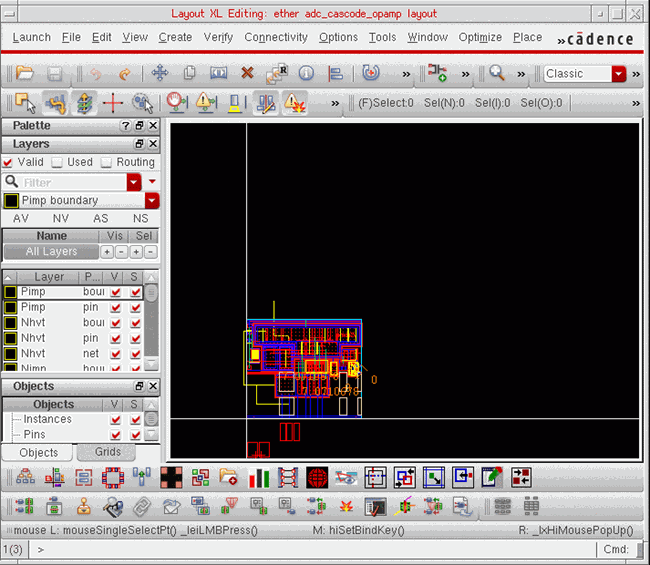
Classic
The Classic workspace is the default workspace. It shows the Palette assistant in addition to the canvas and the selected toolbars.
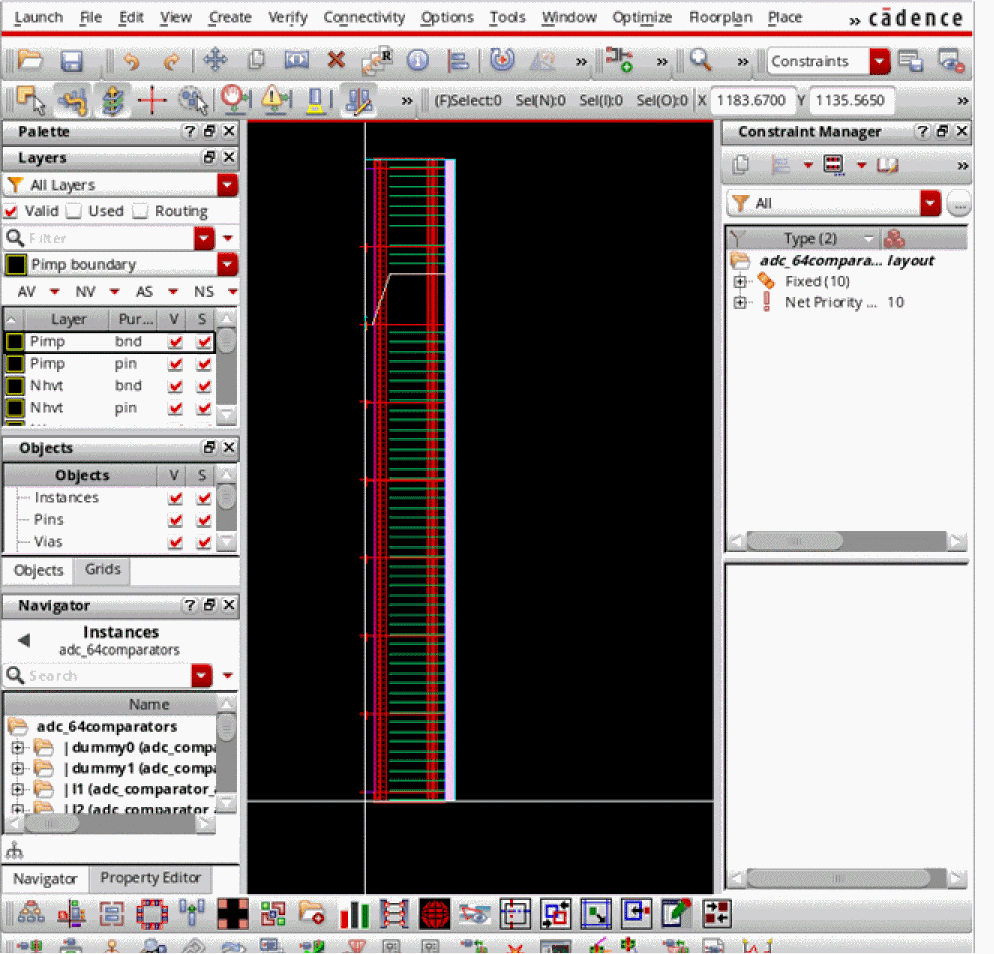
Constraints
The Constraints workspace shows the canvas, the selected toolbars, and the Palette, Navigator, Property Editor, and Constraint Manager assistants. Notice that the Navigator and the Property Editor assistants are available as tabs in the left panel.
EAD
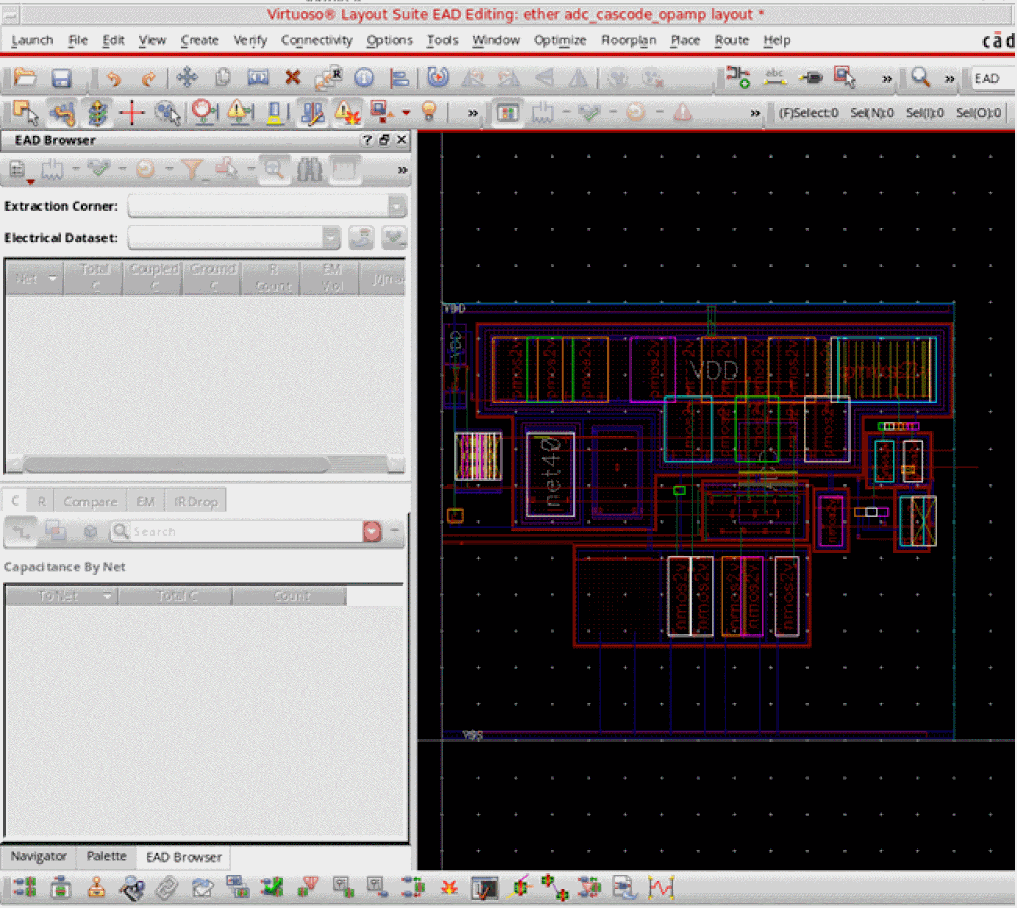
The EAD workspace shows the canvas, the selected toolbars, and the EAD Browser, Navigator, and Palette assistants.
Floorplan
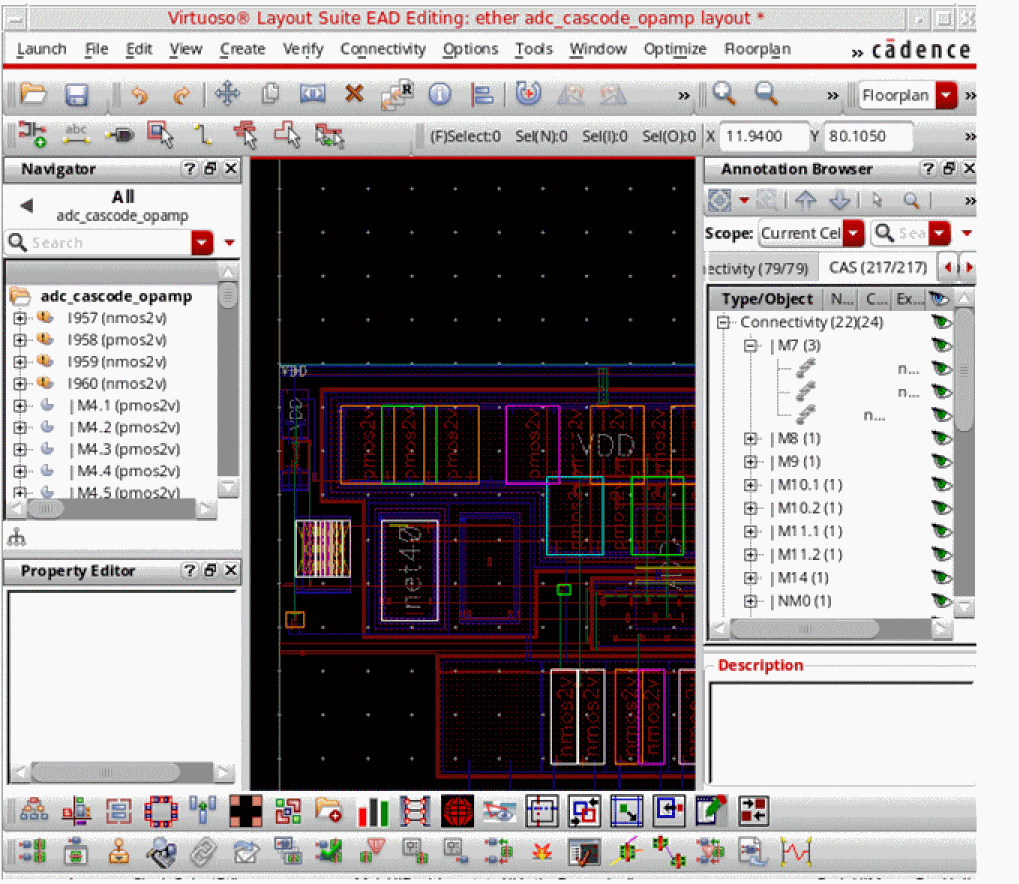
The Floorplan workspace shows the canvas, toolbars, and the Navigator, Property Editor, and Annotation Browser assistants.
Modgen
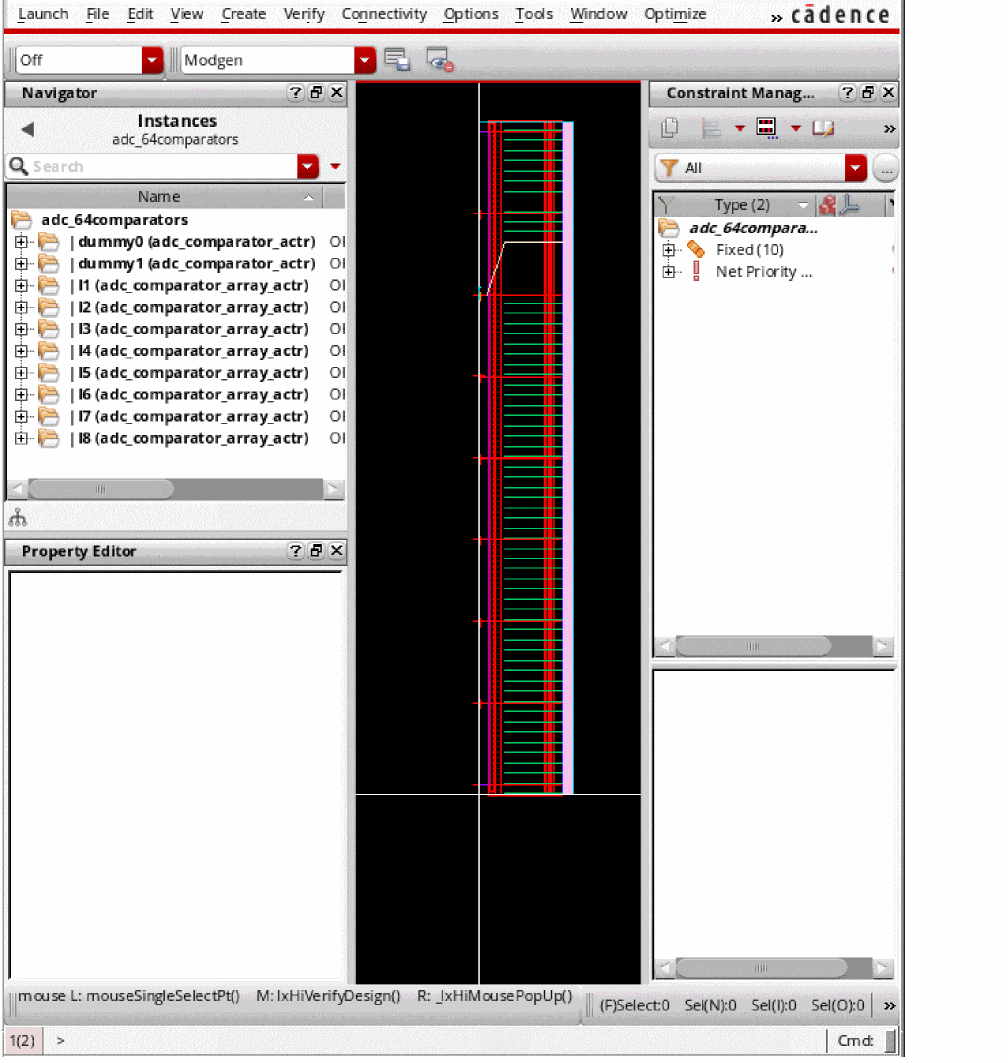
The Modgen workspace shows the canvas, toolbars, and the Navigator, Property Editor, and Constraint Manager assistants.
Multipatterning
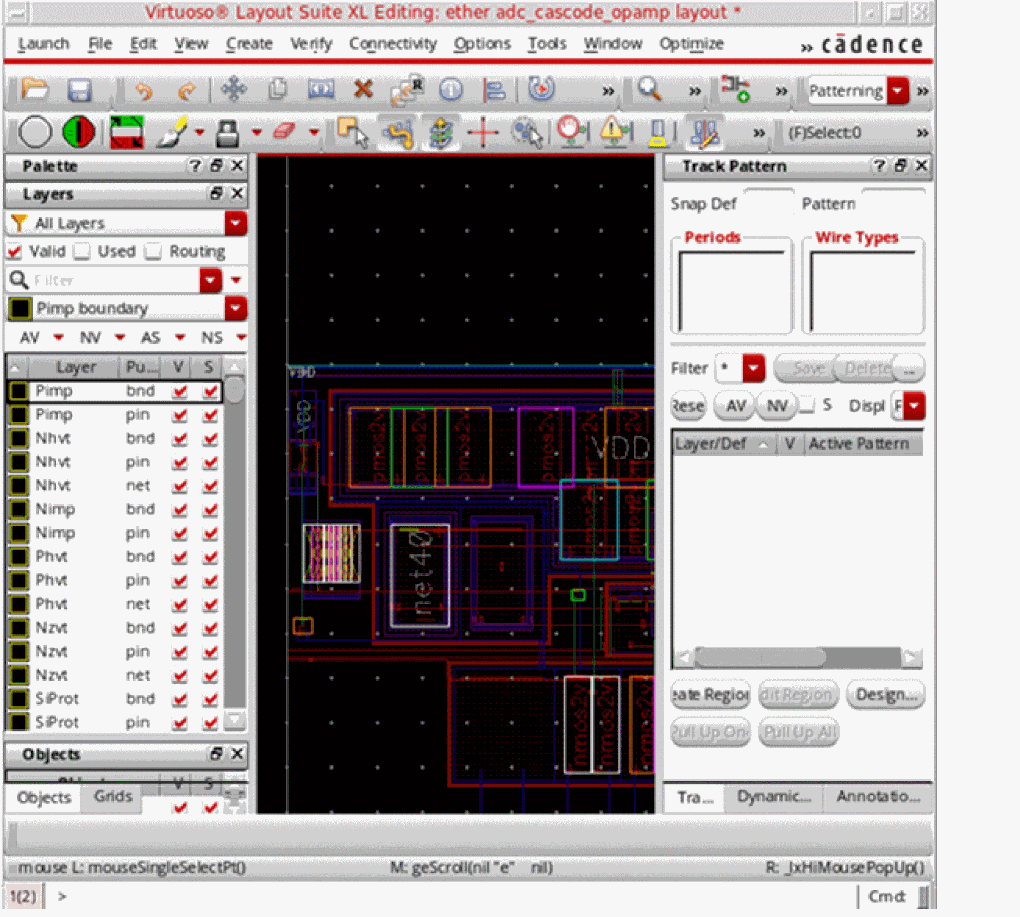
The Multipatterning workspace shows the canvas, toolbars, and the Palette and Track Pattern assistants.
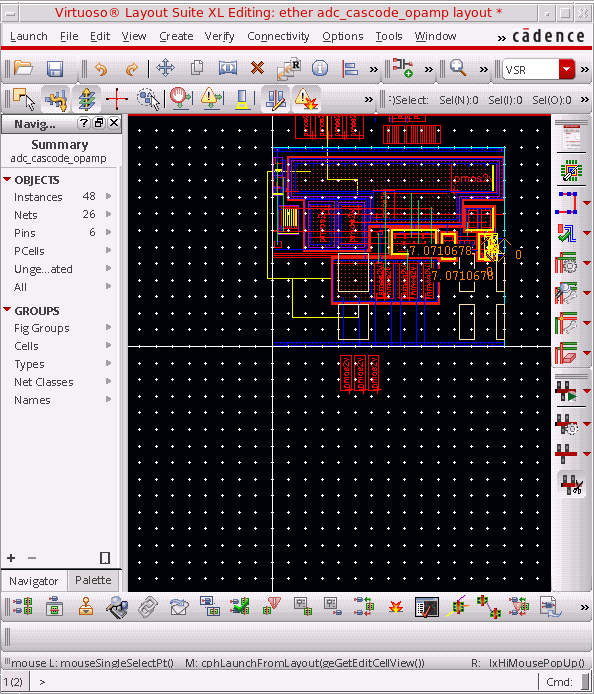
VSR
The VSR workspace shows the canvas, toolbars, the Navigator and Palette assistants, and the Virtuoso Space-Based Router toolbar.
Related Topics
Return to top