
A
Environment Variables
This appendix describes, in alphabetical order, the schematic environment variables that control the characteristics of the schematic editor and the behavior of many schematic editor commands. You can customize the behavior of the schematic editor by changing the value of a particular environment variable.
The Navigator Environmental Variables define the behavior of navigator commands. These are listed at the end of this appendix.
For information on layout and graphic environment variables, that control how various layout editor and window display commands work respectively, see
Changing the Default Environment Variables
To change a default variable or setting,
-
From the view, choose Options – Display, Options – Editor, or Check – Options.
For more information, see Virtuoso Design Environment User Guide.
Copying Environment Variables from the Samples Directory to ~/.cdsenv
To change environment variables in the .cdsenv file,
-
Copy the variables you want to change from the default
.cdsenvfile to the.cdsenvfile in your home directory.
The default file is located atyour_install_dir/tools/dfII/samples/.cdsenv -
Edit the default values in your home directory.
The.cdsenvfile in your home directory is loaded last; any values in your home directory override those previously loaded.
Checking the Value of an Environment Variable
To determine the current value of an environment variable,
-
In the CIW, type
The default setting for the environment variableenvGetVal("view" "envVar")browserTypeislibrary.
Setting Environment Variables in the CIW
To set the environment variable in the CIW,
-
Type the following SKILL function:
envSetVal(
For example:"editorName""env_var_name"type_of_valuevalue)envSetVal(
Using this procedure, you specify the specific environment variable as an argument for the"schematic" "browserType" ’string "component")schGetEnvandschSetEnvSKILL procedural interface functions.
For information on envGetVal and envSetVal, refer to Cadence User Interface SKILL Reference.
Changing Graphic Environment Variables That Are Cellview Properties
Some graphic environment variables are cellview properties. To make the changes to the environment variable visible in the cellview window immediately,
-
In the CIW, type
window = hiGetCurrentWindow() window~>
For example:environmentVariable=valuewindow = hiGetCurrentWindow() window~>autoDot = t
This changes the environment variable for the current window only, and you must reset the variable if you open a new window. The change is effective for the current session only.
Retaining the Current Settings for Future Sessions
To retain the current settings for future sessions,
-
From the view, choose Options – Save Defaults.
The system writes to the.cdsenvfile automatically whenever you choose Options – Save Defaults. If the file already exists, the system prompts you to overwrite the file or save it using another name. For details, see Saving Form Field Default Settings.
addStubs
schematic addStubs boolean { t | nil }
Description
Sets the Add Wire Stubs at option on (t) or off (nil), in the Add Instance form, to create wire stubs during instantiation. The default is t.
GUI Equivalent
Related topics
aelEvalCDFParam
schematic aelEvalCDFParam boolean { t | nil }
Description
Displays the evaluated results of the AEL expressions for CDF properties in the Property Editor assistant. The default is t. The CDF properties of an instance could contain expressions for its parameter values. These expressions use AEL and can include mathematical operations and functions that reference other property values. When the environment variable is set to t, it displays the evaluated result of these AEL expressions. Only the CDF properties that have parseAsCEL and parseAsNumber enabled are evaluated. Set the CDS_Netlisting_Mode SHELL variable to Analog to ensure that the AEL evaluator is able to find the CDF property in OA. See also Effect of Netlisting Mode On Labels.
For details, refer to
GUI Equivalent
allTerms
schematic allTerms boolean { t | nil }
Description
Sets the all terminals option on (t) or off (nil) in the Add Instance form to create wire stubs for all terminals during instantiation. When nil, the wire stubs and the wire name are created for only the registered nets. The default is nil.
GUI Equivalent
Related topics
annotationBalloonPinningStatus
schematic annotationBalloonPinningStatus boolean { t | nil }
Description
Enables you to pin the annotation balloons on the schematic canvas. If this variable is set, the Pin and Delete buttons are added to the top-right corner of the annotation balloons.
annotationSetupFileList
auCore.misc annotationSetupFileList string { "<pathToMyAnnotationSetup>.as" | "<pathToMyOtherAnnotationSetup>.as" }
Description
Loads the specified annotation setup files while the schematic window opens. For details, refer to Loading the Shared Annotation Settings Manually.
autoDot
schematic autoDot boolean { t | nil }
Description
Specifies whether a solder dot is automatically generated for three-wire T-intersections or intersections that include either angled wires or flight lines (t). The default is t.
For details, see Disabling Automatic Solder Dot Creation. See also Editor Options.
GUI Equivalent
Related topics
autoEquivalentConnectivityTime
schematic autoEquivalentConnectivityTime boolean { t | nil }
Description
Specifies whether cosmetic symbol changes can be automatically signed off as having no impact on connectivity. The default value is nil in which case such changes are not automatically signed off. For details, see Automatically Signing Off Cosmetic Changes to Symbols.
GUI Equivalent
Example
-
Set the
autoEquivalentConnectivityTimevariable in the.cdsinitfile:schSetEnv("autoEquivalentConnectivityTime" t)
- Open a Virtuoso session and add a cosmetic change to a symbol instantiated within the schematic, such as a label.
- Save the symbol.
When the schematic is opened, no warning is generated by this change.
autoLoadBindKeys
schematic autoLoadBindKeys boolean { t | nil }
Description
Specifies whether or not Cadence provided default bindkeys should be loaded.
See also
GUI Equivalent
autoWireStubBusTerms
schematic autoWireStubBusTerms cyclic { wide | narrow }
Description
Sets the default size for creating wire stubs for bus terminals; wide or narrow. Wire stubs require a dedicated wire width, either wide or narrow. When they are wide they share the same width as other wide wires. Bus terminals take wire stubs the same as other terminals. .
GUI Equivalent
Related topics
autoZoomMode
schematic autoZooMode string { "Pan To Selected" | "Zoom To Selected" | "Zoom To Fit" }
Description
Specifies the auto zoom mode setting to be used with View – Dynamic Zooming. The default is “Pan To Selected”.
envSetVal("schematic" "autoZoomMode" ‘string "Zoom To Fit")
See also
GUI Equivalent
Related topics
autoZoomPan
schematic autoZoomPan boolean { t | nil }
Description
Specifies the setting for the facility to automatically pan to an object in the design canvas. The default is t.
The autoZoomPan global option can be set for any new session window, while any change made using the View – Pan to Selected menu option will be active for only the current session window.
A change to the setting of the autoZoomPan option will enable/disable the View – Pan To Selected option accordingly. However, a change made to View – Pan To Selected will not impact the current setting of autoZoomPan.
To switch off Auto Pan to Selected, either set the environment variable to nil in the .cdsenv file or enter the following into the CIW:
envSetVal( "schematic" "autoZoomPan" ‘boolean nil )
See also
GUI Equivalent
Related topics
autoZoomScale
schematic autoZoomScale int { 90 | nil }
Description
Specifies an integer value indicating the percentage of visible canvas area that should display the selected set when the Dynamic Zooming mode is set to Zoom To Selected. The default value is 90(auto zoom 1 (far) to 100 (near)).
See also
GUI Equivalent
Related topics
blockDirRules
schematic blockDirRules cyclic { "edge" | "order of entry" }
Description
Specifies the rule for setting the direction of the new pins that the system creates automatically when you edit a block. The default is edge.
For details, see Editor Options. See also Changing the Block Pin Direction Rule.
GUI Equivalent
Related topics
broadcast
schematic broadcast boolean { t | nil }
Description
Specifies whether cross-selection is broadcast (t) or not (nil). The default is nil.
GUI Equivalent
Related topics
browserShowSchViews
schematic browserShowSchViews boolean { t | nil }
Description
Shows schematic views in the Library Browser (t) if the Add Instance Browser Type field in the Commands tab of the Editor Options form is set to library. It also controls the types of views avaliable in the Create a Mapping Schematic form. If the variable is nil, only schematicSymbol views are shown in the form. When the value is t, both schematicSymbol and schematic views are shown in the form.
GUI Equivalent
Related topics
browserType
schematic browserType string { "library" | "component" }
Description
Specifies which browser you access when the Add Instance command is active. The default is library.
For details, see Editor Options.
GUI Equivalent
Related topics
bundleDisplayMode
schematic bundleDisplayMode cyclic { "vertical" | "horizontal" }
Description
Specifies whether each member of a bundle net name is stacked vertically or horizontally when a wire label containing a comma separated bundle name is added. The default is horizontal.
GUI Equivalent
Related topics
checkAlignOverlaps
schematic checkAlignOverlaps boolean { t | nil }
Description
Issues warnings for any overlap in a given cellview. The default value is nil. When set to t, a CIW log is created to report any overlapping instances after alignment (pre-selected or post selected mode) in the cellview. Format of the generated report is controlled by the Overlapping Instances and Percent Overlap Allowed options on the Physical tab of the Schematic Rules Checks Setup form.
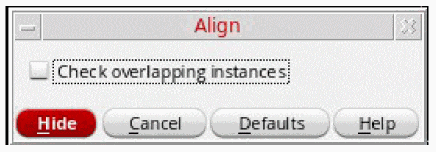
However, in the post-selected mode, you can also use the Align dialog box to report any overlapping instances. This dialog box can be displayed by pressing F3. It contains the Check overlapping instances check box.
GUI Equivalent
checkAlways
schematic checkAlways boolean { t | nil }
Description
Specifies whether the schematic editor checks all schematics encountered during traversal (t) or only those that have been modified (nil). The default is nil.
For more details on setting schematic check options and rules, see Checking Designs.
GUI Equivalent
Related topics
checkBeepOn
schematic checkBeepOn boolean { t | nil }
Description
Specifies whether the system beeps after every save and check in. If set to t, the system beeps even if there is no error or warning message. The benefit of turning this option on is to let you know when the check is complete. If set to nil, the system restores the behavior to release 4.3.x (the system beeps only when an error or warning is found). The default is t.
For more details on setting schematic check options and rules, see Checking Designs.
GUI Equivalent
Related topics
checkConstraints
schematic checkConstraints boolean { t | nil }
Description
Performs the Constraints checks when set to t. The default is nil.
GUI Equivalent
Related topics
checkHierOpenMode
schematic checkHierOpenMode cyclic { "auto" | "edit" | "read" }
Description
Specifies the mode for opening cellviews during the hierarchy checks The default value is auto. For details, refer to Checking Read-Only Cellviews.
GUI Equivalent
Related topics
checkHierSave
schematic checkHierSave boolean { t | nil }
Description
Specifies whether the system saves schematics as they are processed during a hierarchical check. When nil, schematics are not saved during processing, which allows you to save or discard the edits manually. When t, schematics containing zero errors are automatically saved. For those schematics that do contain errors, whether they are saved is based on the value of the saveAction variable. The default is t.
GUI Equivalent
Related topics
checkSymTime
schematic checkSymTime int { 0 | 1 | 2 | 3 }
Description
Specifies whether a consistency check of the symbol masters is run and specifies the level of the check. The default is 1.
When set to 0, no consistency check is run. When you specify a level of 1 to 3, the schematic editor attempts to run the specified check during loading. When you specify a level of 2, the schematic editor attempts to run the level 1 check first. When you specify a level of 3, the schematic editor attempts to run both the level 1 and level 2 checks first.
When set to 1, a warning is generated if the value of the modification counter changes for any symbol.
When set to 2, a warning is generated when the value of the UNIX file modification time stamp for a symbol is newer than that of the schematic. This check does not run if the level 1 check fails.
When set to 3, a warning is generated when the value of the check-in time stamp of a symbol is newer than the value of the UNIX file modification time stamp of the schematic. This check does not run if either the level 1 or level 2 check fails.
GUI Equivalent
comanageConstraintView
This function has been included within this appendix for completeness. For details on its description, type, and value refer to the comanageConstraintView function in the Virtuoso Unified Custom Constraints User Guide.
comanageFollowModeOnDescend
This function has been included within this appendix for completeness. For details on its description, type, and value refer to the comanageFollowModeOnDescend function in the Virtuoso Unified Custom Constraints User Guide.
comanageFollowModeOnOpen
This function has been included within this appendix for completeness. For details on its description, type, and value refer to the comanageFollowModeOnOpen function in the Virtuoso Unified Custom Constraints User Guide.
compBackTrace
schematic compBackTrace boolean { t | nil }
Description
Specifies whether routing should backtrace to components when you stretch an object (t) or not (nil). The default is t.
GUI Equivalent
Related topics
condOp
schematic condOp cyclic { "==" | "!=" | "<" | ">" | "<=" | ">=" }
Description
Specifies the conditional operator for the Find and Replace commands. The default is "==".
GUI Equivalent
Related topics
copyDesignIntent
schematic copyDesignIntent boolean { t | nil }
Description
Specifies whether the design intent associated with an object is included when using the Copy command to copy an object. The default is nil.
GUI Equivalent
Related topics
createCvOptions
schematic createCvOptions boolean { t | nil }
Description
Specifies whether the Create Cellview commands display an options form that is specific to the destination cellview (t) or not (nil). The default is t.
GUI Equivalent
Related topics
createInstResetCDF
schematic createInstResetCDF boolean { t | nil }
Description
Specifies whether the Create Instance command retains the current effective CDF values for a component when the same component is placed at a later time. If set to t, the schematic editor CDF resets the CDF values to their default settings when you start the Create Instance command. The default is t.
GUI Equivalent
createInstShowCDF
schematic createInstShowCDF boolean { t | nil }
Description
Specifies whether the Add Instance form appears when the component you want to add contains CDF parameters (t) or not (nil). The default is t.
GUI Equivalent
createLabelAutoCenterSize
schematic createLabelAutoCenterSize float size_fraction
Description
Specifies the size of the central region of a wire as a fraction (0-1) of the wire length. The default is 0.4.
The “end” regions equally share any remaining space. For example, setting this variable to 1.0 would mean that every wire is assumed to be in the central region. Therefore a label that is placed near the middle of a wire is moved to be centralized.
GUI Equivalent
Related topics
createLabelAutoJustify
schematic createLabelAutoJustify boolean { t | nil }
Description
Specifies whether the placement of a new wire label snaps into position automatically or requires to be manually positioned using the cursor.
When set to t, the justification of the wire name is automatically selected (lowerCenter, upperLeft, and so on) to achieve the best position relative to the current placement of the wire.
By default, the value is nil, which indicates that the wire name requires to be positioned manually using the cursor.
GUI Equivalent
|
Justification – Automatic (Create Wire Name form) |
Example
envGetVal("schematic" "createLabelAutoJustify")
envSetVal("schematic" "createLabelAutoJustify" 'boolean t)
envSetVal("schematic" "createLabelAutoJustify" 'boolean nil)
Related Topics
Automatic Justification of Wire Label Names
createLabelAutoOffset
schematic createLabelAutoOffset float distance
Description
Specifies the distance that auto-justified labels should be placed from their parent wires, in user units. The default is 0.045.
GUI Equivalent
|
Justification (Create Wire Name form) |
Related Topics
createLabelAutoSpacer
schematic createLabelAutoSpacer float spacing
Description
Specifies the space left between pins and the labels placed next to them. For example, if there is a pin at the chosen wire end, the label is adjusted to be placed on the wire as close to the pin as possible. The default is 0.0.
GUI Equivalent
|
Justification (Create Wire Name form) |
Related Topics
createLabelFontHeight
schematic createLabelFontHeight float font_height
Description
Specifies a value (in user units) for the font height for the wire names that you add with the Create Wire Name command. The default is 0.0625 (inches).
GUI Equivalent
|
Font Height (Create Wire Name form) |
Related Topics
createLabelFontStyle
schematic createLabelFontStyle cyclic { "euroStyle" | "gothic" | "math" | "roman" | "script" | "stick" | "fixed" | "swedish" | "milSpec" }
Description
Specifies a font for the wire names that you add with the Create Wire Name command. The default is stick.
GUI Equivalent
|
Font Style (Create Wire Name form) |
Related Topics
createLabelHorzOffset
schematic createLabelHorzOffset float offset_distance
Description
Specifies the offset distance of the wire name text in relation to a horizontal wire. The default is 0.045 (inches).
GUI Equivalent
|
Horizontal/Text Offset (Create Wire Name form) |
Related Topics
createLabelHorzPosition
schematic createLabelHorzPosition cyclic { "above" | "below" }
Description
Specifies the position of the wire name text in relation to a horizontal wire. The default is above.
GUI Equivalent
|
Horizontal/Text Position (Create Wire Name form) |
Related Topics
createLabelHorzRotation
schematic createLabelHorzRotation cyclic { "R0" | "R90" }
Description
Specifies the orientation of the wire name text in relation to a horizontal wire. The default is R0.
GUI Equivalent
|
Horizontal/Text Rotation (Create Wire Name form) |
Related Topics
createLabelJustify
schematic createLabelJustify cyclic { "upperLeft" | "centerLeft" | "lowerLeft" | "upperCenter" | "centerCenter" | "lowerCenter" | "upperRight" | "centerRight" | "lowerRight" }
Description
Specifies the justification for the wire name text. The default is lowerCenter.
GUI Equivalent
|
Justification (Create Wire Name form) |
Related Topics
createLabelOffsetMode
schematic createLabelOffsetMode boolean { t | nil }
Description
Specifies the wire name Entry Style mode. When set to t, the mode is fixed offset. When set to nil, the mode is manual. The default is t.
GUI Equivalent
|
Entry Style (Create Wire Name form) |
Related Topics
createLabelVertOffset
schematic createLabelVertOffset float text_offset
Description
Specifies the location of the wire name text in relation to a vertical wire. The default is 0.045 (inches).
GUI Equivalent
|
Vertical/Text Offset (Create Wire Name form) |
Related Topics
createLabelVertPosition
schematic createLabelVertPosition cyclic { "left" | "right" }
Description
Specifies the position of the wire name text in relation to a vertical wire. The default is left.
GUI Equivalent
|
Vertical/Text Position (Create Wire Name form) |
Related Topics
createLabelVertRotation
schematic createLabelVertRotation cyclic { "R0" | "R90" }
Description
Specifies the orientation of the wire name text in relation to a vertical wire. The default is R90.
GUI Equivalent
|
Vertical/Text Rotation (Create Wire Name form) |
Related Topics
createPinAutoNameFromNamedNet
schematic createPinAutoNameFromNamedNet boolean { t | nil }
Description
Enables the Create Pin command for suggesting pin names for the named nets in the design when set to t. The default value is nil. The connectivity needs to be up-to-date to be able to accurately suggest pin names. For details, refer to Adding Pins.
GUI Equivalent
cvDisplay
schematic cvDisplay boolean { t | nil }
Description
Specifies whether the system displays a new cellview in a window when you complete the Create – Cellview command (t) or not (nil). The default is t.
GUI Equivalent
Related Topics
defaultsFile
schematic defaultsFile string "filename"
Description
Specifies which file is accessed when loading or dumping the schematic environment variables. The default is .cdsenv.
GUI Equivalent
Related Topics
defWideWireWidth
schematic defWideWireWidth float width
Description
Specifies a value for the width of wires and flight lines that you create with the Create Wire command. The value must be greater than 0.0 and specified in user units. The default is 0.0625 (inches).
GUI Equivalent
Related Topics
deleteInstPinsWire
schematic deleteInstPinsWire boolean { t | nil }
Description
Specifies whether to delete instance pins wires (t) or not (nil). The default is nil.
GUI Equivalent
descendCanvasType
schematic descendCanvasType string { "new tab" | "current tab" | "new window" }
Description
Specifies the type of canvas to descend into. The default value is current tab.
The descendCanvasType (schematic) environment variable works with the setWinTraversal environment variable, where:
-
if
setWinTraversalis set to true,setWinTraversalwill be honored anddescendCanvasTypewill not be checked.
The Descend Form Open in option, in this scenario, will show new window as the default descend selection. -
If
setWinTraversalis not set, then the value set fordescendCanvasTypewill be checked.
The Descend Form Open in option, in this scenario, will show whatever option has been set fordescendCanvasType, the default being current tab.
descendCanvasType as it is a schematic environment variable in preference to using setWinTraversal which is not a schematic environment variable.GUI Equivalent
Related Topics
descendDemoteViewNameList
schematic descendDemoteViewNameList string { "view_to_be_filtered" }
Description
Specifies a space-separated list of view names that appear at the end of the descend choices. Definition of this environment variable prevents you from descending into a view that is not useful for editing or interaction. This environment variable affects only the VSE Descend command. For example, in the parasitic flow, the estimated view is bound by the configuration. Therefore, it appears as the first choice in the viewNameList when descending into a view. However, you can define this environment variable as follows to place the estimated view at the end of the descend choices:
envSetVal("schematic" "descendDemoteViewNameList" 'string "estimated")
The default behavior of the Descend command is that the descend view choices are available in a sequence as specified by the configuration or the viewNameList, followed by any other views of the cell in an alphabetical order. Therefore, the default value for this environment variable is "" (an empty string), which means there is no change to the default behavior of the Descend command.
GUI Equivalent
descendSheet
schematic descendSheet string { "sheet" | "index" }
Description
Specifies the type of sheet to descend into when descending into a level that expands to a multisheet schematic. The default is sheet.
GUI Equivalent
descendTarget
schematic descendTarget string { "query user" | "use viewNameList" }
Description
Specifies whether the schematic editor descends automatically when you start a Descend command. The default is query user.
If use viewNameList is specified, the descend command uses the first view found in the viewNameList. The config or physConfig views.
Note: When using the schematic view with:
-
Layout XL, the
viewNameListis specified by thephysConfig. For details of how to change thephysConfig, see Configure Physical Hierarchy. -
the Hierarchy Editor, the
viewNameListis specified by theconfig. For details of how to change theconfig, see Hierarchy Editor.
To avoid descending into views such as extracted views, use the environment variable .
GUI Equivalent
Related Topics
Descending Using the Descend Command
differential
schematic differential boolean { t | nil }
Description
Used by the schHiCreatePin() command. When when set to t will add a Differential Expansion field to the Create Pin form. The default is nil.
The differential variable is used to allow you to use the Virtuoso Schematic Editor for differential circuit design.
Firstly, set the global variable differential to t. This can be done by calling schSetEnv("differential" t) in your .cdsinit file.
Secondly, modify the differential name expansion algorithm as necessary and load from your .cdsinit file.
The current differential name expansion algorithm has the following feature:
- Simple, vector and bundle names can be expanded.
-
A simple name is always expanded by creating a vector of 2 bits wide.
For example,Aexpands toA<0:1>, B<2>expands toB<4:5> -
A vector name is always expanded by calculating the proper starting index and then doubling the width of the given vector.
For example,NAME<2:5>expands toNAME<4:11>,NAME<3>expands toNAME<6:7>
The starting part is calculated bys = v1*2
The ending part is calculated bye = v2*2+1 -
A bundle name is handled by breaking the bundle name into simple or vector names and applies the above rules.
For example,A,Bexpands toA<0:1>,B<0:1>,D<1,3>expands toD<2:3>,D<6:7>
GUI Equivalent
dimming
schematic dimming boolean { t | nil }
Description
Allows you to set object dimming on (t) or off (nil) for selected, highlighted, or probed objects on the design canvas.
For more information, see Display Dimming and the Display Options form.
GUI Equivalent
Related Topics
dimmingIntensity
schematic dimmingIntensity int intensity_level
Description
Allows you to set the intensity (brightness) display of the dimmed objects, where 0 equals the dimmed object display being the same as the selected object, right up to 100 which will cause the dimmed objects to be “invisible” on the canvas. The default setting is 50.
For more information, see Display Dimming and the Display Options form.
GUI Equivalent
Related Topics
dimmingMode
schematic dimmingMode string { "Automatic" | "Always" }
Description
Allows you to choose whether dimming be Automatic (the default); where dimming will only be enabled when at least one object is currently selected, highlighted, or probed. Or, choose to set dimming to Always which will enable dimming permanently (until the option setting is changed).
For more information, see Display Dimming and the Display Options form.
GUI Equivalent
Related Topics
directEditOnlySelected
schematic directEditOnlySelected boolean { t | nil }
Description
When set to t, the actions of the schDirectEdit() command apply only to objects that are already selected. When set to the default value nil, no pre-selection is required for edits.
GUI Equivalent
disablePortOrderPopup
schematic disablePortOrderPopup boolean { t | nil }
Description
Fixes the port mismatch issues whenever possible without displaying the Port Mismatch form. The default is nil.
For details, see Resolving Pin Mismatch.
GUI Equivalent
dotOverlap
schematic dotOverlap float overlap
Description
Specifies the value for automatically generated solder dots that overlap wires at a wire intersection. The value must be specified in user units. The default is 0.03125 (inches).
For details, see Editor Options.
GUI Equivalent
Related Topics
drawMode
schematic drawMode string { "anyAngle" | "l90X" | "l90Y" | "l45Long" | "l45Angle" }
Description
Specifies the drawing mode for the Shape commands. The default is anyAngle.
GUI Equivalent
|
Create – Note – Shape (in the symbol editor) |
|
Related Topics
drawModeRoute
schematic drawModeRoute string { "route" | "anyAngle" | "l90X" | "l90Y" | "l45Long" | "l45Angle" }
Description
Specifies the drawing mode for the Create Wire command. The difference between this and drawMode is the route choice, which invokes the wire router when adding wires to a schematic. The default is route.
For a sample drawing of the values, see Add Wire.
GUI Equivalent
Related Topics
useDynamicHilightPacket
schematic useDynamicHilightPacket boolean { t | nil }
Description
Creates the dynamic highlight display packet and uses it to draw dynamic highlights in the design. The default is t.
When set to nil, the dynamic highlight is drawn with a non-configurable thin dashed outline.
When set to t, and you do not have the dynamicHilight display packet defined in the display.drf file, then the packet is created internally on the first dynamically highlighted figure. However, this packet is not saved automatically in display.drf. Therefore, if you close Virtuoso at this stage, display.drf is not modified. The next time you open Virtuoso and then DRE, the dynamicHilight display packet is not displayed.
However, if you open DRE, save display.drf, and then, close Virtuoso, the next time you open Virtuoso and DRE, the dynamicHilight display packet is present, even if the environment variable is set to nil.
GUI Equivalent
echoToCIW
schematic echoToCIW boolean { t | nil }
Description
Prints a summary of error and warning messages to the CIW (t) when you check your design. This is the same summary displayed in the dialog box when warning and error conditions are encountered during a check of your design. The default is t.
GUI Equivalent
editPropChangeAllConfirm
schematic editPropChangeAllConfirm string { "instance" | "pin" | "pin inherited" | "symbol pin" | "symbol pin inherited" }
Description
Specifies the object type groups that require confirmation before applying the same property modification to multiple objects of the type selected on the Edit Object Properties – Basic form. This applies only when the Apply To field is set to all selected or all. The object type groups must each be separated by a comma and the list enclosed in quotation marks.
The default is "instance,pin,pin inherited,symbol pin,symbol pin inherited".
GUI Equivalent
Example
envGetVal("schematic" "editPropChangeAllConfirm")
envSetVal("schematic" "editPropChangeAllConfirm" 'string "instance, pin, pin inherited, symbol pin, symbol pin inherited")
envSetVal("schematic" "editPropChangeAllConfirm" 'string "instance, pin")
editPropProtectCDF
schematic editPropProtectCDF boolean t
Description
Controls whether the Edit Object Properties form uses its own distinct copy of cdfgData, or the same cdfgData as other forms in Virtuoso. Set the variable to t in order to prevent other forms, for example VLS Edit Properties, from unexpectedly altering the CDF parameters shown in the VSE Edit Object Properties form.
However, if you want share the CDF parameters shown in the Edit Object Properties form with other forms, set editPropProtectCDF to nil to allow the secondary form to share the same cdfgData as the main Edit Object Properties form. For example, you might have a button CDF parameter that pops up a secondary property editor form, the secondary form will share the data of the primary Edit Object Properties form.
GUI Equivalent
Related Topics
Edit Object Properties – Basic
editPropReadOnlyFields
schematic editPropReadOnlyFields boolean { t | nil }
Description
When t, the fields on the form are not editable for read-only cellviews. When nil, the fields on Edit Object Properties – Basic form are editable for read-only cellviews.
- If you try to apply the edits made to the fields on the form, a warning message will be displayed saying that the edits cannot be applied.
- You might want to use this environment variable if you have parameter fields that are used for browsing but not editing.
GUI Equivalent
Example
envGetVal("schematic" "editPropReadOnlyFields")
envSetVal("schematic" "editPropReadOnlyFields" 'boolean t)
envSetVal("schematic" "editPropReadOnlyFields" 'boolean nil)
editPropReadOnlyNetName
schematic editPropReadOnlyNetName boolean { t | nil }
Description
Controls whether the Edit Object Properties – Wire Name form allows you to edit the net name of a selected wire for read-only cellviews. Editing a net name changes all wire labels associated with the net across the entire schematic; the actual net is changed only when you save a design using Check and Save.
When set to t, the default value, net names are uneditable on the Edit Object Properties form for read-only cellviews. When not set, net names are editable on the Edit Object Properties form for read-only cellviews.
GUI Equivalent
Example
envGetVal("schematic" "editPropReadOnlyNetName")
envSetVal("schematic" "editPropReadOnlyNetName" 'boolean t)
envSetVal("schematic" "editPropReadOnlyNetName" 'boolean nil)
editPropShowCDF
schematic editPropShowCDF boolean { t | nil }
Description
Specifies whether the CDF options field appears in the Show region of the Edit Object Properties form (t) or not (nil). The default is t.
GUI Equivalent
Related Topics
Edit Object Properties – Basic
editPropShowSystem
schematic editPropShowSystem boolean { t | nil }
Description
Specifies whether the System options field appears in the Show region of the Edit Object Properties form (t) or not (nil). The default is nil.
GUI Equivalent
Related Topics
Edit Object Properties – Basic
editPropShowUser
schematic editPropShowUser boolean { t | nil }
Description
Specifies whether the User check box appears in the Show region of the Edit Object Properties form (t) or not (nil). The default is t.
GUI Equivalent
Related Topics
Edit Object Properties – Basic
findAccessMode
schematic findAccessMode string { "edit" | "read only" }
Description
Specifies which mode you are in. The default is edit.
GUI Equivalent
Related Topics
findZoomButton
schematic findZoomButton boolean { t | nil }
Description
Specifies whether the schematic editor zooms into an object that matches the pattern specified in the Find command (t) or not (nil). The default is nil.
GUI Equivalent
Related Topics
flattenConnectMode
schematic flattenConnectMode cyclic { "by-name" | "flight" | "wire"}
Description
Sets the default connect mode for the Flatten command.
-
by-nameconnects the flattened content to the existing schematic using connect-by-name. -
flightconnects the flattened content to the existing schematic using flight lines. -
wireconnects the flattened content to the existing schematic using routed wires.
GUI Equivalent
Related topics
flightWidth
schematic flightWidth float line_width
Description
Specifies the width of the dashed, straight line between two points. The default is 0.0.
GUI Equivalent
Related Topics
gravityOn
schematic gravityOn boolean { t | nil }
Description
Specifies whether the cursor snaps to instance pins when you use the Create Wire command (t) or not (nil). The default is t.
For details, see Editor Options.
GUI Equivalent
Related Topics
ignoreHilightColor
schematic ignoreHilightColor string "red"
Description
Specifies the colour of the cross displayed on the ignored instances in the schematic when the ignoreHilightOn value is set to t. The default value is red.
For details, see Ignoring Instances.
GUI Equivalent
Example
envGetVal ("schematic" "ignoreHilightColor")
envSetVal ("schematic" "ignoreHilightColor" 'string "red")
envSetVal ("schematic" "ignoreHilightColor" 'string "blue")
ignoreHilightOn
schematic ignoreHilightOn boolean { t | nil }
Description
Highlights the ignored instances in the schematic by displaying a cross on the instances (t) or removing cross (nil). The default value is t.
For details, see Ignoring Instances.
GUI Equivalent
Example
envGetVal ("schematic" "ignoreHilightOn")
envSetVal ("schematic" "ignoreHilightOn" 'boolean t)
envSetVal ("schematic" "ignoreHilightOn" 'boolean nil)
Related Topics
ignoreShowMessage
schematic ignoreShowMessage boolean { t | nil }
Description
With the Ignored Instances option on the Display Options form disabled when you select an instance and choose Edit – Ignore Instances the View Ignored Instances dialog box is displayed.
If the ignoreShowMessage environment variable is set to t, the View Ignored Instances dialog box does not appear and changes take place without the warning.
For details, see Ignoring Instances.
GUI Equivalent
|
Edit – Ignore Instances (With the Ignored Instances option on the Display Options form disabled) |
|
|
Do not show this dialog again (View Ignored Instances dialog box) |
Example
envGetVal ("schematic" "ignoreShowMessage")
envSetVal ("schematic" "ignoreShowMessage" 'boolean t)
envSetVal ("schematic" "ignoreShowMessage" 'boolean nil)
Related Topics
Display Options
incrementalConn
schematic incrementalConn boolean { t | nil}
Description
Controls the incremental connectivity mode used to update the connectivity in a design while you are editing.
-
The default is
t, which means that connectivity is automatically checked and updated while you edit. -
When set to
nil, batch connectivity mode is used to update connectivity. This requires an explicit update request using the File – Check and Save, Check – Current Cellview, or Check – Hierarchy commands to update the connectivity in a design.
GUI Equivalent
|
Incrementally update connectivity while editing (Connectivity tab) |
Example
schSetEnv("incrementalConn" t)
envSetVal("schematic" "incrementalConn" 'boolean t)
envSetVal("schematic" "incrementalConn" 'boolean nil)
Related Topics
incrementalConnTimeout
schematic incrementalConnTimeout float timeout
Description
Specifies the maximum time in seconds permitted for an incremental connectivity extraction operation. If an operation takes longer than the specified time, incremental connectivity extraction is automatically paused. The default is 0.1s.
GUI Equivalent
Example
schSetEnv("incrementalConnTimeout" 0.200)
envSetVal("schematic" "incrementalConnTimeout" 'float 0.200)
Related Topics
Incremental Connectivity Extraction Status
Resuming a Paused Incremental Connectivity Extraction
inhConnDisableDefNetField
schematic inhConnDisableDefNetField boolean { t | nil }
Description
Disables editing of the Default Net Name field on the Create Wire Name and Create Net Expression forms to prevent modification of generated values. The default is nil.
GUI Equivalent
|
Disable editing of default net name field (Inherited Conn tab) |
Related Topics
inhConnDisablePinFields
schematic inhConnDisablePinFields boolean { t | nil }
Description
Disables the net expression editing fields on the Create Pin form to prevent modification of the generated values. The default is nil.
GUI Equivalent
|
Disable editing of property and default net name fields (Inherited Conn tab) |
Related Topics
inhConnGenNetExprDefNet
schematic inhConnGenNetExprDefNet boolean { t | nil }
Description
Enables the Default Net Name field in the Create Net Expression form, to be automatically seeded based on the Property Name specified. This value will continue to update if multiple pins are added simultaneously. The default is nil.
GUI Equivalent
|
Derive default net name from property name (Inherited Conn tab) |
Related Topics
inhConnGenPinNetExpr
schematic inhConnGenPinNetExpr boolean { t | nil }
Description
Enables the Property Name and Default Net Name fields on the Create Pin form to be automatically seeded with values derived from the Pin Name currently being added. These values will continue to update if multiple pins are added simultaneously. The default is nil.
GUI Equivalent
|
Derive property name and default net name from pin name (Inherited Conn tab) |
Related Topics
instObjectSelectionMode
schematic instObjectSelectionMode cyclic { "point" | "any" }
Description
Specifies the selection mode for instance objects. If point is specified, you can select instance objects only by clicking on them. If any is selected, you can select instance objects using area/line or select all queries.The default is point.
GUI Equivalent
Example
schSetEnv("instObjectSelectionMode" "point")
envSetVal("schematic" "instObjectSelectionMode" 'cyclic "point")
envSetVal("schematic" "instObjectSelectionMode" 'cyclic "any")
Related Topics
invokeKanjiEditor
schematic invokeKanjiEditor string { "kterm -km euc -e vi" }
Description
GUI Equivalent
labelsVisibleDuringDrag
schematic labelsVisibleDuringDrag boolean { t | nil}
Description
Specifies whether instance labels should be rendered during Add Instance, Move, Stretch, or Copy commands (t). This option only applies to labels with a LabelType of normalLabel. The default is t.
GUI Equivalent
libList
schematic libList string "list_of_libraries"
Description
Specifies a list of libraries the schematic editor processes during hierarchical checking when the environment variable spanLib is set to check. The default is an empty string ("").
GUI Equivalent
Related Topics
magAnchorPosition
This function has been included within this appendix for completeness. For details on its description, type, and value refer to the magAnchorPosition function in the Virtuoso Layout Suite XL: Basic Editing User Guide.
schematic instead of layout.magConfined
This function has been included within this appendix for completeness. For details on its description, type, and value refer to the magConfined function in the Virtuoso Layout Suite XL: Basic Editing User Guide.
schematic instead of layout.magCursorOffset
This function has been included within this appendix for completeness. For details on its description, type, and value refer to the magCursorOffset function in the Virtuoso Layout Suite XL: Basic Editing User Guide.
schematic instead of layout.magDisplayMode
This function has been included within this appendix for completeness. For details on its description, type, and value refer to the magDisplayMode function in the Virtuoso Layout Suite XL: Basic Editing User Guide.
schematic instead of layout.magFloatPosition
This function has been included within this appendix for completeness. For details on its description, type, and value refer to the magFloatPosition function in the Virtuoso Layout Suite XL: Basic Editing User Guide.
schematic instead of layout.magOffsetCorner
This function has been included within this appendix for completeness. For details on its description, type, and value refer to the magOffsetCorner function in the Virtuoso Layout Suite XL: Basic Editing User Guide.
schematic instead of layout.magScale
This function has been included within this appendix for completeness. For details on its description, type, and value refer to the magScale function in the Virtuoso Layout Suite XL: Basic Editing User Guide.
schematic instead of layout.magSize
This function has been included within this appendix for completeness. For details on its description, type, and value refer to the magSize function in the Virtuoso Layout Suite XL: Basic Editing User Guide.
schematic instead of layout.makeCellFactorize
schematic makeCellFactorize boolean { t | nil }
Description
Specifies whether the Simplify iterated names check box is selected by default. If the check box is selected, any instances and wire labels in the selection with a common iteration factor have this common factor removed, and an iterated instance of the new scalar cell is created. The default is t.
GUI Equivalent
Related Topics
makeCellPlaceSymbol
schematic makeCellPlaceSymbol boolean { t | nil }
Description
Specifies whether the Place symbol check box is selected by default. If the check box is selected, a symbol is automatically generated for the newly created cell. The default is t.
GUI Equivalent
Related Topics
mapCvMappingSchViewName
schematic mapCvMappingSchViewName string "schematic"
Description
Specifies the mapping schematic view name. The default is schematic and it can be changed as required.
GUI Equivalent
Related Topics
Create a Mapping Schematic Step 1 of 2
mapCvTermDirectionCheck
schematic mapCvTermDirectionCheck cyclic { "unknown" | "ignored" | "warning" | "error" }
Description
Controls how direction mismatches of mapped nets are reported when creating a mapping schematic on the error.
GUI Equivalent
Related topics
markerSeverity
This function has been included within this appendix for completeness. For details on its description, type, and value refer to the markerSeverity function in the Virtuoso Layout Suite XL: Basic Editing User Guide.
schematic instead of graphic.markerShowIgnore
schematic markerShowIgnore boolean { t | nil }
Description
Specifies whether the Find Marker form displays markers that have the ignore property set (t) or not (nil). The default is t.
GUI Equivalent
Related Topics
markerZoom
schematic markerZoom boolean { t | nil }
Description
Specifies whether the Find Marker command zooms to the current marker (t) or not (nil). The default is nil.
GUI Equivalent
Related Topics
matchedToIgnore
This function has been included within this appendix for completeness. For details on its description, type, and value refer to the matchedToIgnore function in the Virtuoso Unified Custom Constraints User Guide.
schematic instead of constraint.maxLabelOffsetUU
schematic maxLabelOffsetUU float max_distance
Description
Specifies the maximum distance between a label and a wire. The default is 0.045 (inches).
During schematic loading and connectivity extraction, any unglued wire names whose control point is within this distance of a wire is automatically glued to the wire. During schematic rules checking, this value is used in the maxLabelOffset check to flag any wire name that is farther than this distance from any wire whether or not the name is glued to the wire.
For more details on setting schematic check options and rules, see Checking Designs.
GUI Equivalent
Related Topics
minMarkerSize
schematic minMarkerSize float min_marker_size
Description
Specifies a value for the minimum marker size. The value is specified in user units. The default is 0.05 (inches).
For details, see Editor Options.
GUI Equivalent
Related Topics
modalCommands
schematic modalCommands boolean { t | nil }
Description
Specifies whether commands stay active until explicitly canceled by pressing the Esc key (t) or by starting another command (nil). The default is t.
For details, see Canceling the Repeat Command Option.
GUI Equivalent
Related Topics
netExprDisplay
schematic netExprDisplay cyclic { "value only" | "value (default)" | "value [property]" | "value [expression]" | "expression only" }
Description
Specifies how to display inherited connections values. The value is what the connection resolves to; if it is overridden at a higher level in the hierarchy, the full path to a local signal might be displayed. You must type the square brackets as part of value [property] or value [expression]. The default is value only.
For details, see Changing Display Options.
GUI Equivalent
Related Topics
netNameMethod
schematic netNameMethod cyclic { "prefix" | "derived" }
Description
Specifies which naming mechanism is used for system-generated net names during connectivity extraction. The default is prefix.
The naming mechanisms work as follows:
-
prefixgenerates a unique name for nets that you do not explicitly label or connect to a pin. The unique name consists of the prefix that you specify in the Net Name Prefix field followed by a number. -
derivedgenerates a net name from the driving instance name and the driving terminal name. The derived net name is of the form instName_pinName.
GUI Equivalent
Examples
envGetVal("schematic" "netNameMethod")
envSetVal("schematic" "netNameMethod" 'cyclic "derived")
Related topics
netNamePrefix
schematic netNamePrefix string "prefix_string"
Description
Specifies the prefix string for the net names generated during connectivity extraction. The default is net.
For details, see Editor Options.
GUI Equivalent
Related topics
netNameRangeAuto
schematic netNameRangeAuto boolean { t | nil }
Description
Auto-detects the range order of the object for which a bus has to be generated and assigns the same range order to the bus. If the range order cannot be decided, it uses the value of Bus Range Order on the Editor Options form. For example, if the cellview bus range order is descending and instance is A<1:3> and instance pin is B<1:3>, the environment variable when set to t enables generating net<0:8> with an ascending order. The default is nil.
For details, see Editor Options. Also, refer to .
GUI Equivalent
Related topics
netNameRangeDescend
schematic netNameRangeDescend boolean { t | nil }
Description
Specifies whether the range specification in system-generated buses is ascending (nil) or descending (t). The default is nil.
For details, see Editor Options.
GUI Equivalent
Related topics
netNameSeparator
schematic netNameSeparator string "name_separator"
Description
Specifies the name separator for net names generated during connectivity extraction if the value of netNameMethod is derived. The default is "_".
For details, see Editor Options.
GUI Equivalent
Related topics
noteFontHeight
schematic noteFontHeight float font_height
Description
Specifies a font height for the text you add to your design using the Create – Note – Text command. The default is 0.0625 (inches).
GUI Equivalent
|
Font Height (Create Note Text form) |
Related topics
noteFontStyle
schematic noteFontStyle cyclic { "euroStyle" | "gothic" | "math" | "roman" | "script" | "stick" | "fixed" | "swedish" | "milSpec" }
Description
Specifies a font for the text you add to your design using the Create – Note – Text command. The default is stick.
GUI Equivalent
Related topics
noteJustify
schematic noteJustify cyclic { "upperLeft" | "centerLeft" | "lowerLeft" | "upperCenter" | "centerCenter" | "lowerCenter" | "upperRight" | "centerRight" | "lowerRight" }
Description
Specifies the justification for the text you add to your design using the Create – Note – Text command. The default is lowerCenter.
GUI Equivalent
Related topics
noteShape
schematic noteShape cyclic { "line" | "rectangle" | "polygon" | "circle" | "ellipse" | "arc" }
Description
Specifies the shape for a note, which you add to your design using the Create – Note – Shape command. The default is line.
GUI Equivalent
Related topics
noteShapeLineStyle
schematic noteShapeLineStyle cyclic { "solid" | "dashed" }
Description
Specifies the line style used to draw a note shape. The default is solid.
GUI Equivalent
Related topics
noteType
schematic noteType cyclic { "normalLabel" | "NLPLabel" | "ILLabel" }
Description
Specifies the note type. The default is normalLabel.
GUI Equivalent
objectInfoInStatusBar
schematic objectInfoInStatusBar boolean { t | nil }
Description
Displays the information about the selected objects on the status bar. The default is t.
GUI Equivalent
pinBackTrace
schematic pinBackTrace boolean { t | nil }
Description
Specifies whether the schematic editor stretches the wires connected to a pin when you stretch a pin (t) or not (nil). The default is t.
GUI Equivalent
Related topics
pinLabelDrafting
schematic pinLabelDrafting boolean { t | nil }
Description
Specifies that labels are never drawn upside-down or mirrored, even when rotated, therefore making them easier to read. The default is t.
GUI Equivalent
Related topics
pinLabelFontHeight
schematic pinLabelFontHeight float font_height
Description
Defines the font height of pin labels. The default is 0.0625.
GUI Equivalent
Related topics
pinLabelFontStyle
schematic pinLabelFontStyle cyclic { "euroStyle" | "gothic" | "math" | "roman" | "script" | "stick" | "fixed" | "swedish" | "milSpec" }
Description
Specifies the font style for the pin label. The default is stick.
GUI Equivalent
Related topics
pinLabelJustify
schematic pinLabelJustify cyclic { "upperLeft" | "centerLeft" | "lowerLeft" | "upperCenter" | "centerCenter" | "lowerCenter" | "upperRight" | "centerRight" | "lowerRight" }
Description
Specifies where the label appears in relation to the pin’s origin (placement location). The default is lowerCenter.
GUI Equivalent
Related topics
pinLabelOverbar
schematic pinLabelOverbar boolean { t | nil }
Description
Specifies whether overbars are displayed over pin labels. When this option is disabled (default), the software displays underscore characters ( _ ) in the pin label as part of the label text string. When this option is enabled, the software interprets underscore characters ( _ ) in the label as toggle switches that control where overbars begin and end. Overbars appear above the pin label.
GUI Equivalent
Related topics
pinLabelSetDrafting
schematic pinLabelSetDrafting boolean { t | nil }
Description
Controls whether the default setting for the variable pinLabelDrafting can be changed. The default is t.
GUI Equivalent
Related topics
pinLabelSetFontHeight
schematic pinLabelSetFontHeight boolean { t | nil }
Description
Controls whether the default setting for the variable pinLabelFontHeight can be changed. The default is nil.
GUI Equivalent
Related topics
pinLabelSetFontStyle
schematic pinLabelSetFontStyle boolean { t | nil }
Description
Controls whether the default setting for the variable pinLabelFontStyle can be changed. The default is nil.
GUI Equivalent
Related topics
pinLabelSetJustify
schematic pinLabelSetJustify boolean { t | nil }
Description
Controls whether the default setting for the variable pinLabelJustify can be changed. The default is nil.
t, the positioning of labels must be defined for the variable pinLabelJustifyGUI Equivalent
Related topics
pinLabelSetOverbar
schematic pinLabelSetOverbar boolean { t | nil }
Description
Controls whether the default setting for the variable pinLabelOverbar can be changed. The default is nil.
t, the display of overbars on pin labels must be defined for the variable pinLabelOverbarGUI Equivalent
Related topics
pinNameSeed
schematic pinNameSeed string "pin_name_prefix"
Description
Specifies the pin name prefix used when automatically creating new pins for blocks you add to your design. The default is pin.
GUI Equivalent
Related topics
pinRefDuplicates
schematic pinRefDuplicates boolean { t | nil }
Description
Specifies whether the editor reports duplicate pin references found within one zone of a multisheet schematic (t) or not (nil). The default is t.
GUI Equivalent
Related topics
pinRefFormat
schematic pinRefFormat string { "<sheetNumber><zone><referenceName>" }
Description
Specifies the format for displaying the pin reference information that appears next to each pin when you use the Cross Reference command. The default is <sheetnumber><zone><referenceName>.
GUI Equivalent
Related topics
pinRefSorting
schematic pinRefSorting string { "Direction" | "Sheet Number" }
Description
Specifies how pin references are sorted when you use the Cross Reference command. The default is Sheet Number.
GUI Equivalent
Related topics
postProcNetSigTypes
schematic postProcNetSigTypes boolean { t | nil }
Description
Sets the signal type for global or registered power and ground nets, while saving a design using Check and Save. The schematic editor automatically identifies all of the global or registered power or ground nets and sets their signal type accordingly. The default is nil.
GUI Equivalent
Related topics
probeConnectedInstances
schematic probeConnectedInstances boolean { t | nil }
Description
Highlights all the instances that are connected to the net (except for the feedthrough connections) if that net is probed. The default is nil.
GUI Equivalent
probeCycleBool
graphic probeCycleBool boolean { t | nil}
Description
Specifies whether to cycle the probe layer-purpose pairs. If cycling, the current layer-purpose pair for the probe is picked from . The default is t.
GUI Equivalent
probeDirection
schematic probeDirection cyclic { "input" | "output" | "inputOutput" }
Description
Specifies the direction of probe. The default is input. For details, refer to Adding Probes to a Net, Pin, or Instance.
GUI Equivalent
|
Applications to Cross Probe form (accessed by pressing the |
|
Related topics
probeHiliteLppList
schematic probeHiliteLppList string lppList
Description
Enables you to specify the layer-purpose list to be used for probe. The default value is y0 drawing y1 drawing y2 drawing y3 drawing y4 drawing y5 drawing y6 drawing y7 drawing y8 drawing y9 drawing.
GUI Equivalent
probeHiliteLppString
schematic probeHiliteLppString string lpp
Description
Specifies the layer-purpose pair to be used by probe if probeCycleBool is set to nil. If probeCycleBool is t, probeHiliteLppString stores the current layer-purpose pair used by the probe. The default is y0 drawing.
GUI Equivalent
probeTraverseFeedThrough
graphic probeTraverseFeedThrough boolean t
Description
Enables you to probe a feedthrough net in a design. For more information about the feature, see Probing a Feedthrough Net.
GUI Equivalent
Related topics
probeTraverseHierarchy
graphic probeTraverseHierarchy boolean t
Description
Enables the probing to traverse through design hierarchy levels. For more information about the feature, see Probing Traverses Design Hierarchy.
GUI Equivalent
Related topics
probeNetDisplayHierarchyLevel
graphic probeNetDisplayHierarchyLevel int hierarchy_level
Description
Specifies the hierarchy level in which the probing is to be followed. The value for the hierarchy level should be greater than 2. The default is 0.
GUI Equivalent
Related topics
propEditShowEOPSections
schematic propEditShowEOPSections boolean { t | nil}
Description
Specifies whether the Property Editor Assistant displays the attributes, system properties, user properties, CDF parameters in the same order as in the Edit Object Properties Form (t) or not (nil). The default is nil. To show/hide individual fields, you can set , , and .
GUI Equivalent
recursionCheck
This function has been included within this appendix for completeness. For details on its description, type, and value refer to the recursionCheck function in the Virtuoso Layout Suite XL: Basic Editing User Guide.
schematic instead of layout.replMasterSymPinName
schematic replMasterSymPinName boolean { t | nil}
Description
Specifies whether the Replace option can rename pins in the instance master when matching an instance pin. It can be used to update a pin name in schematic and symbol views across a hierarchy simultaneously. The default value of the variable is nil.
GUI Equivalent
replSaveChanges
schematic replSaveChanges boolean { t | nil }
Description
Specifies whether changes are saved (t) when you complete the Replace command and your design is in multiple-cellview mode (for example, hierarchy or library) or not (nil). The default is nil.
GUI Equivalent
|
Save Changes (Schematic Replace form) |
runSRC
schematic runSRC boolean { t | nil }
Description
Specifies whether to run the schematic rules checker (SRC) during schematic checking (t) or not (nil). The default is t.
Normally, during a check, connectivity is updated, the schematic rules checker is run, and the cross-view checker (VIC) is run. A value of nil disables the schematic rules checker.
For more details on setting schematic check options and rules, see Checking Designs.
GUI Equivalent
|
Run Schematic Rules Check (Schematic Check Options form) |
runVIC
schematic runVIC boolean { t | nil }
Description
Specifies whether to run the cross-view checker during schematic checking (t) or not (nil). The default is t.
Normally, during a check, connectivity is updated, the schematic rules checker is run, and the cross-view checker is run. A value of nil disables the cross-view checker.
For more details on setting schematic check options and rules, see Checking Designs.
GUI Equivalent
|
Cross View Check Severity (Schematic Check Options form) |
saveAction
schematic saveAction cyclic { "Save" | "No Save" | "Ask Me" }
Description
Specifies what to do during hierarchical checking when checkHierSave is t and schematics containing errors are encountered. The default is Ask Me.
For more details on setting schematic check options and rules, see Checking Designs.
GUI Equivalent
|
Check And Save Action (Schematic Check Options form) |
saveDefaultPortOrder
schematic saveDefaultPortOrder boolean { t | nil }
Description
Controls whether the Save if default pin order check box is selected by default. If the check box is selected, the pin order is saved even if it is the same as the default pin order. The default port order is output input inputOutput, and the pins in each type are sorted alphanumerically.
GUI Equivalent
|
Save if default pin order (Edit Pin Order form) |
schCoalesceLimit
schematic schCoalesceLimit int coalesce_limit
Description
Specifies the coalesce limit. The default is 2.
GUI Equivalent
schCursorShape
schematic schCursorShape boolean { t | nil }
Description
Controls the display of the cursor in all schematic editor windows, toggling on and off a cross-hair display.
GUI Equivalent
|
Cross Cursor (Display Options form) |
schDisplayDepth
schematic schDisplayDepth int display_depth
Description
Specifies the display depth for the graphics editor. A value of 0 specifies that none of the graphics are to be rendered. Instead, a bounding box is drawn with the name of the symbol. Valid Values: 0 through 20. The default is 3.
GUI Equivalent
schDrawAxesOn
schematic schDrawAxesOn boolean { t | nil }
Description
Specifies whether the schematic editor displays the X and Y axes when you view or edit a schematic view (t) or not (nil). The default is nil.
For details, see Changing Display Options.
GUI Equivalent
|
Axes (Display Options form) |
schDynamicHilightOn
schematic schDynamicHilightOn boolean { t | nil }
Description
Specifies whether the schematic editor dynamically highlights the items that it will select when you click them. When t, items with a dashed outline are highlighted as you move the cursor over objects in your design. The default is t.
GUI Equivalent
|
Dynamic Highlighting (Display Options form) |
schDynamicNetHilightColor
schematic schDynamicNetHilightColor string hilight_color
Description
Specifies the color for the objects on the same net as the preselected object when the connectivity is up-to-date. The default is magenta. The color setting can be amended to be any color that is included in the display resource file (DRF).
For more information see also:
- schDynamicNetHilightColorAlt
- schDynamicNetHilightColorPre
- schDynamicNetHilightOn
- Dynamic Net Highlighting
- Changing Display Options
- Display Resource File Development in the Virtuoso Technology Data User Guide.
GUI Equivalent
schDynamicNetHilightColorAlt
schematic schDynamicNetHilightColorAlt string hilight_color
Description
Specifies the color for the objects on the same net as the preselected object when the connectivity is not up-to-date. The default is orange. The color setting can be amended to be any color that is included in the display resource file (DRF).
For more information see also:
- schDynamicNetHilightColor
- schDynamicNetHilightColorPre
- schDynamicNetHilightOn
- Dynamic Net Highlighting
- Changing Display Options
- Display Resource File Development in the Virtuoso Technology Data User Guide.
GUI Equivalent
schDynamicNetHilightColorMemNet
schematic schDynamicNetHilightColorMemNet string hilight_color
Description
Specifies the color for the objects on the member net of the preselected object. It enables highlighting member nets such as, the net across a patch cord or other items in the bus. The default value is cadetBlue, but the color setting can be amended to be any color that is included in the display resource file (DRF).
For more information see also:
- schDynamicNetHilightColor
- schDynamicNetHilightColorAlt
- schDynamicNetHilightOn
- Dynamic Net Highlighting
- Changing Display Options
- Display Resource File Development in the Virtuoso Technology Data User Guide.
GUI Equivalent
schDynamicNetHilightColorPre
schematic schDynamicNetHilightColorPre string hilight_color
Description
Specifies the color for the preselected highlighted object that is under the cursor. If left empty, there will be no highlighting of the objects, otherwise it will highlight the objects in the given color. By default this will be magenta, but the color setting can be amended to be any color that is included in the display resource file (DRF).
For more information see also:
- schDynamicNetHilightColor
- schDynamicNetHilightColorAlt
- schDynamicNetHilightOn
- Dynamic Net Highlighting
- Changing Display Options
- Display Resource File Development in the Virtuoso Technology Data User Guide.
GUI Equivalent
schDynamicNetHilightIslands
schematic schDynamicNetHilightIslands boolean { t | nil }
Description
Specifies whether the schematic editor draws arcs between islands of connectivity to show the connection between wires of the same net. The default is t.
GUI Equivalent
|
Connect By Name Highlighting (Display Options form) |
schDynamicNetHilightMemNetIslands
schematic schDynamicNetHilightMemNetIslands boolean { t | nil }
Description
Specifies whether arcs are drawn for the highlighted nets and member nets. This is useful for buses and bundles where the net contains multiple nets. For bus A<0:1> it will also highlight A<0> and A<1>. The default is t.
For more information see
GUI Equivalent
schDynamicNetHilightOn
schematic schDynamicNetHilightOn boolean { t | nil }
Description
Specifies whether the schematic editor dynamically highlights all objects of the same net when the mouse pointer is placed over objects. When set to t, the schematic editor adds a halo to the other objects connected to the current wire segment under the mouse pointer. The color of the halo depends on the status of the connectivity and can be set using the and environment variables. The default is nil.
GUI Equivalent
schFilterSize
schematic schFilterSize float filter_size
Description
Specifies the filter size. The default is 0.3.
GUI Equivalent
schGridMultiple
schematic schGridMultiple int number_of_grids
Description
When the grid type is either dotted or line, this value specifies the number of grids between major grids. The default is 8.
For details, see Changing Display Options.
GUI Equivalent
|
Multiple (Display Options form) |
schGridSpacing
schematic schGridSpacing float dist_between_grids
Description
Specifies the distance between grids. The default is 0.125 (inches).
For details, see Changing Display Options.
GUI Equivalent
|
Spacing (Display Options form) |
schGridType
schematic schGridType cyclic { "none" | "dotted" | "line" }
Description
Specifies the type of grid to display when you view or edit schematics. The default is dotted.
For details, see Changing Display Options.
GUI Equivalent
|
Type (Display Options form) |
schMaxDragFig
schematic schMaxDragFig int number_of_figures
Description
Specifies the maximum number of figures that will be rendered during dragging. If dragging objects would result in rendering more than this number of objects, a bounding box is dragged instead. The default is 100.
For details, see Changing Display Options.
GUI Equivalent
|
Drag Limit (Display Options form) |
schVerboseFind
schematic schVerboseFind boolean { t | nil }
Description
If set to nil, specifies, when using schHiFind, that no “Found 0 objects matching...” messages will be displayed in the CIW, or listed in the CDS.log file, if the find criteria has not been met. A message window will instead be displayed informing that no objects matched the find criteria. This environment variable is set to t by default.
GUI Equivalent
schPathType
schematic schPathType cyclic { "full" | "outline" | "centerline" }
Description
Specifies how the schematic editor renders wide wires. full shows a solid wide line; outline shows the two outer edges (or lines) of the wide line; centerline shows only an imaginary line in the center of the wide line. The default is full.
GUI Equivalent
schShowDirectConnects
schematic schShowDirectConnects boolean { t | nil }
Description
Specifies whether the schematic editor highlights the direct connections from pin to pin (t) or not (nil). The default is nil.
For details, see Changing Display Options.
GUI Equivalent
|
Show Direct Connections (Display Options form) |
schShowLabelOrigin
schematic schShowLabelOrigin boolean { t | nil }
Description
Specifies whether the origin of text in the schematic editor (wire names, pin names, note text, and so forth) is highlighted by a small crosshair (t) or not (nil). The default is nil.
This is useful for precise locating of names. For details, see Changing Display Options.
GUI Equivalent
|
Show Text Justification (Display Options form) |
schSnapSpacing
schematic schSnapSpacing float snap_spacing
Description
Specifies the minimum distance that the cursor moves. The default distance (0.0625 inches) is equal to half the default grid spacing distance (0.125).
For details, see Changing Display Options.
GUI Equivalent
|
Snap Spacing (Display Options form) |
schWindowBBox
schematic schWindowBBox string { "((xCoordLL yCoordLL) (xCoordUR yCoordUR))" }
Description
Specifies the window coordinates that the schematic editor uses when creating a window. The lower left and upper right coordinates are specified in screen pixels.The default is (120 185) (1020 875).
GUI Equivalent
schematicAreaPartialSelect
schematic schematicAreaPartialSelect boolean { t | nil }
Description
Specifies whether the system selects partial objects during area selection (t) or not (nil). The default is nil.
For more details on the Select Filter command, see Editing Properties.
GUI Equivalent
|
Area Partial Selection (Schematic Selection Filter form) |
schematicSelectAllDefault
schematic schematicSelectAllDefault string [ "wire" ] [ "pin" ] [ "instance" ] [ "noteShape" ] [ "wireName" ] [ "marker" ] [ "pinName" ] [ "noteText" ] [ "flight" ] [ "label" ] [ "allSchObj" ] [ "instanceName" ] [ "instancePin" ] [ "instancePinName" ] [ "instanceLabel" ] [ "allInstObj" ] }
Description
Controls default value of the "allSchObj" (for schematic objects) and “instancePin” for instance objects.
GUI Equivalent
schematicSelectFilter
schematic schematicSelectFilter string [ "wire" ] [ "pin" ] [ "instance" ] [ "noteShape" ] [ "wireName" ] [ "marker" ] [ "pinName" ] [ "noteText" ] [ "flight" ] [ "label" ] [ "allSchObj" ] [ "instanceName" ] [ "instancePin" ] [ "instancePinName" ] [ "instanceLabel" ] [ "allInstObj" ] }
Description
Specifies the selection filter setting for schematic objects. The default is allSchObj instancePin.
For more details on the Select Filter command, see Editing Properties.
GUI Equivalent
|
Schematic Objects (Schematic Selection Filter form) |
sensitiveMenu
schematic sensitiveMenu boolean { t | nil }
Description
Specifies whether the middle mouse button uses the object-sensitive menus (nil) or the pop-up menu (t). The default is t.
For details, see Changing Display Options.
GUI Equivalent
|
Object-Sensitive Pop-Up Menus (Display Options form) |
shapeLineType
schematic shapeLineType cyclic { "narrow" | "wide" }
Description
Specifies the line style that the schematic editor uses to draw a shape. The default is narrow.
GUI Equivalent
|
Line Style (Add Symbol Shape form) |
shapeLineWidth
schematic shapeLineWidth float line_width
Description
Specifies a width for the line that the schematic editor uses to draw a note shape. The default is 0.0625 (inches).
GUI Equivalent
|
Line Width (Create Note Shape form or Add Symbol Shape form) |
snapAlignDistribute
schematic snapAlignDistribute boolean { t | nil }
Description
Controls the behavior of t, it allows snapping of the objects during alignment. When it is set to nil, snapping is not performed. For details, refer to Aligning and Distributing.
GUI Equivalent
snapEnabled
schematic snapEnabled boolean { t | nil }
Description
Specifies whether the Create Wire command uses snap mode to complete a wire (t) or not (nil). The default is t.
For details, see Editor Options.
GUI Equivalent
|
Wire Snapping (Commands tab) (Editor Options form) |
spanLib
schematic spanLib string { "do not check" | "check" }
Description
Specifies whether the schematic editor spans reference libraries when you use the Check – Hierarchy command. You use the libList environment variable to specify the list of reference libraries. The default is do not check.
GUI Equivalent
|
Referenced Libraries (Check Hierarchy form) |
srcCheckFloatingSignals
schematic srcCheckFloatingSignals boolean { t | nil }
Description
Specifies a check for floating nets, checking for signals that are neither global, nor associated with any terminal or instance terminal. Such signals, that only have a net associated with them and no pin/terminal, will be marked as “floating”.
The default setting is nil. If you want to run this check, set the srcCheckFloatingSignals value to t in the .cdsenv file or in the CIW.
GUI Equivalent
srcConnByName
schematic srcConnByName cyclic { "ignored" | "warning" | "error" }
Description
Specifies a check for naming conventions between wires and pins connected by name. This check verifies identical names that exist in more than one physically disjoint group of wires or pins. A user might have inadvertently connected objects when using a name that was already used elsewhere in the schematic. The default is ignored.
For more details on setting schematic check options and rules, see Checking Designs.
GUI Equivalent
|
Connection By Name (Name tab) (Schematic Rules Checks Setup form) |
srcFixedGlobalsCheck
schematic srcFixedGlobalsCheck cyclic { "ignored" | "warning" | "error" }
Description
Specifies the severity of the schematic rules checker (SRC) Plain Globals check. Controls the check for any globals that are not the default for a net expression within a cellview. The default setting is ignored.
GUI Equivalent
|
Plain Globals (Logical tab) (Schematic Rules Checks Setup form) |
srcFloatingBIDIR
schematic srcFloatingBIDIR cyclic { "ignored" | "warning" | "error" }
Description
Specifies the severity of the schematic rules checker (SRC) signal check for floating bidirectional pins. Controls the check for component or schematic bidirectional pins whose signals are not driven by component output pins, schematic input pins, or any other schematic I/O pins. The default is warning.
For more details on setting schematic check options and rules, see Checking Designs.
GUI Equivalent
|
Floating Switch Pins (Logical tab) (Schematic Rules Checks Setup form) |
srcFloatingInput
schematic srcFloatingInput cyclic { "ignored" | "warning" | "error" }
Description
Specifies the severity of the schematic rules checker (SRC) signal check for floating inputs. Controls the check for component input pins and schematic output pins with signals that are not driven by component output pins, schematic input pins, or any schematic I/O pins. The default is warning.
For more details on setting schematic check options and rules, see Checking Designs.
GUI Equivalent
|
Floating Input Pins (Logical tab) (Schematic Rules Checks Setup form) |
srcFloatingIO
schematic srcFloatingIO cyclic { "ignored" | "warning" | "error" }
Description
Specifies the severity of the schematic rules checker (SRC) signal check for floating I/Os. Controls the check for component or schematic input/output pins with signals that are not connected to component output pins, schematic input pins, or any other schematic or symbol I/O pins. The default is warning.
For more details on setting schematic check options and rules, see Checking Designs.
GUI Equivalent
|
Floating I/O Pins (Logical tab) (Schematic Rules Checks Setup form) |
srcFloatingIterTermStub
schematic srcFloatingIterTermStub boolean t nil
Description
Controls the behavior of the floating net checker while checking the designs. By default, a floating net marker is added for stubs on the iterated instTerms connected to scalar nets. If the environment variable is set to nil, the design check continues without adding the floating net marker.
For more details on setting schematic check options and rules, see Checking Designs.
GUI Equivalent
srcFloatingNets
schematic srcFloatingNets cyclic { "ignored" | "warning" | "error" }
Description
Specifies the severity of the schematic rules checker (SRC) signal check for floating nets. Controls the check for wires that are not physically connected to schematic or component pins. It does not check for wires connected by name to schematic or instance pins. The default is warning.
For more details on setting schematic check options and rules, see Checking Designs.
GUI Equivalent
|
Floating Nets (Logical tab) (Schematic Rules Checks Setup form) |
srcFloatingOutput
schematic srcFloatingOutput cyclic { "ignored" | "warning" | "error" }
Description
Specifies the severity of the schematic rules checker (SRC) signal check for floating outputs. Controls the check for component output pins and schematic input pins with signals that are not driving any component input pins, schematic output pins, or any schematic I/O pins. The default is warning.
GUI Equivalent
|
Floating Output Pins (Logical tab) (Schematic Rules Checks Setup form) |
srcInhImplicitTerm
schematic srcInhImplicitTerm cyclic { "ignored" | "warning" | "error" }
Description
Specifies the severity of the schematic rules checker (SRC) Implicit Inherited Terminals check. Controls the check for inherited signals’ connections. The default setting is ignored.
GUI Equivalent
|
Implicit Inherited Terminals (Inherited Connection tab) (Schematic Rules Checks Setup form) |
srcInhInstPinPinConn
schematic srcInhInstPinPinConn cyclic { "ignored" | "warning" | "error" }
Description
Specifies the severity of the schematic rules checker (SRC) Inherited Instance Pin/Pin Connections check. Controls the check for inherited instance terminals with connections to nets with terminals. The default for this option is ignored.
GUI Equivalent
|
Inherited Instance Pin/Pin Connections (Inherited Connection tab) (Schematic Rules Checks Setup form) |
srcInhPinNetCollision
schematic srcInhPinNetCollision cyclic { "ignored" | "warning" | "error" }
Description
Specifies the severity of the schematic rules checker (SRC) check for inherited pins that are connected to nets whose names do not match the pin.
GUI Equivalent
|
Inherited Pin/Net Name Collision (Inherited Conn. tab) (Schematic Rules Checks Setup form) |
srcInheritedConn
schematic srcInheritedConn cyclic { "ignored" | "warning" | "error" }
Description
Specifies the severity of the schematic rules checker (SRC) inherited connections check. Controls the check for inherited connections. The default is ignored.
GUI Equivalent
|
Inherited Pin/Net Connections (Inherited Conn. tab) (Schematic Rules Checks Setup form) |
srcInstNameExpr
schematic srcInstNameExpr string "expression"
Description
Specifies the regular expression to use when the schematic rules checker (SRC) instance name check is enabled. Specifies the regular expression used in the instance name check. The default is "".
For more details on setting schematic check options and rules, see Checking Designs.
GUI Equivalent
|
Instance Name Expression (Name tab) (Schematic Rules Checks Setup form) |
srcInstNameSyntax
schematic srcInstNameSyntax cyclic { "ignored" | "warning" | "error" }
Description
Specifies the severity of the schematic rules checker (SRC) instance name check. Controls name-syntax checking for instance names. The default is ignored.
For more details on setting schematic check options and rules, see Checking Designs.
GUI Equivalent
|
Instance Name Syntax (Name tab) (Schematic Rules Checks Setup form) |
srcInstOverlap
schematic srcInstOverlap cyclic { "ignored" | "warning" | "error" }
Description
Specifies the severity of the schematic rules checker (SRC) instance overlap check. Controls the check for instances that overlap other instances. The default is warning.
For more details on setting schematic check options and rules, see Checking Designs.
GUI Equivalent
|
Overlapping Instances (Physical tab) (Schematic Rules Checks Setup form) |
srcInstOverlapValue
schematic srcInstOverlapValue int overlap_percent
Description
Specifies the overlap percentage to use when the schematic rules checker (SRC) instance overlap check is enabled. When enabled, the variable specifies the amount (as a percentage of the smaller instance bounding box) that two instances can overlap. The default is 10 (per cent).
For more details on setting schematic check options and rules, see Checking Designs.
GUI Equivalent
|
Percent Overlap Allowed (Physical tab) (Schematic Rules Checks Setup form) |
srcIteratedInsts
schematic srcIteratedInsts cyclic { "ignored" | "warning" | "error" }
Description
Controls the iterated instance check for verilog language (only). Default setting is warning.
For more details on setting schematic check options and rules, see Checking Designs.
GUI Equivalent
srcLogWarnLimit
schematic srcLogWarnLimit int warning_limit
Description
Controls the output of warning messages in the CIW by limiting the number of messages displayed, for specific schematic rules checks, that have been set to warning.
The default value is 100. To log all warning messages in the CIW, set the variable to 0.
There are four warning counters that are controlled by schSRCLogWarnLimit:
- A first counter tracks all floating and shorted output warnings on instance pins.
- A second counter tracks all floating and shorted output warnings on pins.
- A third counter tracks all floating net and signal warnings in the design.
- A fourth counter tracks all connect by name warnings generated in the design.
If a specific counter reaches the maximum limit, as specified using srcLogWarnLimit, then no further warnings will be generated by that particular warning counter.
For more details on setting schematic check options and rules, see Checking Designs.
GUI Equivalent
srcMatchedParameters
schematic srcMatchedParameters cyclic { "ignored" | "warning" | "error" }
Description
Specifies the severity of the schematic rules checker (SRC) for the Mismatched Parameters check. Controls the check of mismatched parameter values for devices that are members of the warning.
GUI Equivalent
|
Mismatched Parameters (Constraints tab) (Schematic Rules Checks Setup form) |
srcMaxLabelOffset
schematic srcMaxLabelOffset cyclic { "ignored" | "warning" | "error" }
Description
Specifies the severity of the schematic rules checker (SRC) maximum label offset check. Controls the check for those labels that are beyond a given distance from a wire. The default is ignored.
For more details on setting schematic check options and rules, see Checking Designs.
GUI Equivalent
|
Maximum Label Offset (Physical tab) (Schematic Rules Checks Setup form) |
srcNameCollision
schematic srcNameCollision cyclic { "ignored" | "warning" | "error" }
Description
Specifies the severity of the schematic rules checker (SRC) instance and net name collision check. Controls the check for instance and net name collisions within the schematic. The default is warning.
For more details on setting schematic check options and rules, see Checking Designs.
GUI Equivalent
|
Instance/Net Name Collision (Name tab) (Schematic Rules Checks Setup form) |
srcNetNameExpr
schematic srcNetNameExpr string "expression"
Description
Specifies the regular expression to use when the schematic rules checker (SRC) net name check is enabled. The default is "".
For more details on setting schematic check options and rules, see Checking Designs.
GUI Equivalent
|
Net Name Expression (Name tab) (Schematic Rules Checks Setup form) |
srcNetNameSyntax
schematic srcNetNameSyntax cyclic { "ignored" | "warning" | "error" }
Description
Specifies the severity of the schematic rules checker (SRC) net name check. Controls name-syntax checking for net names. The default is ignored.
For more details on setting schematic check options and rules, see Checking Designs.
GUI Equivalent
|
Net Name Syntax (Name tab) (Schematic Rules Checks Setup form) |
srcNoOverrideNet
schematic srcNoOverrideNet cyclic { "ignored" | "warning" | "error" }
Description
Specifies the severity of the schematic rules checker (SRC) check for missing override nets. Controls the check for override nets when a schematic contains override properties. If the override property is a net expression, the SRC will try to validate the property by ensuring the default name specifies a scalar, global name. If the override property is a literal string, the SRC will first validate the property by ensuring it is a legal, scalar name. In both cases, the SRC will then check if a net by that name exists in the cellview. The default is warning.
For more details on setting schematic check options and rules, see Checking Designs.
GUI Equivalent
|
Missing Override Nets (Inherited Conn. tab) (Schematic Rules Checks Setup form) |
srcOffsheetConnCheck
schematic srcOffsheetConnCheck cyclic { "ignored" | "warning" | "error" }
Description
Specifies the severity of the schematic rules checker (SRC) check for offsheet connectors. Controls the check for offsheet connectors used on only one sheet in a multisheet design. It also checks for nets used locally in more than one sheet that are not connected across the sheets by an offsheet connector. The default is ignored.
For more details on setting schematic check options and rules, see Checking Designs.
GUI Equivalent
|
Offsheet Connectors (Logical tab) (Schematic Rules Checks Setup form) |
srcPinDirConflictCheck
schematic scrPinDirConflictCheck cyclic { "ignored" | "warning" | "error" }
Description
Checks for any inconsistencies in the direction of the bit terminals of a multi-bit terminal. For example, if set to warning/error, it detects scenarios such as where terminal A<3:0> with output direction and terminal A<0> with input-output directions, both co-exist in the schematic. The default setting is ignored.
GUI Equivalent
|
Pin Direction Collision (Logical tab) (Schematic Rules Checks Setup form) |
Example
schSetEnv("srcPinDirConflictCheck" "error") -> t
schGetEnv("srcPinDirConflictCheck") -> "error"
srcPinNetCollision
schematic srcPinNetCollision cyclic { "ignored" | "warning" | "error" }
Description
Specifies the severity of the schematic rules checker (SRC) check for pin/net name collisions. Controls the check for pins that are connected to nets whose wire names do not match the pin. The default is warning.
For more details on setting schematic check options and rules, see Checking Designs.
GUI Equivalent
|
Pin/Net Name Collision (Name tab) (Schematic Rules Checks Setup form) |
srcReportIncompleteChecks
schematic srcReportIncompleteChecks boolean { t | nil }
Description
Displays a message in the Schematic Check dialog box and CDS log file when internal checks are not run due to schematic extractor errors or incomplete connectivity. The default is t.
GUI Equivalent
|
Extract connectivity during schematic checks (Schematic Check Options form) |
srcSamePortCheck
schematic srcSamePortCheck boolean { t | nil }
Description
Specifies that those wires connected to the same instance, through a common instance terminal, be considered as physically connected, and not logically (that is, not to be considered as connected by name), and that they would also be considered as floating. The default is t.
For more details on setting schematic check options and rules, see Checking Designs.
GUI Equivalent
srcShortedOutputGlobal
schematic srcShortedGlobal boolean { t | nil }
Description
Works in tangent with srcShortedOutputs where, if set to t, a shorted output warning will be flagged if two ports are connected with a wire that has a net expression/global signal. The default is nil.
For more details on setting schematic check options and rules, see Checking Designs.
GUI Equivalent
|
Shorted Output Pins (Logical tab) (Schematic Rules Checks Setup form) |
srcShortedOutputs
schematic srcShortedOutputs cyclic { "ignored" | "warning" | "error" }
Description
Specifies the severity of the schematic rules checker (SRC) shorted outputs check. Controls the check for component output or schematic input pins that are connected to any other component output or schematic input pins. The default is warning.
See also srcShortedOutputGlobal.
For more details on setting schematic check options and rules, see Checking Designs.
GUI Equivalent
|
Shorted Output Pins (Logical tab) (Schematic Rules Checks Setup form) |
srcSigTypeIntegrity
schematic srcSigTypeIntegrity boolean { t | nil }
Description
Specifies whether or not signal type integrity checks are performed. The default is nil.
For more details on setting schematic check options and rules, see Checking Designs.
GUI Equivalent
|
Signal Type Checks (Signal Type tab) (Schematic Rules Checks Setup form) |
srcSolderOnCrossover
schematic srcSolderOnCrossover cyclic { "ignored" | "warning" | "error" }
Description
Specifies the severity of the schematic rules checker (SRC) check for solder dots on crossovers (four or more wires at an intersection). The default is warning.
For more details on setting schematic check options and rules, see Checking Designs.
GUI Equivalent
|
Solder on CrossOver (Physical tab) (Schematic Rules Checks Setup form) |
srcSparseIndexBus
schematic srcSparseIndexBus cyclic { "ignored" | "warning" | "error" }
Description
By default, this checks that all bits of a vectored net in the range are used. The default is ignored. To exclude nets that are not connected to terminals from the check, set srcSparseIndexBusOnlyTerms.
For more details on setting schematic check options and rules, see Checking Designs.
GUI Equivalent
|
Sparse Index Bus (Name tab) (Schematic Rules Checks Setup form) |
srcSparseIndexBusOnlyTerms
schematic srcSparseIndexBusOnlyTerms boolean { t | nil }
Description
Filters out sparse nets which are not attached to a term from a Sparse Bus Index Check configured using srcSparseIndexBus. The default is nil.
For more details on setting schematic check options and rules, see Checking Designs.
GUI Equivalent
|
Sparse Index Bus Only Terms (Name tab) (Schematic Rules Checks Setup form) |
srcSysVerilogSyntax
schematic srcSysVerilogSyntax cyclic { "ignored" | "warning" | "error" }
Description
Specifies the severity of the schematic rules checker (SRC) System Verilog syntax name check. Controls the check for System Verilog HDL syntax across all instance and signal names. This check verifies that names are valid System Verilog HDL identifiers and are not Verilog HDL reserved words. The default is ignored.
When System Verilog HDL syntax is set to warning or error the following checks are made:
-
Iterated Instance Check
The use of iterated instances is currently flagged as an error/warning in the System Verilog Language Check because it is not supported in certain versions of System Verilog. -
Reserved Word Check
The base names of all instances/signals are checked to see if they conflict with reserved words in Verilog. If they do, an error/warning is flagged. -
Bad Identifier Check
The base names of all instances/signals are checked to determine if they are legal identifiers that could be used in the scope of Verilog. If they are not, an error/warning is flagged. -
Sparse Bus Index Check
The sparse bus index check checks that all bits of a vectored net in the range are used. If they are not, this will be flagged as an error.
For more details on setting schematic check options and rules, see Checking Designs.
GUI Equivalent
|
System Verilog HDL Syntax (Name tab) (Schematic Rules Checks Setup form) |
srcTermNameExpr
schematic srcTermNameExpr string "expression"
Description
Specifies the regular expression to use when the schematic rules checker (SRC) terminal name check is enabled. The default is "".
For more details on setting schematic check options and rules, see Checking Designs.
GUI Equivalent
|
Pin Name Expression (Name tab) (Schematic Rules Checks Setup form) |
srcTermNameSyntax
schematic srcTermNameSyntax cyclic { "ignored" | "warning" | "error" }
Description
Specifies the severity of the schematic rules checker (SRC) terminal name check. Controls name-syntax checking for net names. The default is ignored.
For more details on setting schematic check options and rules, see Checking Designs.
GUI Equivalent
|
Pin Name Syntax (Name tab) (Schematic Rules Checks Setup form) |
srcUnconnectedWires
schematic srcUnconnectedWires cyclic { "ignored" | "warning" | "error" }
Description
Specifies the severity of the schematic rules checker (SRC) unconnected wires check. Controls the check for wire segments whose endpoints do not physically connect to schematic or component pins, labels, or other wire segments. The default is ignored.
For more details on setting schematic check options and rules, see Checking Designs.
GUI Equivalent
|
Unconnected Wires (Physical tab) (Schematic Rules Checks Setup form) |
srcUnnamedConnection
schematic srcUnnamedConnection cyclic { "ignored" | "warning" | "error" }
Description
Specifies the severity of the schematic rules checker (SRC) unnamed connection check, which checks for nets with no user-generated names. The default is ignored.
The checker flags nets without user-generated names when one of the following conditions is met:
- The net has fewer than two attached instance terminals.
- The net has a system-generated name.
- The net has wire segments.
For more details on setting schematic check options and rules, see Checking Designs.
GUI Equivalent
|
Unnamed Connection (Name tab) (Schematic Rules Checks Setup form) |
srcVHDLSyntax
schematic srcVHDLSyntax cyclic { "ignored" | "warning" | "error" }
Description
Specifies the severity of the schematic rules checker (SRC) VHDL syntax name check. Controls the check for VHDL syntax across all instance and signal names. This check verifies that names are valid VHDL identifiers and are not VHDL reserved words. The default is ignored.
When VHDL syntax is set to warning or error the following checks are made:
-
Reserved Word Check
The base names of all scalar instances and signals are checked to see if they conflict with reserved words in VHDL. If they do conflict an error/warning is flagged. -
Bad Identifier Check
The base names of all instances and signals are checked to see if they are legal identifiers that could used in the scope of VHDL. If they are not this will be flagged as an error/warning.
For more details on setting schematic check options and rules, see Checking Designs.
GUI Equivalent
|
VHDL Syntax (Name tab) (Schematic Rules Checks Setup form) |
srcVerilogSyntax
schematic srcVerilogSyntax cyclic { "ignored" | "warning" | "error" }
Description
Specifies the severity of the schematic rules checker (SRC) Verilog syntax name check. Controls the check for Verilog HDL syntax across all instance and signal names. This check verifies that names are valid Verilog HDL identifiers and are not Verilog HDL reserved words. The default is ignored.
When Verilog HDL syntax is set to warning or error the following checks are made:
-
Iterated Instance Check
The use of iterated instances is currently flagged as an error/warning in the Verilog Language Check as it is not supported in certain versions of Verilog. -
Reserved Word Check
The base names of all instances/signals are checked to see if they conflict with reserved words in Verilog. If they do an error/warning is flagged. -
Bad Identifier Check
The base names of all instances/signals are checked to determine if they are legal identifiers that could be used in the scope of Verilog. If they are not an error/warning is flagged. -
Sparse Bus Index Check
The sparse bus index check checks that all bits of a vectored net in the range are used. If they are not this will be flagged as an error.
For more details on setting schematic check options and rules, see Checking Designs.
GUI Equivalent
|
Verilog HDL Syntax (Name tab) (Schematic Rules Checks Setup form) |
ssgSortPins
schematic ssgSortPins cyclic { "alphanumeric" | "geometric" }
Description
Specifies how the text-to-symbol generator sorts the symbol pins for the new symbol. The default is alphanumeric.
For details, see Editor Options.
GUI Equivalent
|
Symbol Generator Pin Sorting (Commands tab) (Editor Options form) |
statusBanner
schematic statusBanner boolean { t | nil }
Description
Specifies whether the status banner appears on all windows that contain schematic or symbol data (t) or not (nil). The default is t.
For details, see Changing Display Options.
GUI Equivalent
|
Display Status Banner (Display Options form) |
statusBannerXY
schematic statusBannerXY boolean { t | nil }
Description
Specifies whether the schematic editor displays the X and Y coordinates in the status banner when the status banner is displayed (t) or not (nil). The default is nil.
For details, see Changing Display Options.
GUI Equivalent
|
Coordinates on Status Banner (Display Options form) |
stickyWireLabelRange
schematic stickyWireLabelRange float range
Description
Specifies the range between the origin of a wire name and a wire segment vertex. When you reroute the wire segment using the Stretch command, the wire name remains in a relative position to the vertex if the wire name is within the specified range. The default is 0.3125 (inches).
GUI Equivalent
stubLength
schematic stubLength int length
Description
Sets the length - in visible grid points of the minor grid - of the wire stubs created automatically. The default is 2.
GUI Equivalent
symCursorShape
schematic symCursorShape boolean { t | nil }
Description
Controls the display of the cursor in all symbol editor windows, toggling on and off a cross-hair display.
GUI Equivalent
|
Cross Cursor (Display Options form) |
symDisplayDepth
schematic symDisplayDepth int display_depth
Description
Specifies the display depth for the graphics editor. A value of 0 specifies that none of the graphics are to be rendered. Instead, a bounding box is drawn with the name of the symbol. The default is 3.
GUI Equivalent
symDrawAxesOn
schematic symDrawAxesOn boolean { t | nil }
Description
Specifies whether the symbol editor displays the X and Y axes when you view or edit a symbol view (t) or not (nil). The default is nil.
For details, see Changing Display Options.
GUI Equivalent
|
Axes (Display Options form) |
symDynamicHilightOn
schematic symDynamicHilightOn boolean { t | nil }
Description
Specifies whether the symbol editor dynamically highlights the items that it will select when you click the left mouse button. When t, the items with a dashed outline are highlighted as you move the cursor over objects in your design. The default is t.
For details, see Changing Display Options.
GUI Equivalent
|
Dynamic Highlighting (Display Options form) |
symGridMultiple
schematic symGridMultiple int number_of_grids
Description
When the grid type is either dotted or line, this value specifies the number of grids between major grids. The default is 8 (inches).
For details, see Changing Display Options.
GUI Equivalent
|
Multiple (Display Options form) |
symGridSpacing
schematic symGridSpacing float dist_between_grids
Description
Specifies the distance between minor grids. The default is 0.125 (inches).
For details, see Changing Display Options.
GUI Equivalent
|
Spacing (Display Options form) |
symGridType
schematic symGridType cyclic { "none" | "dotted" | "line" }
Description
Specifies the type of grid to display when you view or edit symbols. The default is dotted.
For details, see Changing Display Options.
GUI Equivalent
|
Type (Display Options form) |
symMaxDragFig
schematic symMaxDragFig int max_number_of_figures
Description
Specifies the maximum number of figures that will be rendered during dragging. If dragging objects would result in rendering more than this number of objects, a bounding box is dragged instead. The default is 100.
For details, see Changing Display Options.
GUI Equivalent
|
Drag Limit (Display Options form) |
symPathType
schematic symPathType cyclic { "full" | "outline" | "centerline" }
Description
Specifies how the schematic editor renders wide wires. "full" shows a solid wide line; "outline" shows the two outer edges (or lines) of the wide line; "centerline" shows only an imaginary line in the center of the wide line. The default is full.
GUI Equivalent
symShowDirectConnects
schematic symShowDirectConnects boolean { t | nil }
Description
When t, the symbol editor highlights the direct connections from pin to pin. The default is nil.
For more details, see Changing Display Options.
GUI Equivalent
|
Show Direct Connections (Display Options form) |
symShowLabelOrigin
schematic symShowLabelOrigin boolean { t | nil }
Description
Specifies whether the origin of text in the schematic editor (wire names, pin names, note text, and so forth) is highlighted by a small crosshair (t) or not (nil). The default is nil.
This is useful for precise locating of names. For details, see Changing Display Options.
GUI Equivalent
|
Show Text Justification (Display Options form) |
symSnapSpacing
schematic symSnapSpacing float snap_distance
Description
Specifies the minimum distance that the cursor moves. The default (0.0625 inches) is equal to half the default grid spacing distance (0.125).
For details, see Changing Display Options.
GUI Equivalent
|
Snap Spacing (Display Options form) |
symWindowBBox
schematic symWindowBBox string { "((xCoordLL yCoordLL) (xCoordUR yCoordUR))" }
Description
Specifies the window coordinates that the schematic editor uses when creating a window. The lower left and upper right coordinates are specified in screen pixels. The default is (120 185) (1020 875).
GUI Equivalent
symbolAreaPartialSelect
schematic symbolAreaPartialSelect boolean { t | nil }
Description
Specifies whether partially selected objects are included in an area selection action (t) or not (nil). The default is nil.
GUI Equivalent
|
Area Partial Selection (Schematic Selection Filter form) |
symbolLabelChoice
schematic symbolLabelChoice cyclic { "instance label" | "device annotate" | "logical label" | "physical label" | "pin name" | "pin annotate" | "analog instance label" | "analog pin annotate" | "analog device annotate" }
Description
Changes the type of label for a symbol (which can change the values of the Label and Label Type fields).
GUI Equivalent
symbolLabelChoiceText
schematic symbolLabelChoiceText string { "component label" | "device annotate" | "logical label" | "physical label" | "pin label" | "pin" | "annotate" }
Description
Specifies the purpose of a symbol label. The default is "".
GUI Equivalent
|
Label Choice (Add Symbol Label form) |
symbolLabelFontHeight
schematic symbolLabelFontHeight float font_height
Description
Specifies a value (in user units) for the font height for a label that you add with the Create – Label command. The default is 0.0625 (inches).
GUI Equivalent
|
Font Height (Add Symbol Label form) |
symbolLabelFontStyle
schematic symbolLabelFontStyle cyclic { "euroStyle" | "gothic" | "math" | "roman" | "script" | "stick" | "fixed" | "swedish" | "milSpec" }
Description
Specifies a font for a label that you add with the Create – Label command. The default is stick.
GUI Equivalent
|
Font Style (Add Symbol Label form) |
symbolLabelJustify
schematic symbolLabelJustify cyclic { "upperLeft" | "centerLeft" | "lowerLeft" | "upperCenter" | "centerCenter" | "lowerCenter" | "upperRight" | "centerRight" | "lowerRight" }
Description
Specifies the position of the cursor with respect to the label that you add with the Create – Label command. The default is lowerCenter.
GUI Equivalent
|
Justification (Add Symbol Label form) |
symbolLabelType
schematic symbolLabelType cyclic { "normalLabel" | "NLPLabel" | "ILLabel" }
Description
Specifies how a symbol label is displayed. The default is NLPLabel.
GUI Equivalent
|
Label Type (Add Symbol Label form) |
symbolPinFlatten
schematic symbolPinFlatten boolean { t | nil }
Description
Specifies whether the symbol editor flattens pins that you add to your design. When nil, the pins that you add to your design are flattened. This corresponds to the on option in the Commands tab of the Editor Options form. The default is t.
For more details, see Editor Options.
GUI Equivalent
|
Add Symbol Pins as Instances (Commands tab) (Editor Options form) |
symbolPinIncrCount
schematic symbolPinIncrCount int distance
Description
Specifies the distance between a pin and the pin label. The default is 1.
GUI Equivalent
|
Label Offset (Create Pin – Schematic form) |
symbolPinLocate
schematic symbolPinLocate cyclic { "none" | "left" | "right" }
Description
Specifies the location of the pin label with respect to the pin. The default is left.
GUI Equivalent
|
Label Location (Create Pin – Symbol form) |
symbolPinUsage
schematic symbolPinUsage string { "square" | "round" | "actHi" | "commActLo" | "ieeeActLo" | "block" }
Description
Specifies whether the symbol editor sets up the Create Pin form to use square as the initial value for pin type when it is defined in the schSymbolPinMasters list. The default is square.
GUI Equivalent
|
Type (Create Pin – Symbol form) |
symbolSelectAllDefault
schematic symbolSelectAllDefault string { "pin" | "deviceShape" | "selectionBox" | "noteShape" | "pinName" | "label" | "marker" | "noteText" | "allSymObj" }
Description
Controls default value of the allSymObj.
GUI Equivalent
symbolSelectFilter
schematic symbolSelectFilter string { "pin" | "deviceShape" | "instanceBox" | "noteShape" | "pinName" | "label" | "marker" | "noteText" | "allSymObj" }
Description
Specifies the selection filter setting for symbol objects. The default is allSymObj.
For more details on the Select Filter command, see Editing Properties.
GUI Equivalent
|
Symbol Objects (Schematic Selection Filter form) |
symbolShape
schematic symbolShape cyclic { "line" | "rectangle" | "polygon" | "arc" | "ellipse" | "circle" }
Description
Specifies the symbol shape you want to add. The default is line.
GUI Equivalent
|
Shape (Add Symbol Shape form) |
symbolShapeFillStyle
schematic symbolShapeFillStyle cyclic { "outline" | "filled" }
Description
Specifies whether a shape is filled. Filled maps to solid. The default is outline.
GUI Equivalent
|
Fill Style (Add Symbol Shape form) |
transToSheetType
schematic transToSheetType string { "single" | "multi-sheet" }
Description
Specifies the type of sheet created when you complete the Create – Cellview – From Cellview command and the destination view type is schematic. The default is single.
GUI Equivalent
|
Schematic Type (Cellview From Cellview form, Cellview From Pin List form, or Cellview From Instance form) |
tsgAnnotationsForModifiedPins
schematic tsgAnnotationsForModifiedPins boolean boolean { t | nil }
Description
Sets the status for auto-annotation to be used for modified schematic and symbol views. The default is t.
GUI Equivalent
tsgExcludeInhConnPins
schematic tsgExcludeInhConnPins cyclic { "None" | "All" | "Named" }
Description
Used to specify the inherited connection pins to be excluded in the generation of a symbol view. When either All or Only these is selected in the Exclude Inherited Connection Pins section of the Symbol Generation Options tsgExcludeInhConnPins will automatically remove the names of any inherited connection pins from the entry field.
See also: .
You should be aware of the following related issues with tsgExcludeInhConnPins:
- If you switch between the form field options the correct order of the inherited connection pin names may not be restored correctly.
- The form field options are only used when creating a symbol view from a schematic view. If you attempt to create a symbol view from an instance, the option to ignore inherited connections is not available.
GUI Equivalent
|
Exclude Inherited Connection Pins: (Cellview From Cellview form) |
tsgExcludeInhConnPinsNames
schematic tsgExcludeInhConnPinsNames string pin_names
Description
Lists the inherited connection pins to be excluded in the generation of a symbol view. This variable is only used when is set to Named.
GUI Equivalent
|
Only these (Cellview From Cellview form) |
tsgTemplateType
schematic tsgTemplateType string { "digital" | "artist" | "PCB" | "metric" | "other" }
Description
Specifies which TSG template file the system loads the first time you use one of the Create Cellview commands to automatically generate a symbol. The default is digital.
The system uses the value of this variable to look up the full file path in the tsgTemplateMasters list, which is defined in the schConfig.il file.
schSetAndLoadTsgTemplateType procedural interface (PI) function.GUI Equivalent
|
Load (Cellview From Cellview form or Cellview From Pin List form) |
updateConn
schematic updateConn boolean { t | nil }
Description
Specifies whether the schematic editor updates connectivity during schematic checking (t) or not (nil). The default is t.
For more details on setting schematic check options and rules, see Checking Designs.
GUI Equivalent
|
Extract connectivity during schematic checks (Schematic Check Options form) |
updateInstResetCDF
schematic updateInstResetCDF boolean { t | nil }
Description
Refreshes the instance’s CDF parameter values (t). The default is t.
GUI Equivalent
vicCheckPinOrder
schematic vicCheckPinOrder boolean { t | nil }
Description
Specifies the following when set to the default value t:
- The cross-view checker generates a port mismatch warning when the order in which the ports are defined in one view differs from the order defined in another view.
- The Port Mismatch form reports the pin order differences between views in a cell. For details, see Resolving Pin Mismatch.
For details on setting schematic check options and rules, see Checking Designs.
GUI Equivalent
|
Check Pin Order (Schematic Check Options form or Cross-View Checker form) |
vicExactPinMatch
schematic vicExactPinMatch boolean { t | nil }
Description
When t, specifies that the cross-view checker generate a port mismatch warning when one view has a single pin (for example, pin[0:7] and another view has multiple pins (for example, pin[0], pin[1], pin[2], ... pin[7]). The default is nil.
For details on setting schematic check options and rules, see Checking Designs.
GUI Equivalent
|
Match Pin Names Exactly (Schematic Check Options form or Cross-View Checker form) |
vicIgnoreInhTermAll
schematic vicIgnoreInhTermAll boolean { t | nil }
Description
Specifies that the cross-view checker ignore all inherited terminal mismatches (t), which is the default.
GUI Equivalent
|
Match Inherited Terminals – Ignore Terminals – All Terminals (Schematic Check Options form or Cross-View Checker form) |
vicIgnoreInhTermList
schematic vicIgnoreInhTermList string "list_of_terminals"
Description
Specifies that the cross-view checker ignore inherited terminal mismatches for the terminals listed in list_of_terminals.
GUI Equivalent
|
Match Inherited Terminals – Ignore Terminals – Terminal Names (Schematic Check Options form or Cross-View Checker form) |
vicIgnoreInhTermViewList
schematic vicIgnoreInhTermViewList string "list_of_views"
Description
Specifies that the cross-view checker ignore inherited terminal mismatches for the views listed in list_of_views.
GUI Equivalent
|
Match Inherited Terminals – View Names (Schematic Check Options form or Cross-View Checker form) |
vicIgnoreNonExistingTerms
schematic vicIgnoreNonExistingTerms boolean { t | nil }
Description
When enabled if there is an inherited terminal, a terminal with a net expression, in one view of the cell and the same name terminal does not exist in the other view of the cell, then a cross view check will not report a warning. The default is t.
For more details on setting schematic check options and rules, see Checking Designs.
GUI Equivalent
|
Ignore Terminals with Net Expressions and no Terminals in the Other View (Schematic Check Options form) |
vicIgnoreViewsWithNoSetPinOrder
schematic vicIgnoreViewsWithNoSetPinOrder boolean { t | nil }
Description
Specifies the criterion that the portOrder property must be set for a schematic or symbol view to be considered for port order consistency check. This environment variable can be used for the schematic/symbol Cross-View Checker and the Port Mismatch form (see Resolving Pin Mismatch). The default value is t.
For more details on setting schematic check options and rules, see Checking Designs.
GUI Equivalent
|
Only check views with explicit pin order (Schematic Check Options form or Cross-View Checker form) |
vicInheritedPinMatch
schematic vicInheritedPinMatch boolean { t | nil }
Description
Specifies whether the cross-view checker generates a warning if an inherited terminal in one view has a different net expression than the matching terminal in another view (t) or not (nil). The default is t.
GUI Equivalent
|
Ignore Terminals with Net Expression and no Terminal in the Other View (Schematic Check Options form or Cross-View Checker form) |
vicInheritedPins
schematic vicInheritedPins boolean { t | nil }
Description
Specifies whether the cross-view checker generates a warning if a terminal is inherited in one view but is not inherited in another view (t) or not (nil). The default is t.
For more details on setting schematic check options and rules, see Checking Designs.
GUI Equivalent
|
Match Inherited Terminals (Schematic Check Options form or Cross-View Checker form) |
vicLogWarnLimit
schematic vicLogWarnLimit int warn_limit
Description
Specifies the maximum number of warning and error messages generated by the cross-view checker in a single run. When set to 0, the limit is removed. The default is 1000.
GUI Equivalent
vicSeverity
schematic vicSeverity cyclic { "ignored" | "warning" | "error" }
Description
Specifies the severity of the cross-view check. When set to "ignored", the checker returns. The default is warning.
For more details on setting schematic check options and rules, see Checking Designs.
GUI Equivalent
|
Cross View Check Severity (Schematic Check Options form or Cross-View Checker form) |
vicTermSigType
schematic vicTermSigType boolean { t | nil }
Description
Checks for signal type mismatches between the corresponding pins of the schematic and symbol views of a cell. The default is t.
GUI Equivalent
|
Match Terminal Signal Type (Schematic Check Options form or Cross-View Checker form) |
vicTermSupplySens
schematic vicTermSupplySens boolean { t | nil }
Description
Checks that terminal sensitivity and consistency is validated between the schematic and corresponding symbol cellviews. The default is t.
GUI Equivalent
|
Match Terminal Supply Sensitivity (Schematic Check Options form or Cross-View Checker form) |
vicViewList
schematic vicViewList string "list_of_view_names"
Description
Specifies the list of view names that the cross-view checker checks. The default is symbol schematic functional behavioral system opt_sch opt_net.
For more details on setting schematic check options and rules, see Checking Designs.
GUI Equivalent
|
Cross View Checks – Views to Check (Schematic Check Options form or Cross-View Checker form) |
viewNameList
schematic viewNameList string "default_view_name_list"
Description
Specifies the list order in which view names are placed on schematic and symbol windows. The view name list controls how hierarchy traversal should expand the design except in the case where a schematic is in the context of a hierarchy configuration. The default is schematic symbol.
View Name List is used in conjunction with the Edit – Hierarchy – Descend Edit and Edit – Hierarchy – Descend Read commands when descendTarget is set to use viewNameList.
GUI Equivalent
|
View Name List (Editor Options form) |
Related Topics
Setting the View Precedence Order
wireBackTrace
schematic wireBackTrace boolean { t | nil }
Description
Specifies how unselected wires that are connected to selected instances, wires, and pins behave. t selects back to the pin or solder dot, nil (the default) selects only the last segment.
GUI Equivalent
|
Reroute Wire Segments Connected To (Stretch – Schematic View form) |
zoomOutButton
schematic zoomOutButton boolean { t | nil }
Description
When t, automatically sizes the window display to show all objects that match a specified search criterion. The default is nil.
GUI Equivalent
|
Zoom Out To Fit All Figures (Schematic Select By Property form) |
Photonics Environment Variables (Virtuoso Photonics Option)
The photonics environment variables define the characteristics of the photonics solution in schematic editor. You can customize the behavior of the schematic editor by changing the value of a particular environment variable.
opticalNetColor
schematic opticalNetColor string "color"
Description
(Photonics Only) Specifies the color of optical nets. The default is cream. The color setting can be changed to be any color defined in the display resource file (DRF).
The line style for the optical nets can be specified using .
GUI Equivalent1
|
Set Optical Wire Style (Schematic Check Options form) |
Related Topics
opticalNetColoring
schematic opticalNetColoring boolean { t | nil }
Description
(Photonics Only) Specifies whether optical nets must have a specified color. The default is t.
GUI Equivalent
opticalNetLineStyle
schematic opticalNetLineStyle string "lineStyle"
Description
(Photonics Only) Specifies the line style for optical nets. The line style setting can be changed to specify any line style defined in the display resource file (DRF).
The color for the optical nets can also be specified using .
GUI Equivalent
|
Set Optical Wire Style (Schematic Check Options form) |
Related Topics
opticalPinColor
schematic opticalPinColor string "color"
Description
(Photonics Only) Specifies the color of optical pins. The default is yellow. The color can be changed to any color defined in the display resource file (DRF).
The line and fill style for the optical pins is specified using opticalPinLineStyle and opticalPinFillStyle.
GUI Equivalent
Examples
envGetVal("schematic" "opticalPinColor")
envSetVal("schematic" "opticalPinColor" 'string "yellow")
envSetVal("schematic" "opticalPinColor" 'string "pink")
Related Topics
opticalPinColoring
schematic opticalPinColoring boolean { t | nil }
Description
(Photonics Only) Specifies whether optical pins need to have a specified color. The default is t.
GUI Equivalent
Examples
envGetVal("schematic" "opticalPinColoring")
envSetVal("schematic" "opticalPinColoring" 'boolean t)
envSetVal("schematic" "opticalPinColoring" 'boolean nil)
opticalPinFillColor
schematic opticalPinFillColor string "color"
Description
(Photonics Only) Specifies the default color of optical pins. The default is yellow. The color can be changed to any color defined in the display resource file (DRF).
GUI Equivalent
Examples
envGetVal("schematic" "opticalPinFillColor") => "yellow"
envSetVal("schematic" "opticalPinFillColor" 'string "pink") => t
Related Topics
opticalPinFillStyle
schematic opticalPinFillStyle string "solid"
Description
(Photonics Only) Specifies the fill style for optical pins.
The color for the optical pins is specified using opticalPinColor.
GUI Equivalent
Examples
envGetVal("schematic" "opticalPinFillStyle")
envSetVal("schematic" "opticalPinFillStyle" 'string "solid")
opticalPinLineStyle
schematic opticalPinLineStyle string "solid"
Description
(Photonics Only) Specifies the line style for optical pins.
The color for the optical pins is specified using opticalPinColor.
GUI Equivalent
Examples
envGetVal("schematic" "opticalPinLineStyle")
envSetVal("schematic" "opticalPinLineStyle" 'string "solid")
opticalPinStipple
schematic opticalPinStipple string "stipplePattern"
Description
(Photonics Only) Specifies the default stipple pattern used for filling shapes. The default is solid. The stipple pattern can be changed to any stipple defined in the display resource file (DRF).
GUI Equivalent
Examples
envGetVal("schematic" "opticalPinStipple") => "solid"
envSetVal("schematic" "opticalPinStipple" 'string "dots") => t
Related Topics
opticalSigTypePropagation
schematic opticalSigTypePropagation boolean { t | nil }
Description
(Photonics Only) Propagates the optical signal types optical, singleModeOptical, and multiModeOptical. The default is t.
GUI Equivalent
|
Propagate the Optical Signal Type Values (Schematic Check Options form) |
srcOpticalElectricalConnection
schematic srcOpticalElectricalConnection cyclic { "ignored" "warning" "error" }
Description
(Photonics Only) Specifies the severity of the schematic rules checker (SRC) check for any optical to electrical connections. The default is error.
GUI Equivalent
|
Electrical Connections (Optical tab) (Schematic Rules Checks Setup form) |
srcOpticalMultiToSingle
schematic srcOpticalMultiToSingle cyclic { "ignored" "warning" "error" }
Description
(Photonics Only) Specifies the severity of the schematic rules checker (SRC) check for any multi mode optical to single mode optical connections. The default is error.
GUI Equivalent
|
Multi Mode to Single Mode (Optical tab) (Schematic Rules Checks Setup form) |
srcOpticalSingleToMulti
schematic srcOpticalSingleToMulti cyclic { "ignored" "warning" "error" }
Description
(Photonics Only) Specifies the severity of the schematic rules checker (SRC) check for single mode nets or outputs that are connected to multi mode inputs or nets. The default is ignored.
GUI Equivalent
|
Single Mode to Multi Mode (Optical tab) (Schematic Rules Checks Setup form) |
srcOpticalTooManyConnections
schematic srcOpticalTooManyConnections cyclic { "ignored" "warning" "error" }
Description
(Photonics Only) Specifies the severity of the schematic rules checker (SRC) check for optical nets to ensure each has a maximum of 2 connections. The default is error.
GUI Equivalent
|
Too Many Connections (Optical tab) (Schematic Rules Checks Setup form) |
Navigator Environmental Variables
The navigator environmental variables define the behavior of how information is displayed and opened in the Navigator.
You can customize the behavior of the navigator by changing the value of a particular environment variable.
- autoResizeColumns
- compactBusDisplay
- defaultOpenIn
- defaultOpenMode
- fullSizeNameColumn
- showSummaryPage
autoResizeColumns
treeAssistant autoResizeColumns boolean { t | nil }
Description
Controls the automatic resizing of columns in Navigator. When set to t, the columns resize automatically.
GUI Equivalent
Examples
envGetVal("treeAssistant" "autoResizeColumns")
envSetVal("treeAssistant" "autoResizeColumns" 'boolean t)
envSetVal("treeAssistant" "autoResizeColumns" 'boolean nil)
compactBusDisplay
treeAssistant compactBusDisplay boolean { t | nil }
Description
Defines how bus bits are displayed in the Navigator. When set to t, each bus is displayed in the navigator as a container and when expanded, the associated bits are listed as unique members. A copy of each bit with associated wire shapes in the canvas is also displayed at the same level as the bus when set to nil. The default is nil.
This environment variable should be set before starting the Virtuoso session.
If a bit has no wire shape on the canvas (implicit bit), it can only be viewed by expanding the container representing the bus.
GUI Equivalent
Examples
envGetVal("treeAssistant" "compactBusDisplay")
envSetVal("treeAssistant" "compactBusDisplay" 'boolean t)
envSetVal("treeAssistant" "compactBusDisplay" 'boolean nil)
defaultOpenIn
treeAssistant defaultOpenIn string { "new tab" | "current tab" | "new window" }
Description
Defines how a selected instance is opened using the Open Instance context menu. The options are to open in a new tab, the current tab, or a new window. Corresponds to the Open In option in the Default Open section of the current tab.
GUI Equivalent
|
Open In (The Navigator Options Form) |
Examples
envGetVal("treeAssistant" "defaultOpenIn")
envSetVal("treeAssistant" "defaultOpenIn" 'string "new tab")
envSetVal("treeAssistant" "defaultOpenIn" 'string "new window")
defaultOpenMode
treeAssistant defaultOpenMode string { "read" | "edit" }
Description
Defines whether a selected instance is opened using the Open Instance context menu in either edit or read mode. Corresponds to the Mode option in the Default Open tab of the read.
GUI Equivalent
|
Mode (The Navigator Options Form) |
Examples
envGetVal("treeAssistant" "defaultOpenMode")
envSetVal("treeAssistant" "defaultOpenMode" 'string "read")
envSetVal("treeAssistant" "defaultOpenMode" 'string "edit")
fullSizeNameColumn
treeAssistant fullSizeNameColumn boolean { t | nil }
Description
Specifies whether the width of the Name column in the Navigator assistant should match the longest object name in that column. When set to t, the columns are resized automatically so that the entire name is visible.
GUI Equivalent
Examples
envGetVal("treeAssistant" "fullSizeNameColumn")
envSetVal("treeAssistant" "fullSizeNameColumn" 'boolean t)
envSetVal("treeAssistant" "fullSizeNameColumn" 'boolean nil)
showSummaryPage
treeAssistant showSummaryPage boolean { t | nil }
Description
Shows the Summary pane or the last selected set in the Navigator when a cellview is opened for the first time in a Virtuoso session.
When set to t, the default value, the Summary pane is displayed.
When set to nil, the last selected set is displayed. If there are no results for the selected set, the Summary pane is displayed.
GUI Equivalent
Examples
envGetVal("treeAssistant" "showSummaryPage")
envSetVal("treeAssistant" "showSummaryPage" 'boolean t)
envSetVal("treeAssistant" "showSummaryPage" 'boolean nil)
Net Tracing Environmental Variables
The net tracing environmental variables define the display behavior of net hierarchical information.You can customize the behavior of net tracing by changing the value of a particular environment variable.
alternateHierSeparator
nt alternateHierSeparator boolean { t | nil }
Description
Controls how paths are separated on the display area of The Probes Assistant. The readability of the results can be improved by changing the path separator. The default is ‘ / ’ and the alternative is ‘ » ’.
GUI Equivalent
Return to top